ANSER CODING INC. 44 A1 User Interface
1.5.3 Printhead Settings
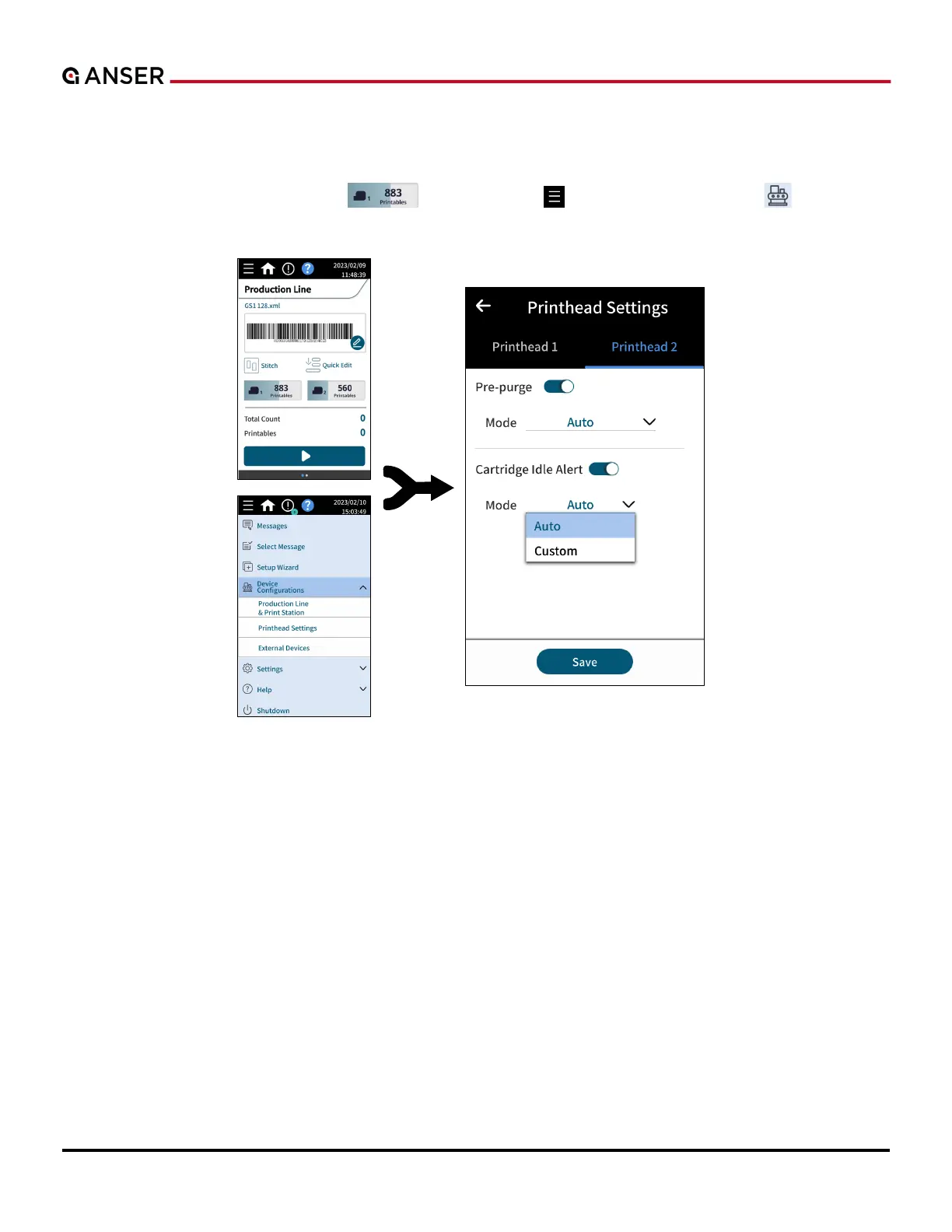
After one print station is created, users can configure parameters related to the printheads bound to the print station.
In homepage, press Ink Cartridge Info “
”, or use Menu “ ” > Device Configurations “ ” > Printhead
Settings to enter the page, as shown in Figure 1-49.
Figure 1-49. Printhead Settings Page



 To Next Page