ANSER CODING INC. 64 A1 Printing Setup
2.3 Printhead Settings
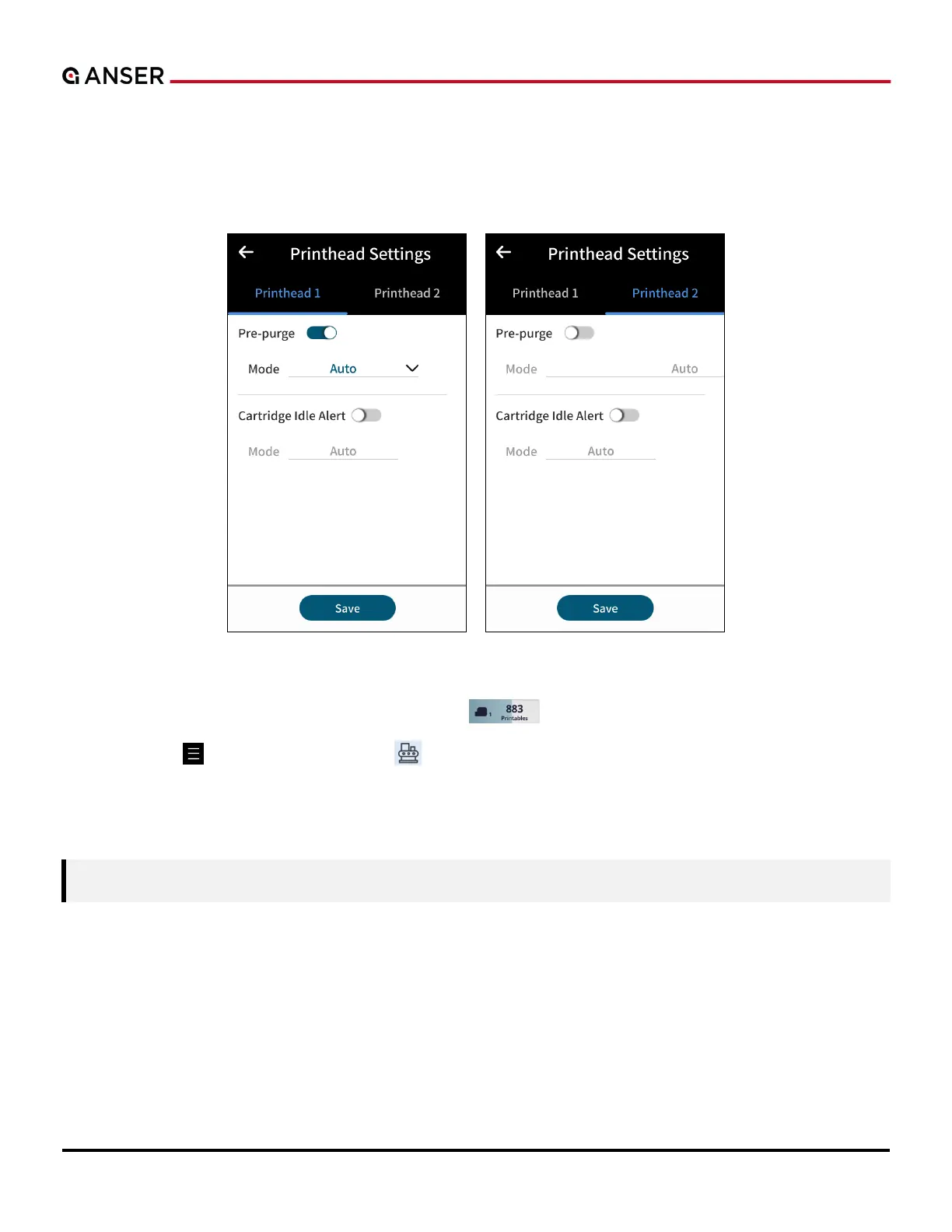
In the printhead settings page, pre-purge, cartridge idle alert and related options can be found. Likewise, Pre-purge
options can be configured to keep the nozzles moist when working in hot and dry environments. Please see Figure 2-4
below.
Figure 2-4. Printhead Settings
To access Printhead Settings page, use Ink Cartridge Info “ ” button in homepage, or:
a. Use Menu “ ” > Device Configurations “ ” > Printhead Settings.
b. Set the required parameters.
c. Press the Save button to store printhead settings.
Note: When using a half-inch printhead, select one of the nozzle rows or both for nozzle switching.



 To Next Page