60
AT2818/2816A/2816B/2817A/2817/810A User's Guide
10.3 ToSelectBaudRate
Before you can control the AT281x by issuing RS-232 commands from built-in RS-232
controller connected via its DB-9 connector, you have to configure the RS-232 baud
rate.
The AT281x’s built-in RS-232 interface uses the SCPI language.
The configuration of RS-232
RS-232 configuration is as follows:
Data bits: 8-bit
Stop bits: 1-bit
Parity: none
To set up the baud rate
Step 1. Press the [Meas] or [Setup] key
Step 2. Press the [SYSTEM] bottom soft key.
Step 3. Use the cursor key to select [BAUD] field
Step 4. Use the soft keys to select baud rate.
Soft key Function
1200
9600
38400
57600
115200 Recommend, system default.
10.4 AboutUSB‐SerialInterface
The USB-Serial Interface allows you to connect AT281X to a USB port on you PC. You
can control AT281X by using USB port.
10.4.1 InstallingUSB‐SerialdriversonWindowsXP
You must install the USB-Serial driver before using USB-Serial interface.
1. Connect the USB-Serial Interface to a spare USB port on your PC.
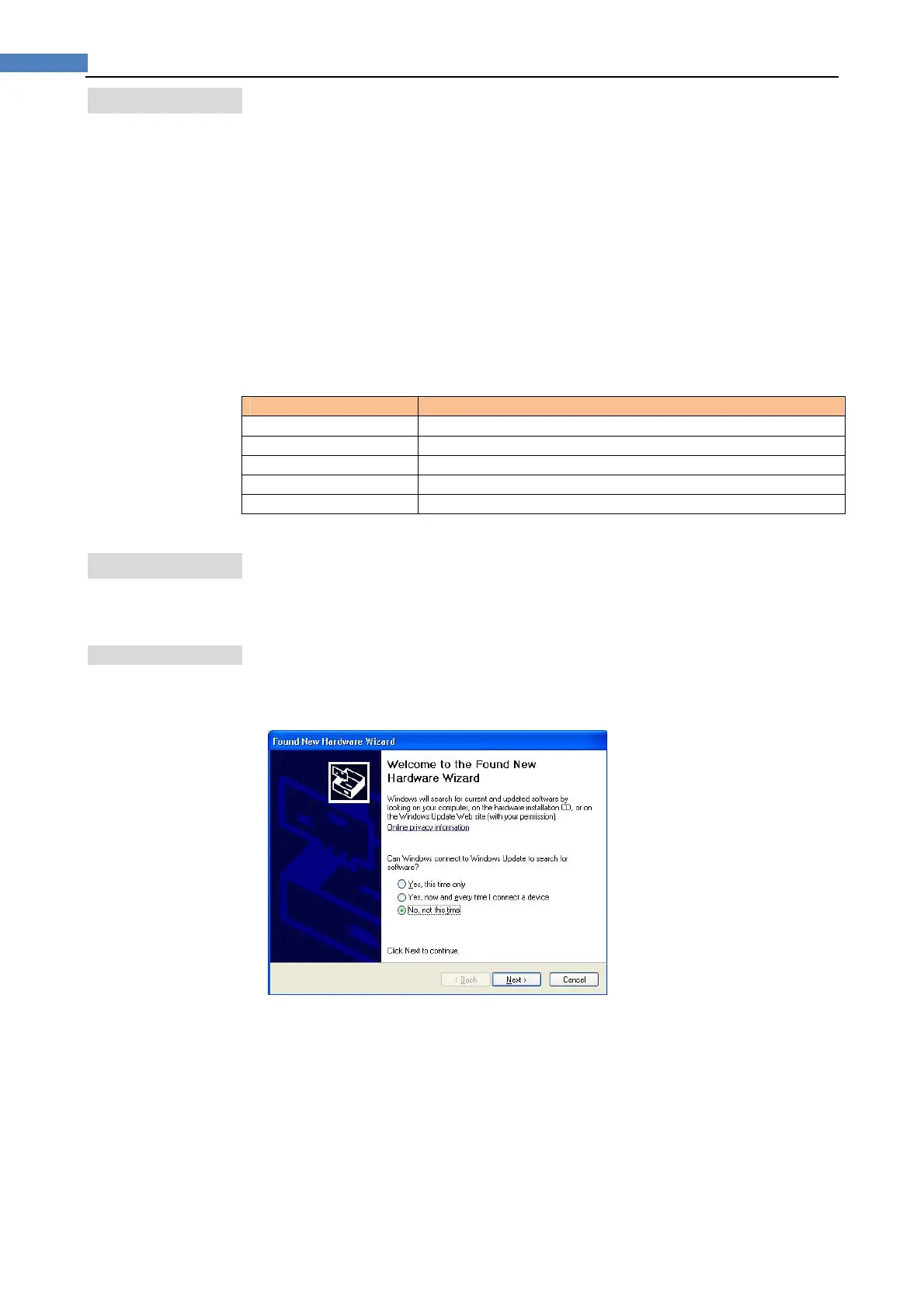
2. Windows XP found New Hardware Wizard will launch.
Please Select “No, not this time” from the options available and then click “Next” to
proceed with the installation.
3. Select “Install from a list or specific location (Advanced)” as shown followed figure
and then click “Next”:


 To Next Page