Operation
5-17
5
P/N 6525032M1 - X6
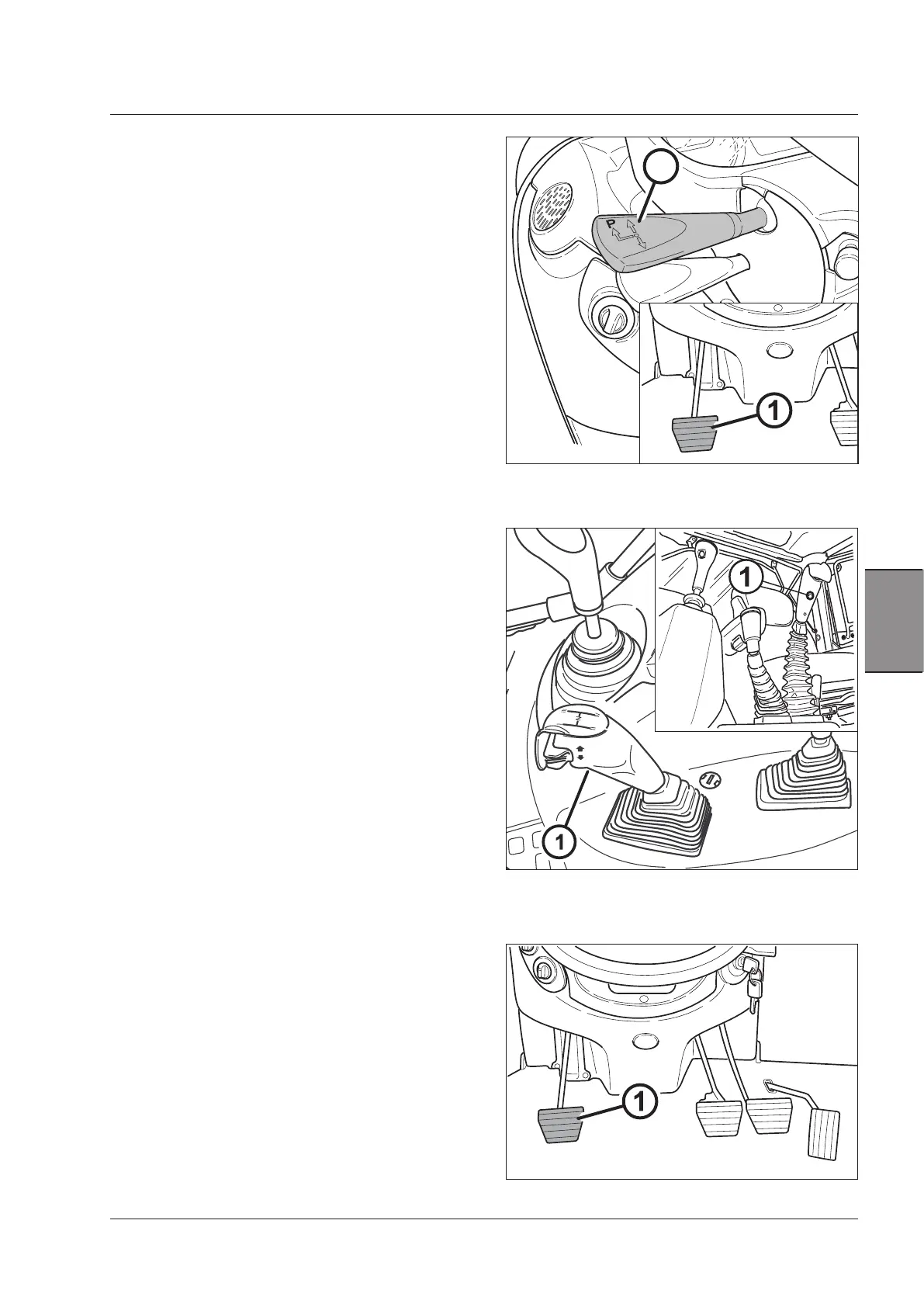
Starting the tractor with the clutch
pedal
(Fig.5-6)
Use the clutch pedal if you want carry out extremely
precise manoeuvres.
1. Fully depress the clutch pedal (1).
2. Move the reverse shuttle lever FNR (2) forward or back-
ward.
3. Release the pedal gradually to control the starting and
drive of the tractor.
The starting is usually in the direct drive. It is also possible
to start with Hi-Lo engaged by pressing the relative button
on the control knob.
Clutch pedal
Press the clutch pedal to end of travel (or the declutch
button) to select the gear. The range does not change.
NOTE: The use of the clutch pedal is recommended in
the following cases only:
– safety, a sudden obstacle, an emergency stop etc.
– very precise movements, e.g. hitching of implements.
Changing gear with the declutch but-
ton (Fig.5-7)
By means of the Declutch system , you can shift gears
simply depressing the orange button (1) on the gearshift
lever knob.
Depress the button (1) to disengage the hydraulic clutch
and keep it depressed while the required gear is engaged.
Release the button.
Changing gear with the clutch pedal
(Fig.5-8)
Depress the clutch pedal (1) and engage the required gear
by the gearshift lever.
The engaged range will not be changed.
To change the range, depress the clutch pedal (1) and
wait for the tractor to stop. Engage the required range
and release the clutch pedal.
Fig.5-6
Fig.5-7
Fig.5-8
2



 To Next Page