3-38
Controls - Cab
X6 - P/N 6525032M1
RADIO
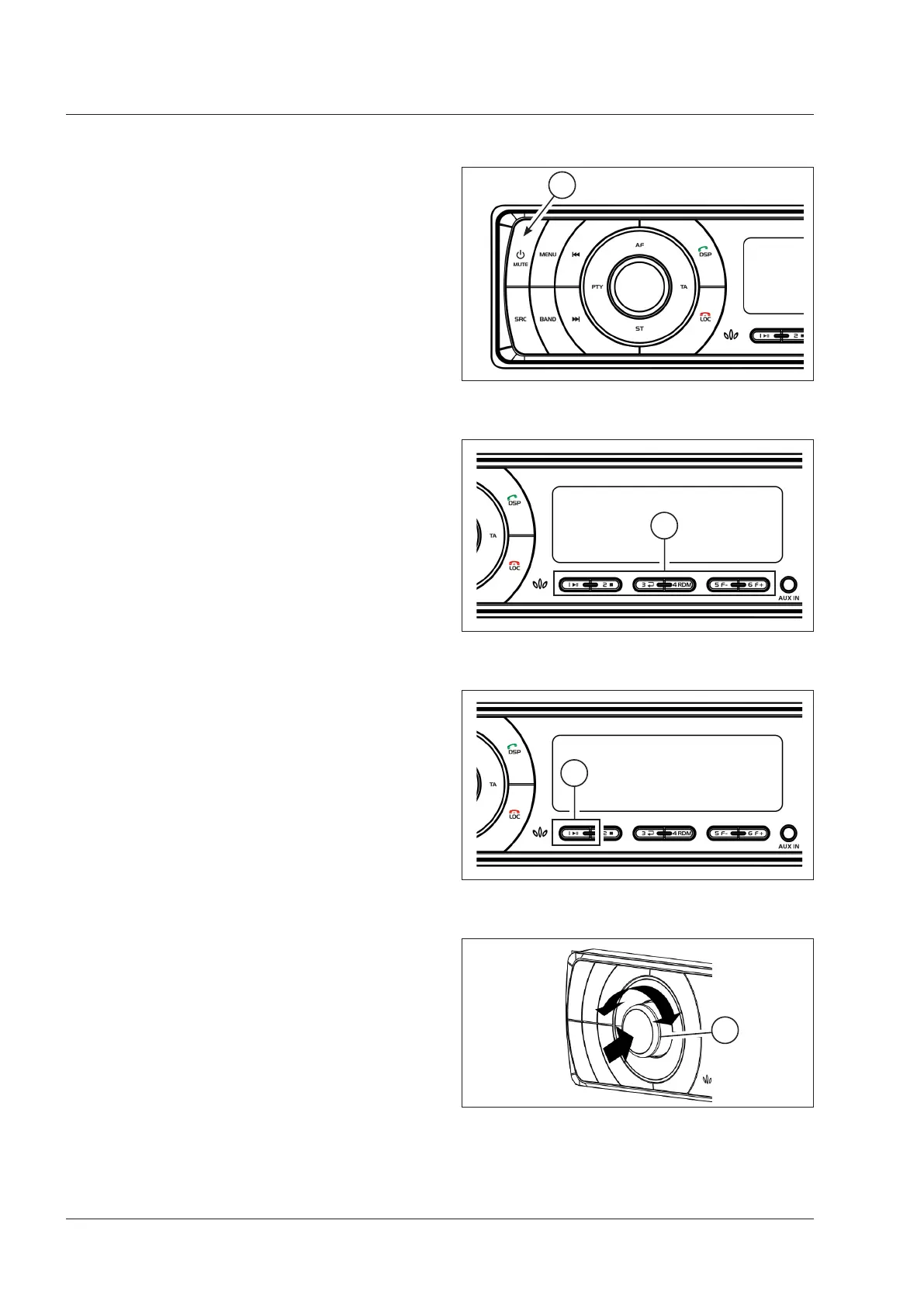
Multifunction buttons (2 - Fig. 3-72)
The buttons on the front panel may have different func-
tions if the operator is listening to the radio or playing
multimedia files (USB stick or SD card).
• Radio: stored station
• Function to operate in media: control Play
Fig. 3-72
2
Context of functions (1 - Fig. 3-73)
The function of some controls depends on context. For
instance, the button “1” (1 - Fig. 3-73) tunes in the first
stored radio station. After playing a multimedia file, how-
ever, this button can be pressed to play/interrupt a track.
• Radio: stored station
• Function to operate in media: playing/interrupting a
multimedia file
Fig. 3-73
1
“Volume” knob (1 - Fig. 3-74)
Turn the knob clockwise to raise, anticlockwise to lower
the volume.
If the options MENU or AUDIO are used, volume adjust-
ment is temporarily disabled and by turning the knob the
menu items are displayed instead. Apply a short pressure
(press and release) the volume adjustment knob to access
the controls of the AUDIO option, i.e. balance, fader, bass
and treble.
The volume has 41 positions, with a range 0 to 40.
Fig. 3-74
1
General information
Switching on (Fig. 3-71)
To turn on the unit, press the ON/OFF button (1 - Fig. 3-71);
to turn off, press and hold the same button for 1 second.
NOTE:
Many buttons on the front panel can be operated
in two modes: a momentary press or press and hold.
Fig. 3-71
1



 To Next Page