Controls - Cab
3-39
3
P/N 6525032M1 - X6
Radio
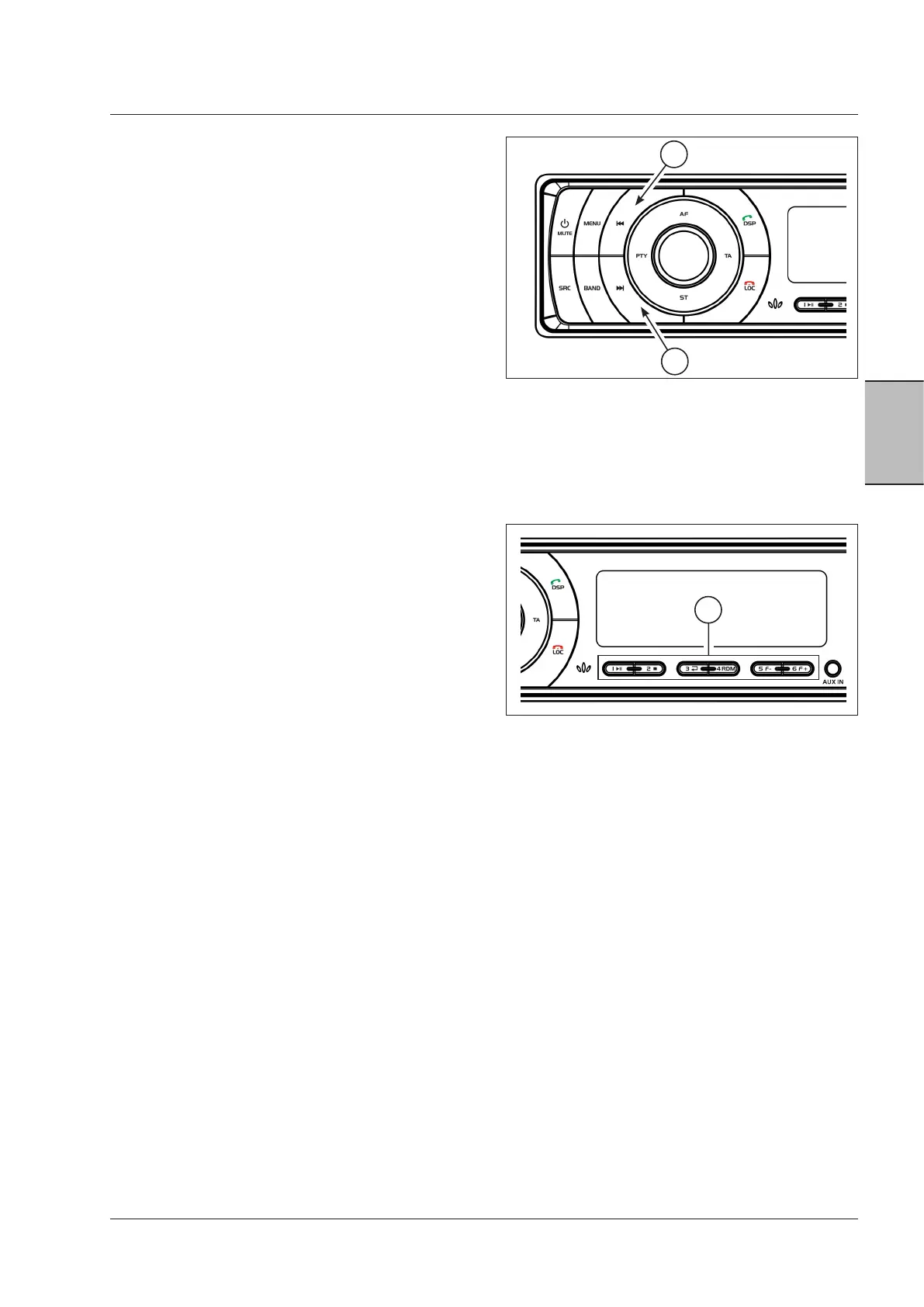
Radio stations search (Fig.3-75)
Use the buttons (1) and (2) to search a radio station: press
briefly to search automatically the next available frequency
(the search stops at the next available station).
1. Forward button
2. Backward button
Manual tuning (Fig. 3-75)
Hold (1) or (2) pressed for the manual search mode. In this
mode, a short pressure on one of these buttons gradually
changes the frequency, while a longer pressure makes the
search quicker until the button is released.
The radio returns to the automatic search mode if no but-
ton is pressed for 3 seconds.
Radio stations storing (Fig. 3-76)
When hearing a radio station, apply a longer pressure on
one of the buttons (1) to store the station. Apply a short
pressure on a button (1) to go to an already stored station.
The stored frequency can be changed by tuning on a dif-
ferent station and applying a longer pressure to the button
where you wish it to be stored.
• Longer pressure: the station is stored.
• Short pressure: the stored station is recalled.
FM radio
The RDS (Radio Data System) service is active in many
countries. In case of RDS transmission, it is possible to
enable or disable its settings in the menu, e.g. AF and TA.
RDS is only available in the FM bands.
• AF: alternative frequency
• TP: traffic program
• TA: traffic announcement
Fig. 3-76
1
Fig. 3-75
2
1



 To Next Page