3-40
Controls - Cab
X6 - P/N 6525032M1
Other audio equipment
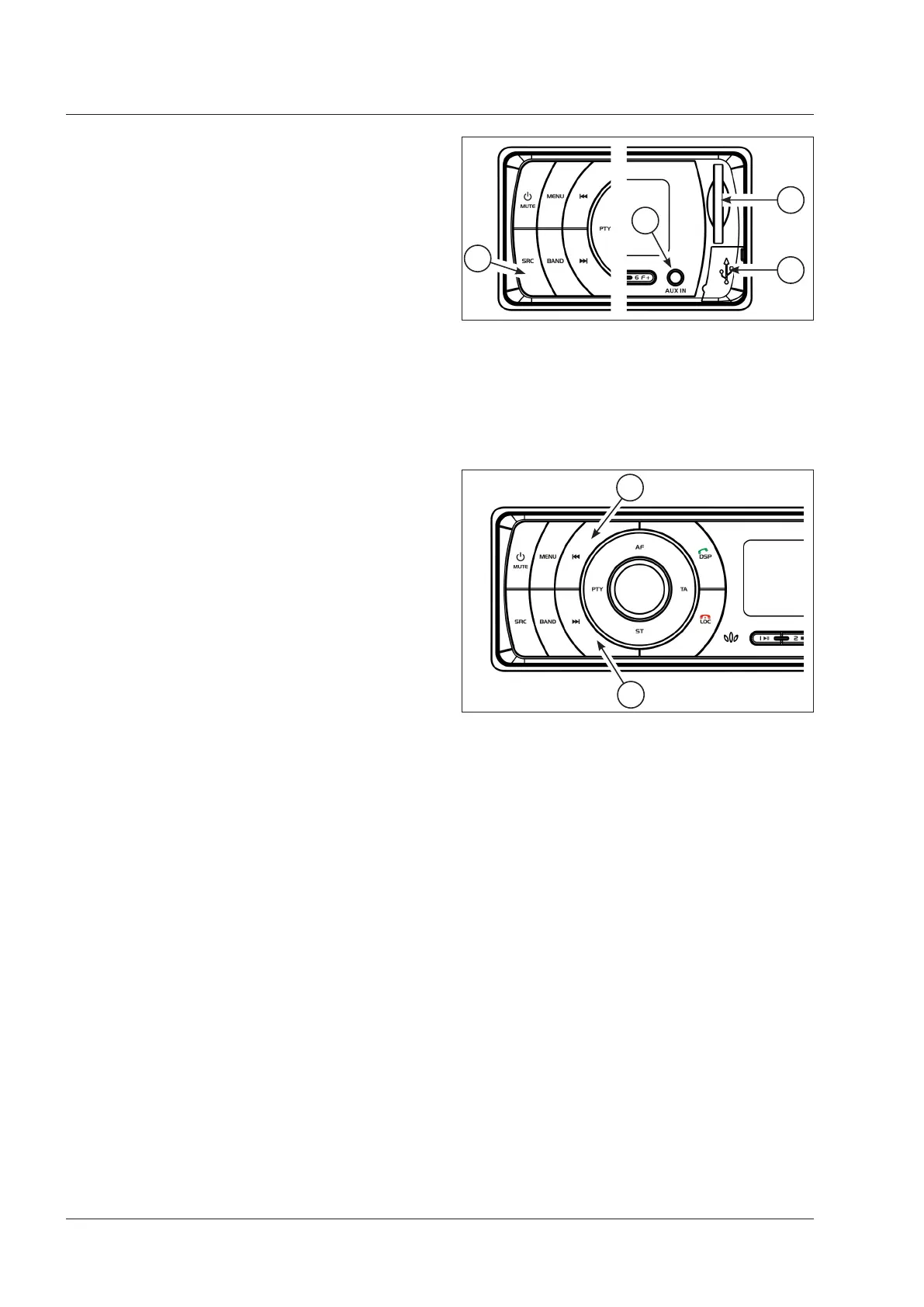
Playing multimedia files (Fig.3-77)
To play WMA or MP3 music files previously stored on a
USB stick (1) or a SD card (2), just insert the support in
its slot to start playing. The radio turns automatically on.
Use the SRC button (3) to select ‘radio’, ‘media’ or ‘AUX’
(auxiliary inlet) (4). If both supports are in their slots, the
radio uses the last slot that had been used.
NOTE:
Supports in SD/USB – selection is possible only if
multimedia files are available.
Double inlet AUX-IN (4), 3.5 mm on front and rear: these
sockets share the same circuit. Though it is possible to
use both, it is advisable to establish a connection only
with one of them and to leave the other one disconnected.
Audio tracks selection (Fig.3-78)
Use the buttons (1) and (2) to search the required track.
Press the button briefly:
1. to select the previous track
2. to select the next track
Press and hold the button:
1. for the rewind function
2. for the fast forward function
After reaching the desired position in the audio track,
release the button to start playing normally again.
AUX inlet 3.5 mm (4 - Fig.3-78)
The front panel features a stereo aux-in inlet. By means
of a 3.5 mm stereo jack plug, the music played through
the headset outlet of a portable multimedia player can
be played, for instance, through the tractor's speakers.
Fig. 3-77
1
2
4
3
Fig. 3-78
1
2



 To Next Page