Controls - Cab
3-41
3
P/N 6525032M1 - X6
Radio menu
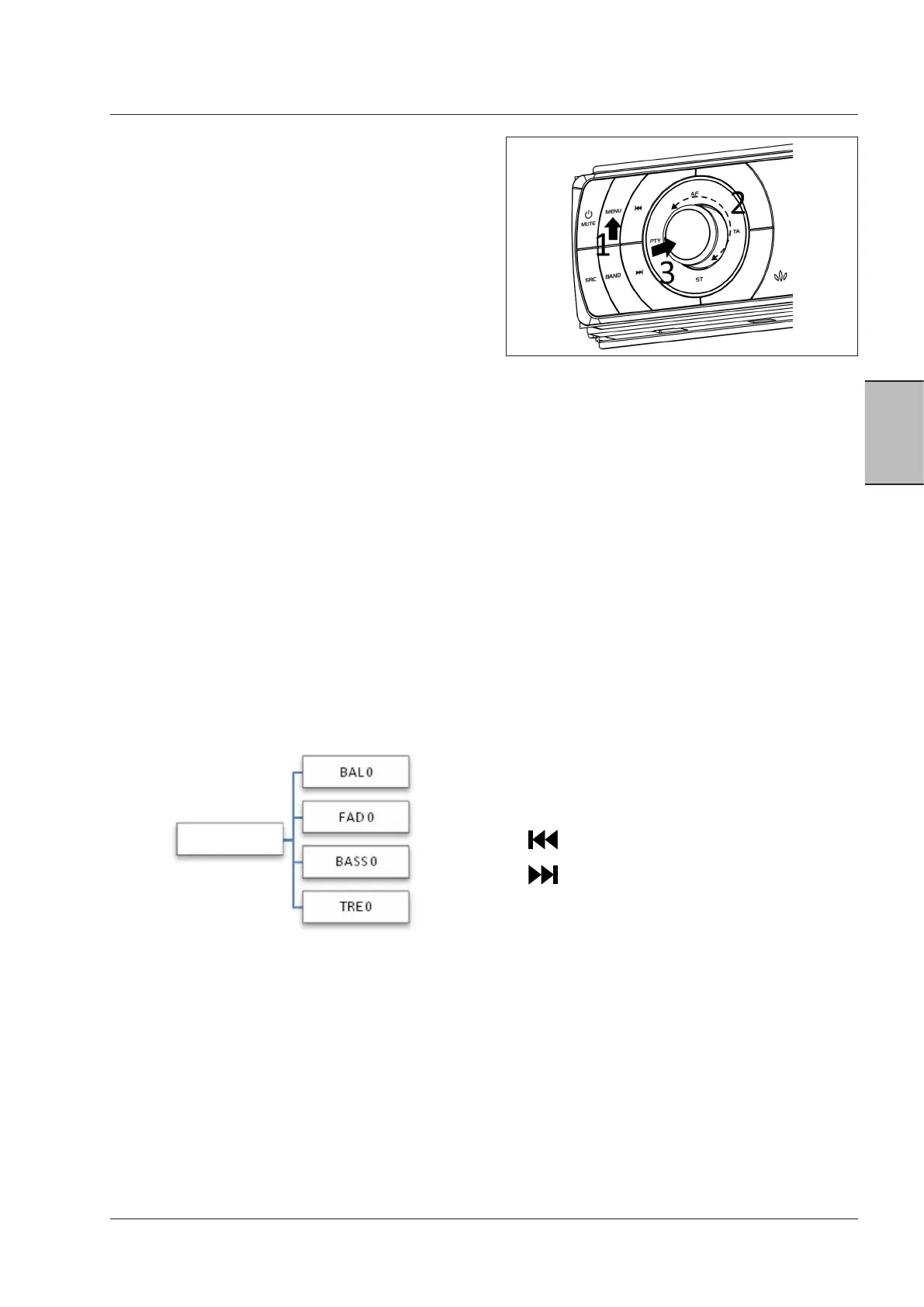
Menu (Fig. 3-79)
Apply a short pressure to the MENU button (1) to open
the radio menu. Afterward, the LCD display shows the
available menu items. By the ‘Reset – confirm’ function
the default settings can be restored.
After entering the required menu, use the following but-
tons to browse:
1. ‘MENU’ = EXIT, MOVE UP ONE LEVEL (to go from the
right to the left in the menu tree).
2. Turn the volume knob = PREVIOUS ITEM/NEXT ITEM
(to scroll the menu tree up or down).
3. Middle button = SELECT ITEM, CONFIRM, MOVE
DOWN INTO SUB-LEVEL (to scroll the menu tree left
to right).
Press and hold 'MENU' to exit.
NOTE:
if no button is pressed for 3 seconds, the radio
quits the 'MENU' mode automatically.
Audio
To change AUDIO settings, apply a short pressure on the
volume knob. It is a shortcut key to enter the software
menu. In this way, the user can change the settings BAL-
ANCE, FADER, BASS and TREBLE:
- Apply a short pressure on the volume knob.
- Use in the same way as MENU.
Knob
volume
Access to ‘MENU’ and ‘AUDIO’ menus is described as
"browsing the menu tree". The middle button is used to
move to a lower level in the tree, while the MENU button
has the opposite function, i.e. to move from a lower to a
higher level (right to left) in the menu tree.
Other buttons:
•
to move to a higher level (right to
left)
•
to select an item, to move to a lower level
(left to right)
Fig. 3-79



 To Next Page