3-34
Controls - Cab
X6 - P/N 6525032M1
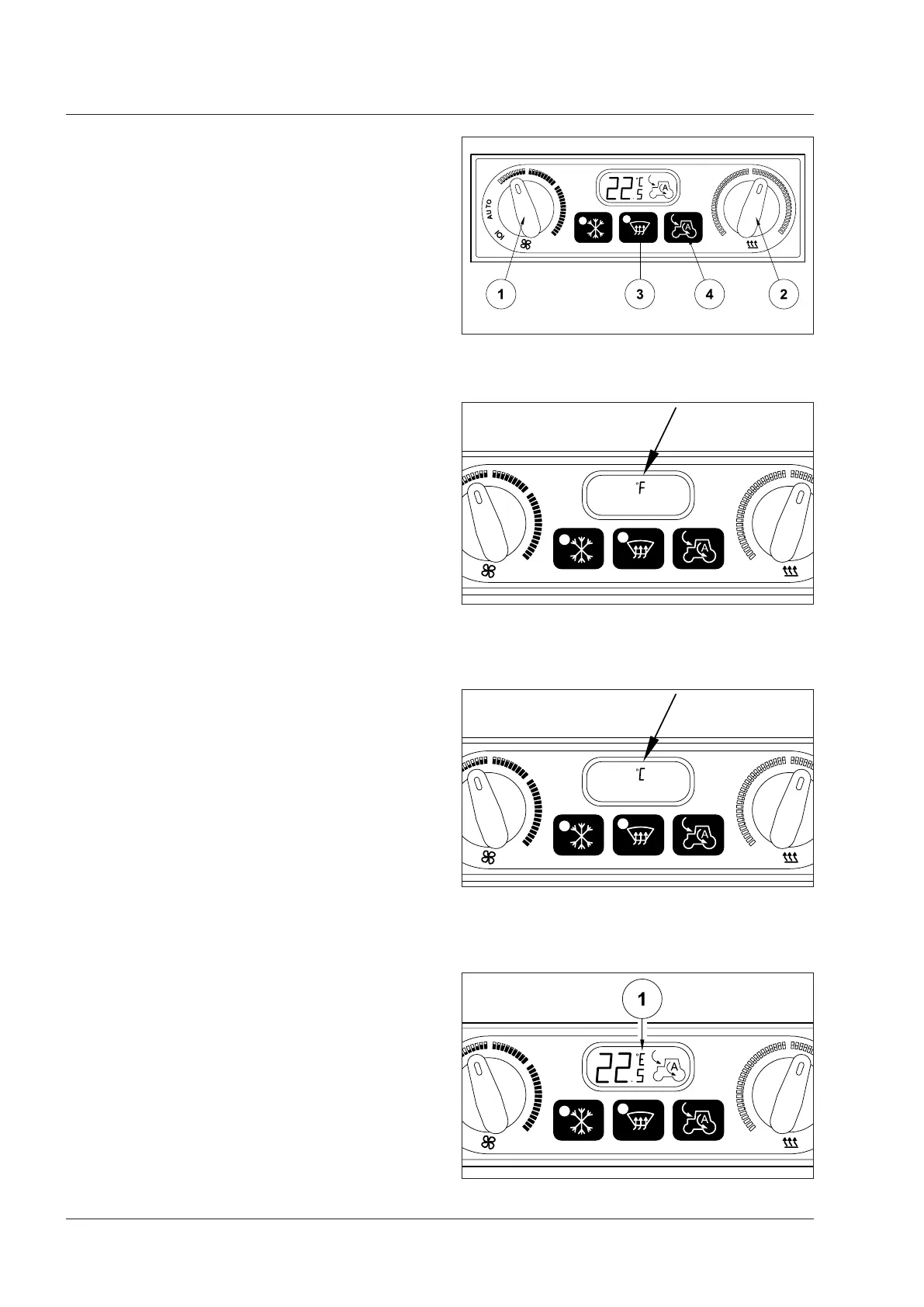
Changing temperature format on display (°C or °F)
Fig. 3-60, 3-61, 3-62, 3-63
In the first 5 seconds from key ignition, the format for the
temperature on display can be changed from Celsius to
Fahrenheit and back.
To change temperature format on LCD display:
1. with the engine off, turn the fan speed control (1) OFF
(left-hand side of the air conditioner console).
2. turn the temperature control (2) to max. heating posi-
tion (red) (right-hand side of the air conditioner console).
3. turn the ignition key to ON in position 1, then within
5 seconds press both the defrosting and re-cycling
buttons (3) and (4) at the same time for a few seconds.
The display shows the set temperature symbol (°C or °F)
4. turn the fan speed control (1) to AUTO.
5. to confirm selection turn the control (2) to desired
temperature.
NOTE: any errors on the air conditioning sensors are indi-
cated by the symbol “E” (1-Fig. 3-63) on the LCD display.
Contact your Argo Tractors Dealer to solve any problems.
Fig. 3-60
Fig. 3-61
Fig. 3-62
Fig. 3-63



 To Next Page