3-36
Controls - Cab
X6 - P/N 6525032M1
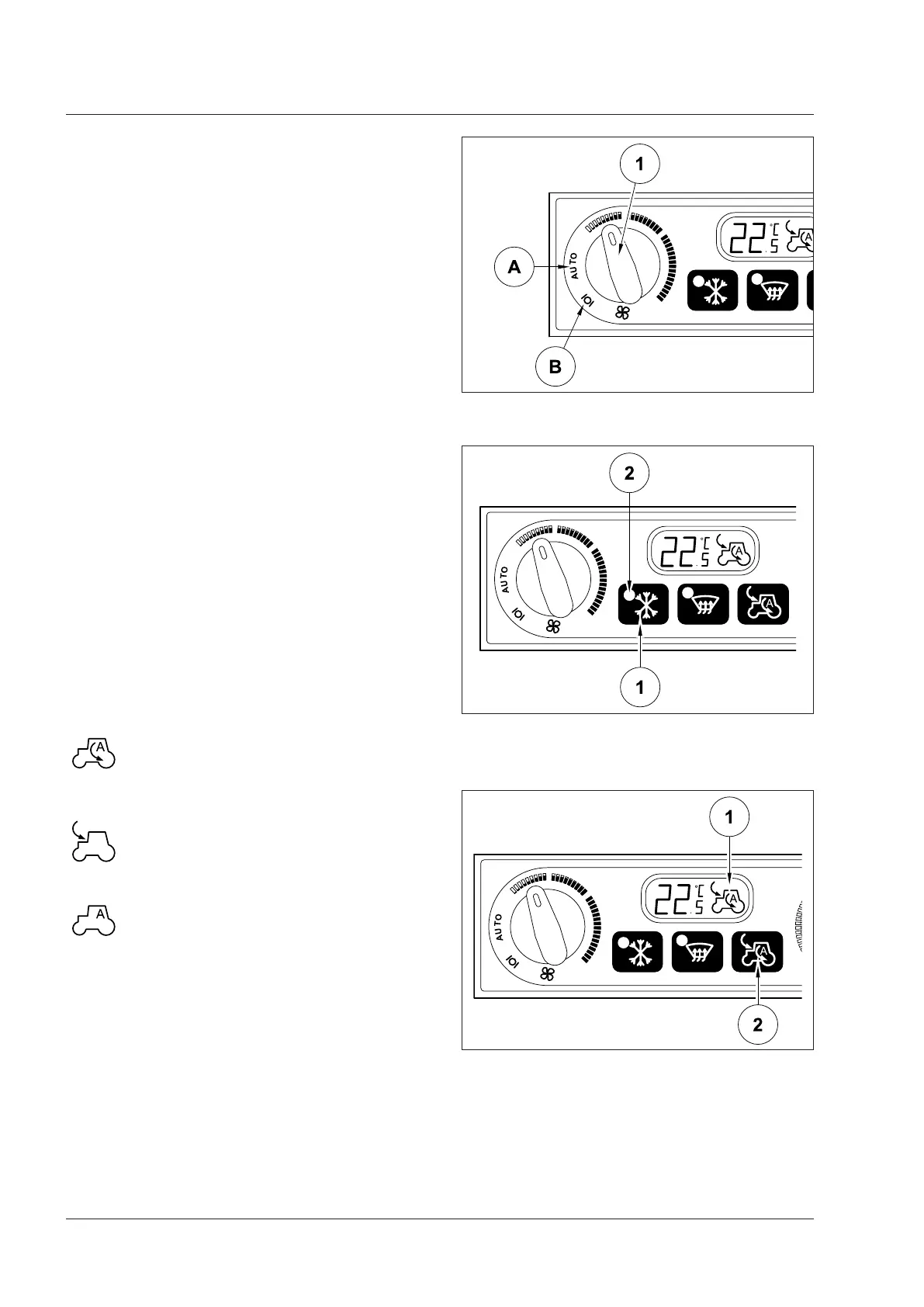
Air flow adjustment (Fig. 3-67)
By setting the fan speed control (1) in AUTO position
(A), the air flow is selected automatically. Air flow adjust-
ments are gradual.
Air flow may be changed by setting the control (1) in a
different position from AUTO.
According to the sun radiation value, air flow is automati-
cally adjusted if the set temperature is lower than the
external temperature and the temperature on display is
flashing.
The air flow can be changed to keep the temperature
inside the cab within the preset range.
Turn the speed control (1) to the OFF position (B) to quit
the automatic mode.
Air conditioning function (Fig. 3-68)
Turn on the air conditioning in the cab by pressing the
button (1). The LED (2) turns on.
The air conditioning compressor is activated to keep the
temperature at the required value.
Press switch (1) to deactivate.
Re-cycling (Fig. 3-69)
The icon (1) on the LCD display indicates air re-cycling
mode.
When this mode is selected, the air inside the cab is
re-cycled.
This mode is advised to avoid intaking polluted outer
air, e.g. when working in very dusty environment, or in
a tunnel, or to cool down quickly the inside of the cab.
NOTE: Adjustment in automatic mode depends on outer
temperature.
The first time the re-cycling button (2) is pressed,
an arrow will be displayed on the tractor icon.
Air inside the cab is re-cycled in a closed circuit
system.
The second time the re-cycling button (2) is
pressed, an arrow will be displayed outside
the tractor icon.
Air is taken in from the outside.
The third time the re-cycling button (2) is
pressed, automatic control is restored.
The tractor icon shows the letter A (automatic).
Fig. 3-67
Fig. 3-68
Fig. 3-69



 To Next Page