59
THIS IS AN UNCONTROLLED DOCUMENT.
THIS ELECTRONIC DOCUMENT MAY HAVE BEEN SUPERCEDED.
THE MOST CURRENT DOCUMENT INFORMATION IS AVAILABLE
FROM YOUR BELL HELICOPTER TEXTRON REPRESENTATIVE.
PRODUCT DATA JANUARY 2003
MAINTENANCE PAGES
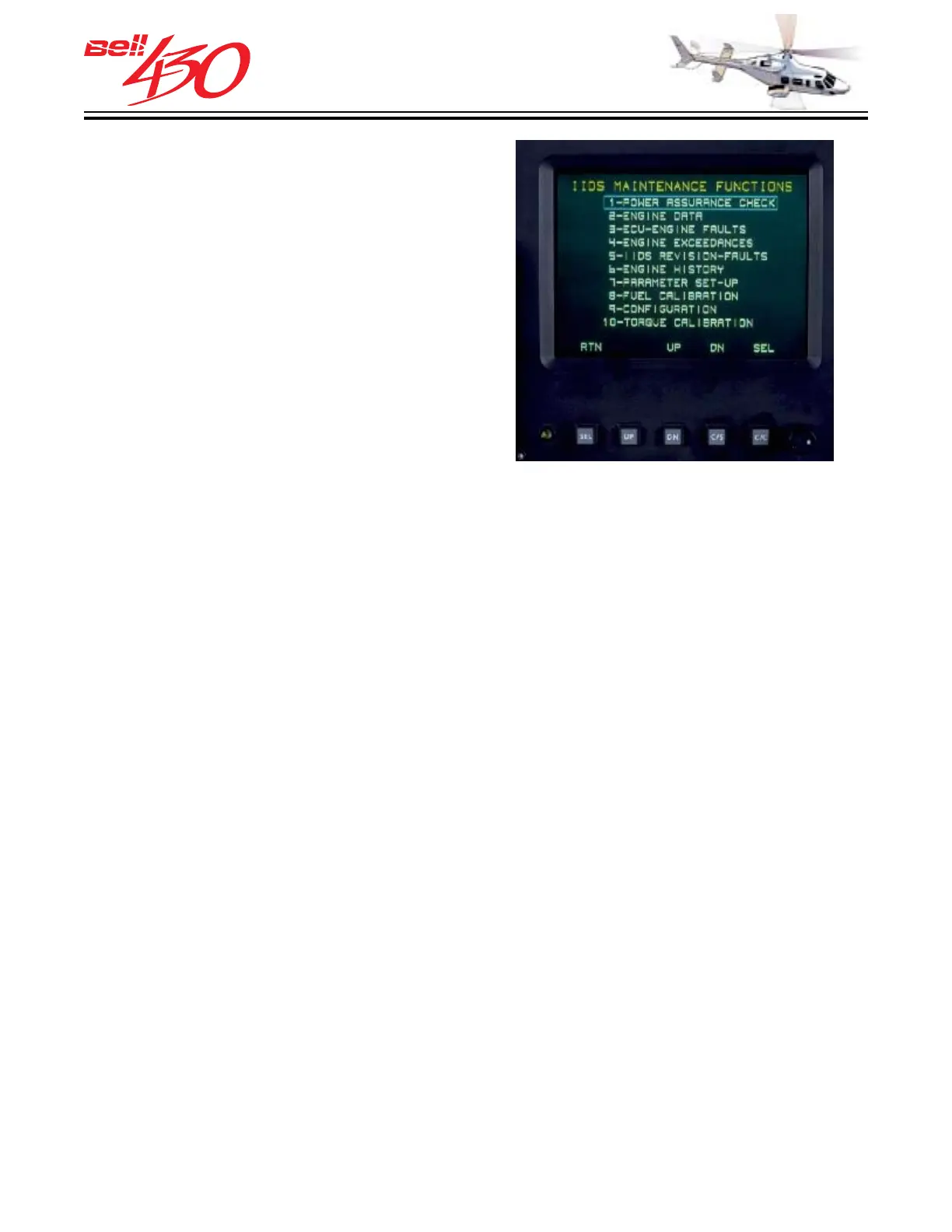
The maintenance pages are accessed by
simultaneously pressing the two outboard
soft-key bezel switches under either IIDS
screen, SEL and TST switches on the
secondary screen, or SEL and C/C switches
on the primary screen. This will display the
IIDS MAINTENANCE FUNCTIONS page.
After entrance to the Top Level
Maintenance Page, the functions of the soft-
keys below each screen will be changed
to the function specified above each key
at the bottom edge of the LCD display. Using
the UP, DN, and SEL switches will allow
the selection of the desired maintenance
function, while RTN will exit the display to
its' normal display format. Each of the
maintenance function displays are MENU
DRIVEN, with various soft-key functions
specified above each key at the bottom
edge of the LCD display.
The engine hourmeter is an integral part
of the IIDS and can be accessed thorough
the ENGINE HISTORY maintenance pages.
ENGINE HOURMETER
TOP LEVEL MAINTENANCE DISPLAY
There are ten maintenance functions accessible through the IIDS. They are;
1. POWER ASSURANCE CHECK
2. ENGINE DATA
3. ECU-ENGINE FAULTS
4. ENGINE EXCEEDANCE
5. IIDS REVISION-FAULTS
6. ENGINE HISTORY [HOURMETER]
7. PARAMETER SETUP
8. FUEL CALIBRATION
9 CONFIGURATION
10. MAST TORQUE CALIBRATION



 To Next Page