General Explanation Repair
Messages
the sewing-/embroidery computer
needs lubricating
When this message appears, the sewing computer needs
cleaning/lubricating. This ensures the proper functioning and a
long durability of the sewing computer.
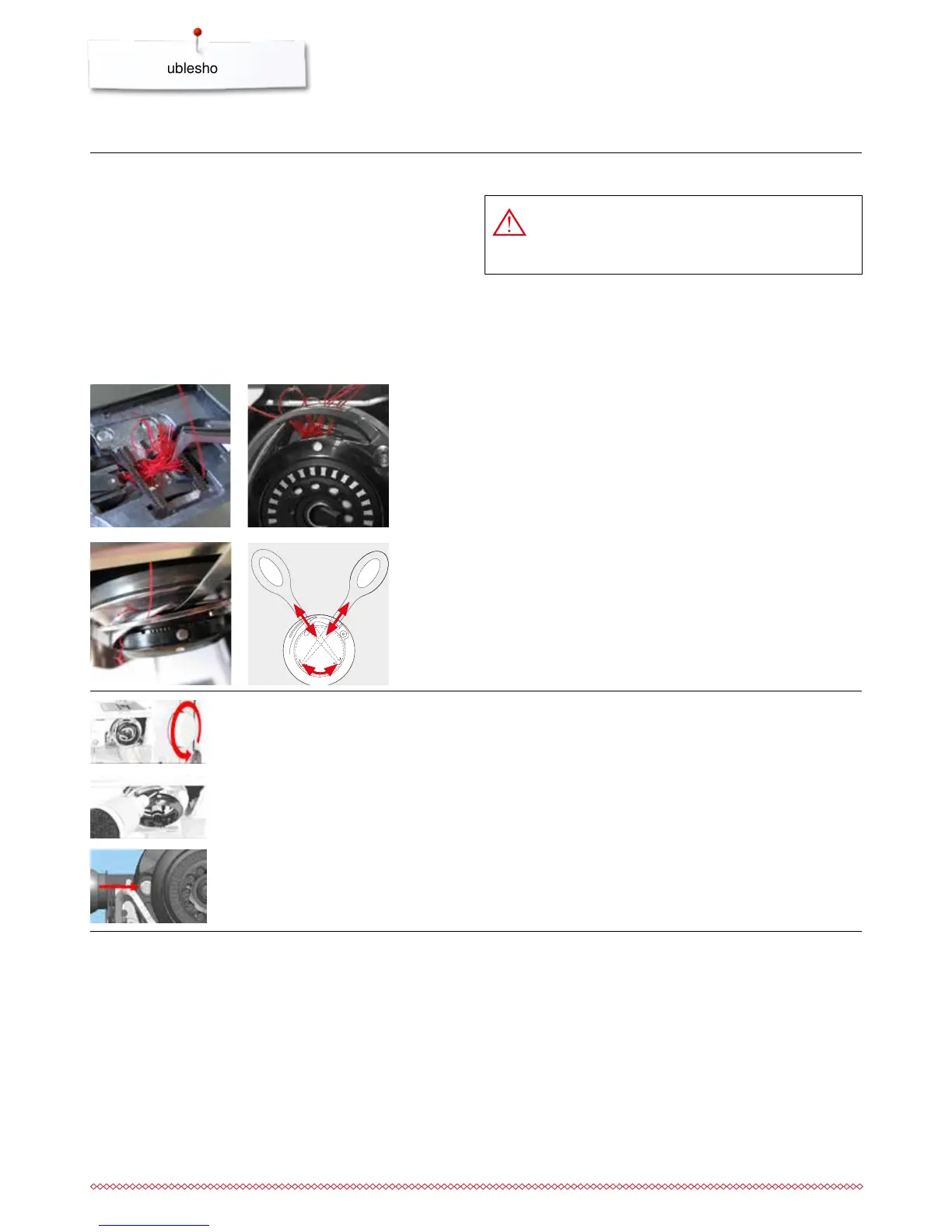
After lubricating, bring the hook into the illustrated position (see
picture on the left) by turning the handwheel clockwise to be
threaded correctly.
⦁
cut the threads at the stitch plate and remove the sewing
good
⦁
remove the presser foot, the needle and the stitch plate
⦁
open the bobbin cover, the hook swivels out
⦁
switch off the sewing computer
Hook blocked
⦁
first remove the visible threads in the complete hook area
carefully using the tweezers of the standard accessory
(Abb. 1)
⦁
hold the bobbin retainer with the left hand (refer to page 31)
bring the hook into the illustrated position (Abb. 2) by turning
the handwheel
⦁
insert the tool carefully into the opening and pull the threads
upwards in lateral and upward movements (ill. 3-4)
⦁
when any threads are removed, oil the sewing computer, turn
it on again and close the bobbin cover. The hook must
position itself automatically.
DANGER!
This tool is supposed to be used for the described
application only!
21
43



 To Next Page