!
Biodex Medical Systems, Inc. © 2016 101
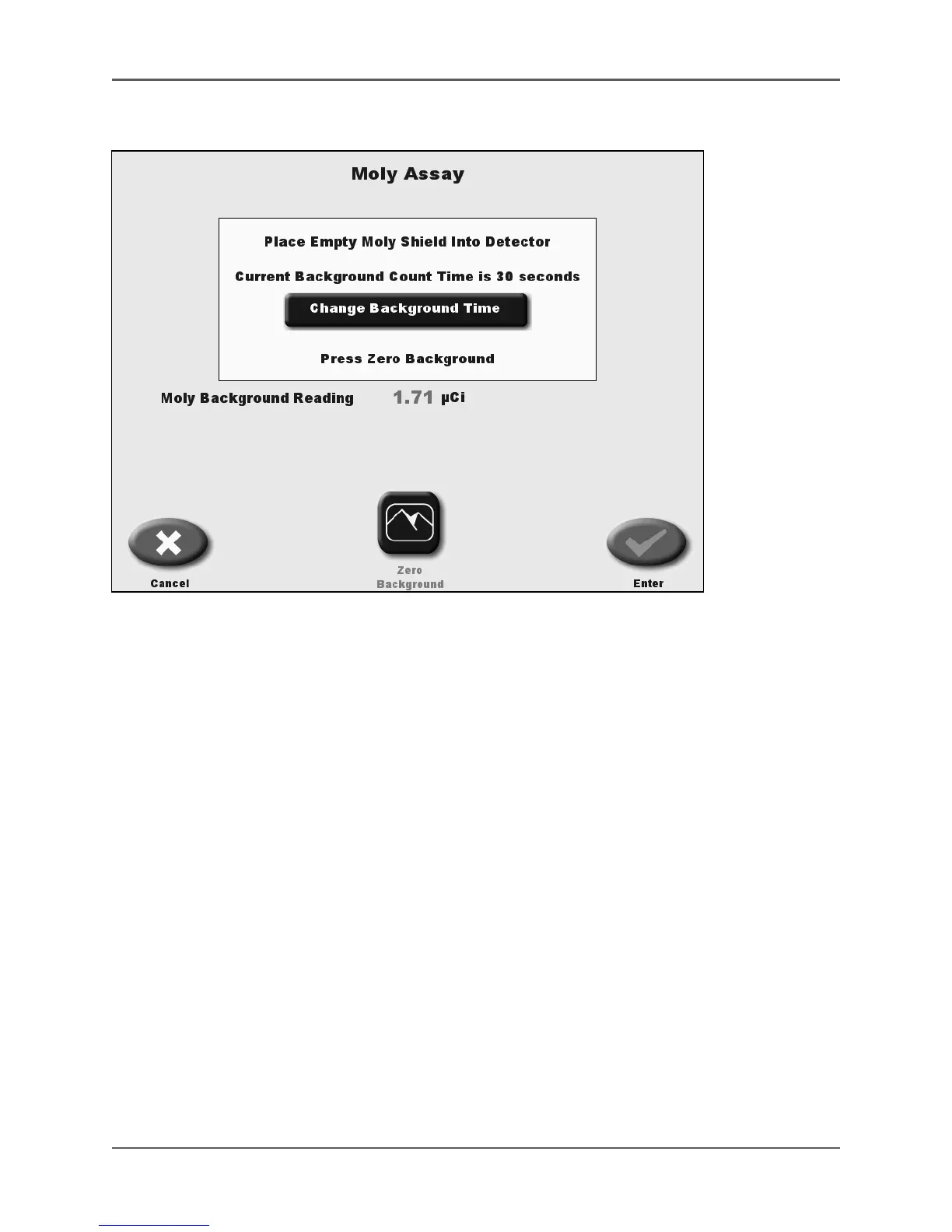
Figure 5.23. Moly Assay Reading screen.
7. The Moly Assay Background screen allows the user to change the background counting time.
The screen displays the current background time. To change the background counting time,
select <Change Background Time>. A message will be displayed stating, “Changing
Background, Time Will Be Retained And Have A Global Effect Throughout The System.” Select
<Continue>.
NOTE: When you change the background counting time it changes the Moly Background time
and the Dose Calibrator background counting time. If you do not want to change the
background time, select <Cancel> and go to step 9.
8. The Set Count Background Time screen is displayed. Select the number after Background
Count Time. A pull-down menu is displayed with 30, 60 or 100 seconds. Select to highlight
the time that you desire and select <Enter>. The Moly Assay Background Counting screen will
be displayed with the new background counting time.
NOTE: You must perform a Mo-99 Background count using the empty
Moly Shield before counting the Moly Assay.
9. Make sure there is no source in the detector. Place the empty Moly Shield into the detector
and touch <Zero Background>.
10. Select <Zero Background> to begin a background count lasting up to 100 seconds.



 To Next Page