!
Biodex Medical Systems, Inc. © 2016 171
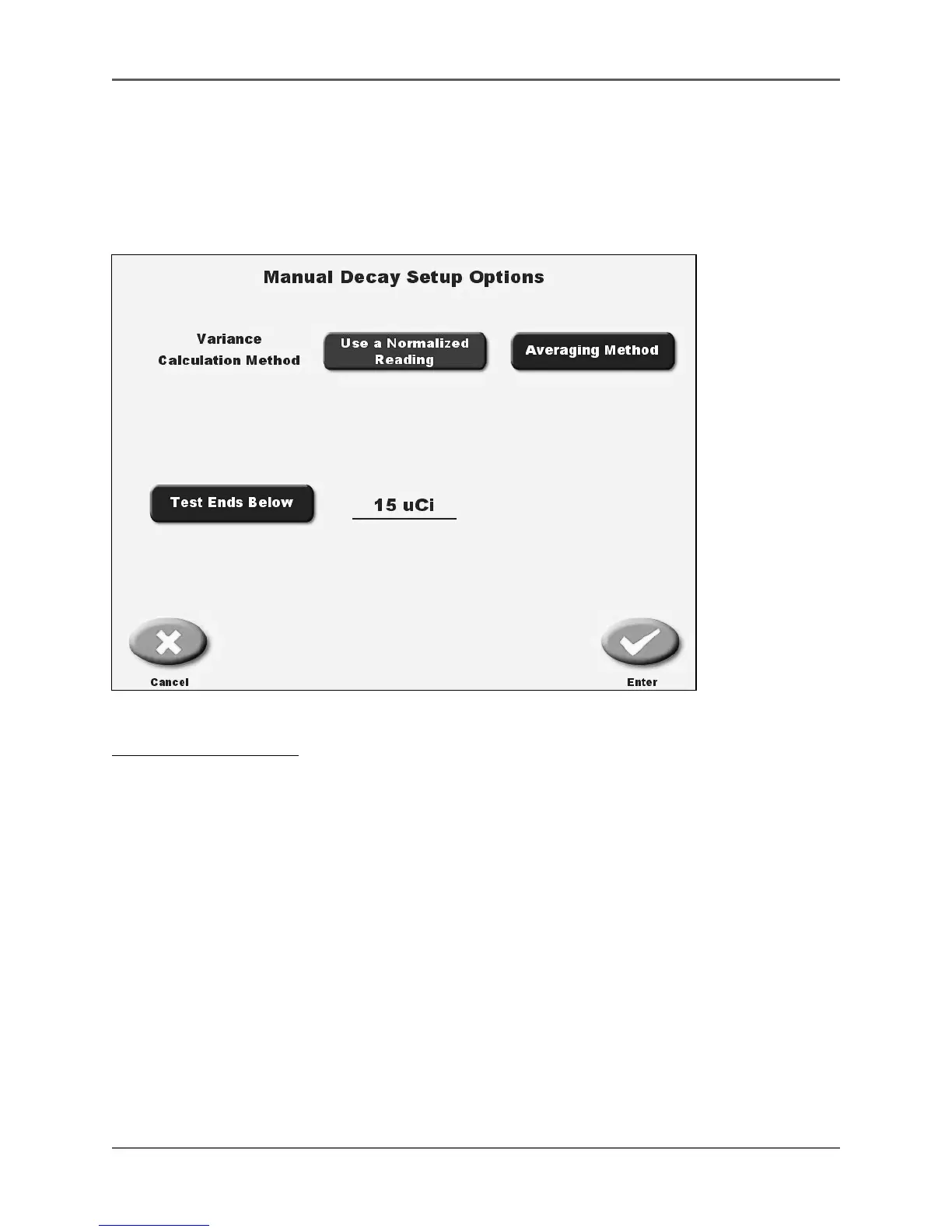
This test allows the user to record the linearity readings each time that <Record Reading> is
touched. You have a choice for the calculation method using a normalized reading or an
averaging method for the calculation. This choice is made as part of setting the test parameters
prior to starting the linearity test. The manual decay test can be paused to use the dose
calibrator for measuring functions and still return to the manual decay testing operation.
Figure 6.42. The Manual Decay Select Setup Options screen.
To Select Setup Options:
1. From the Manual Decay Test screen, touch <Setup Options>. The Manual Setup Options
screen is displayed.
2. Choose the variance calculation method, either <Use a Normalized Reading> or <Averaging
Method>.
3. If you select <Use a Normalized Reading>, touch <Enter> to go to the Manual Decay Test
screen. (The normalized reading is selected at the end of the test.) If you select <Averaging
Method>, the system performs the averaging calculation once the test is ended.
4. Test Ends Below defaults to 10 µCi. This can be changed by touching <Test Ends Below>,
which brings up a keypad to enter the activity at which the test should end. You can set this
number between 10 and 50 µCi.
5. Touch <Enter> to return to the Manual Decay Test screen with the new variance calculation
method selected, or <Cancel> to return to the Manual Decay Test screen without selecting a
new calculation method.



 To Next Page