EasyManua.ls Logo

Biolight Meditech P1 - Page 167

Default Icon
303 pages
Print Icon
To Next Page IconTo Next Page
To Previous Page IconTo Previous Page
Loading...
6
L
B
B
N
14.4.2
Ta
k
follow
i
1.
C
O
se
n
P
6
. Check before us
e
Before connectin
g
readings on the
m
Before connectin
g
reading and wav
e
After installing th
e
the tightness of t
h
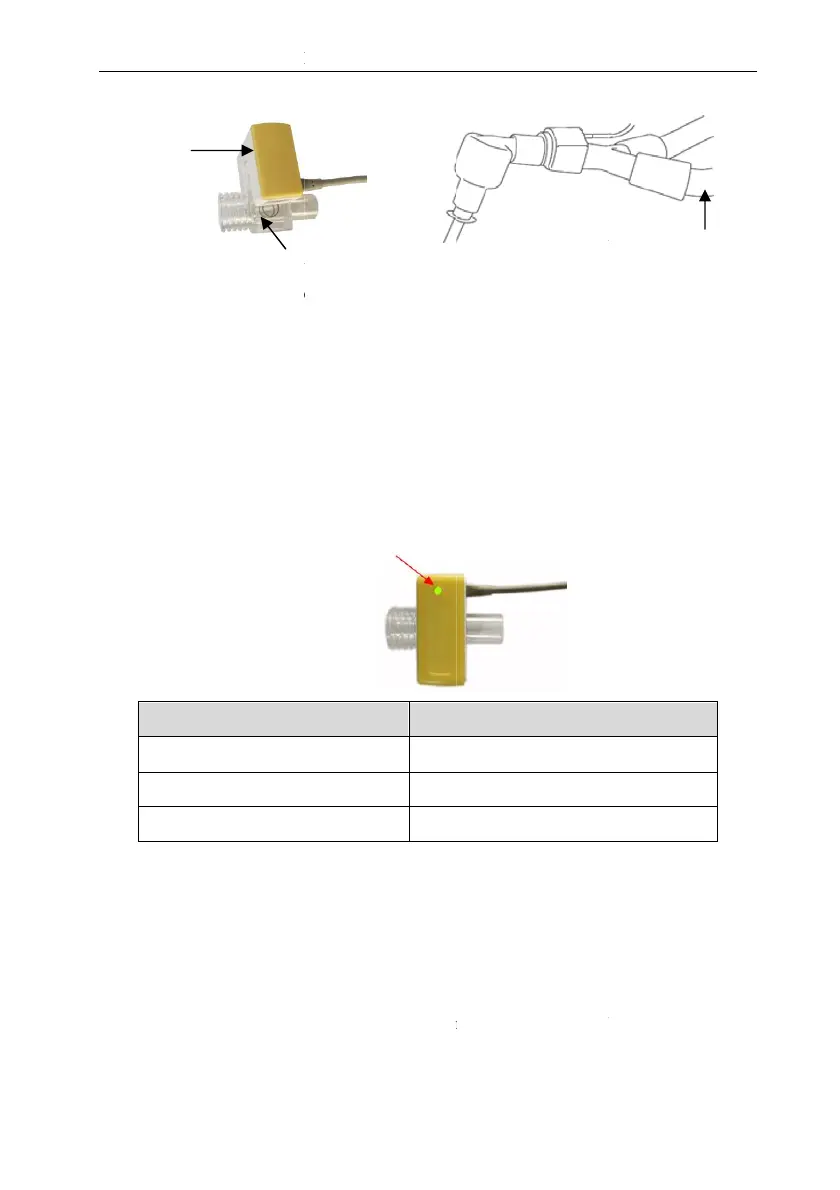
Status indicated
L
ED
B
linking green light
B
linking red light
N
o light
. Measure Using
S
k
e Sidestream CO
2
p
i
ng steps to use sides
t
As shown below,
i
CO
2
plug-in modu
O
2
n
so
r
Airway a
d
P
1 Patient Monitor
U
14-4
e
:
g
the airway adapte
r
m
onitor are correct.
g
the airway adapt
e
e
form through the dis
e
mainstream CO
2
s
e
h
e patient circuit.
by LED on Mainstre
a
The
i
Syst
e
Chec
Chec
S
idestream CO
2
m
o
p
lug-in module with
t
ream CO
2
module to
i
nstall the water trap
o
le, and connect one e
n
To
p
d
apter
U
ser’s Manual
r
to the breathing c
e
r to the patient cir
c
play on the monitor.
e
nsor on the airway a
d
am
CO
2
sensor:
i
ndicated status
e
m O
K
k adapte
r
k connection of CO
2
o
dule
water trap as an e
x
measure:
o
n the water trap hol
d
n
d of the sampling tu
b
p
atien
t
V
ircuit, check if the
c
uit, verify the gas
d
apter, please check
sensor
x
ample. Please refer
d
er of the sidestream
b
e to the water trap.
V
entilator Wye

Table of Contents