P1 Patient Monitor User’s Manual
14-6
NOTE
:
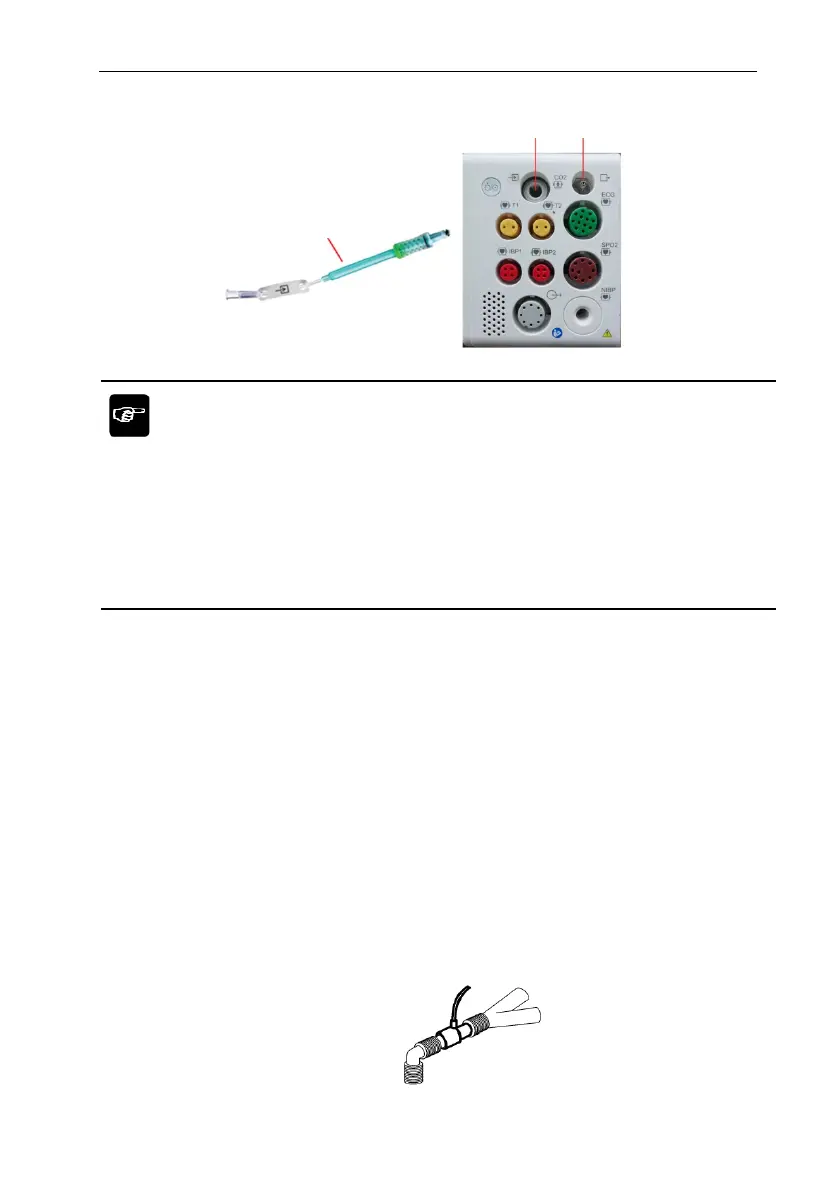
Inserting the sampling tube into the sampling tube connector will automatically
start the sampling pump. After the sampling tube is pulled out, the sampling
pump stops.
To pull out the sampling tube from the plug-in module, press the lock on the
sampling tube and pull out the sampling tube.
2. If the sampling pump fails to turn on, or runs intermittently, perform a “Zero”
procedure. (Refer to the 14.8 Zeroing)
3. Ensure that the CO
2
sensor exhaust tube vents gases away from the sensor
environment.
4. Wait for the CO
2
sensor to warm up. The monitor will display the “Sensor Warm
Up...” message for approximately 1minute while the sensor warms up to operating
temperature. The message disappears when the sensor is ready for use.
5. Applying airway adapter or cannula:
1) For intubated patients requiring an airway adapter: Install the airway adapter at the
proximal end of the circuit between the elbow and the ventilator Y section. Shown
as follows:
Smampling tube
Smampling tube
connector
Exhaust pipe
connecto



 To Next Page