P1 Patient Monitor User’s Manual
1-17
1.11.3. Menu
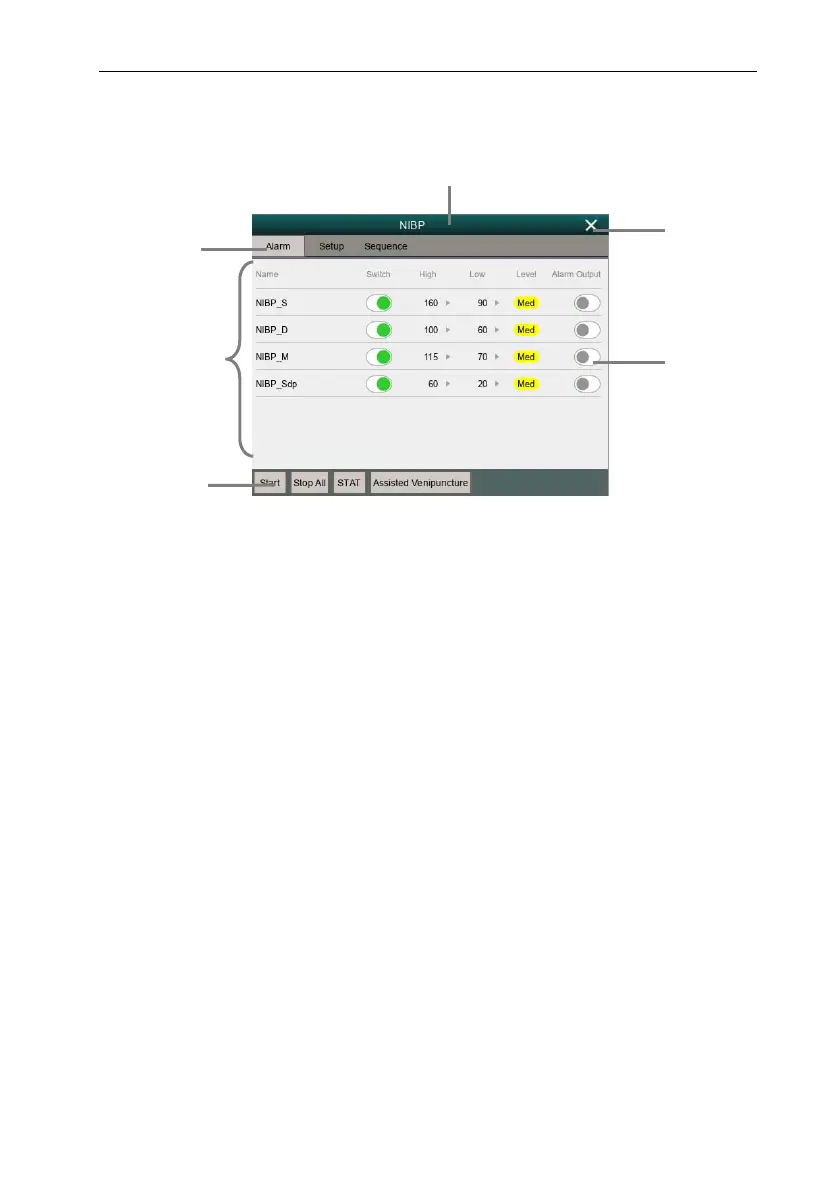
The styles of the various menus are basically similar, see the picture below:
1. Menu title:Summary of the current menu.
2. Submenu button:Press this button to enter the corresponding submenu.
3. Main display area of
menu: Display menu options.
4. Operation button: Click to start an operation.
5. Exit button: Exit the current menu.
6. Function switch:
Green: The function switch is on;
Gray:
The function switch is off.
2
1
5
6
4
3



 To Next Page