Math 91
6. Press the Tools softkey to enter TOOLS menu. Press the Type softkey to select the type of tools. The type of the
tools can be Peaks, Markers, or O. Peaks: Automatically mark the peak of the current FFT waveform according
to the search conguration.
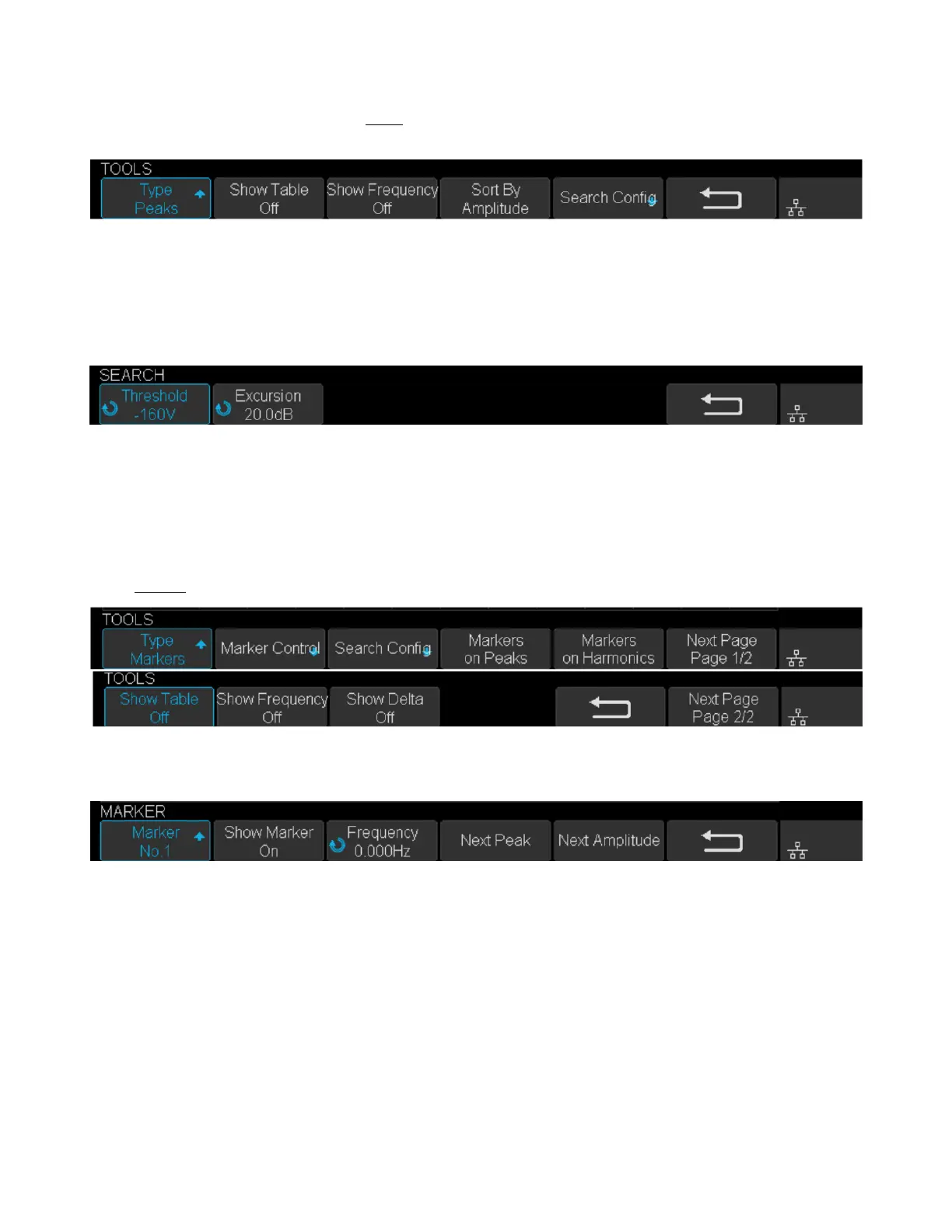
Figure 9.7 FTT Peaks Menu
• Press the Show Table softkey to display a table of peak, and press Show Frequency softkey to display the
frequency value of the peak. Press the Sort By softkey continuously to set the table sorting by Amplitude or
Frequency.
• Press the Search Cong softkey to set search conguration.
Figure 9.8 Search Cong Menu
a. Press the Threshold softkey and turn the Universal Knob to set the minimum peak amplitude. Only peaks
larger than the peak limit can be judged as peaks.
b. Press the Excursion softkey and turn the Universal Knob to set the dierence between the peak value and
the minimum Amplitude on both sides. Only when the dierence is greater than the peak value of peak oset
can the peak value be determined.
Markers: Customize the marker locations on the FFT waveform based on search conguration.
Figure 9.9 FFT Markers Menu
• Press Markers Control softkey to enter MARKER Menu.
Figure 9.10 Marker Control Menu
a. Press the Marker softkey continuously to select the marker number from NO.1 NO.8.
b. Press the Show Marker softkey continuously to turn on or o the selected mark.
c. Press the Frequency softkey to set the frequency value of the selected marker.
d. Press the Next Peak softkey to move the selected mark to the next peak. And press the Next Amplitude
softkey to move the selected marker to the next peak with lower amplitude.(Up to 10 peaks are supported)
• Press the Search Cong softkey to enter the SEARCH menu. Similar to the search conguration for peak
markers.













 To Next Page