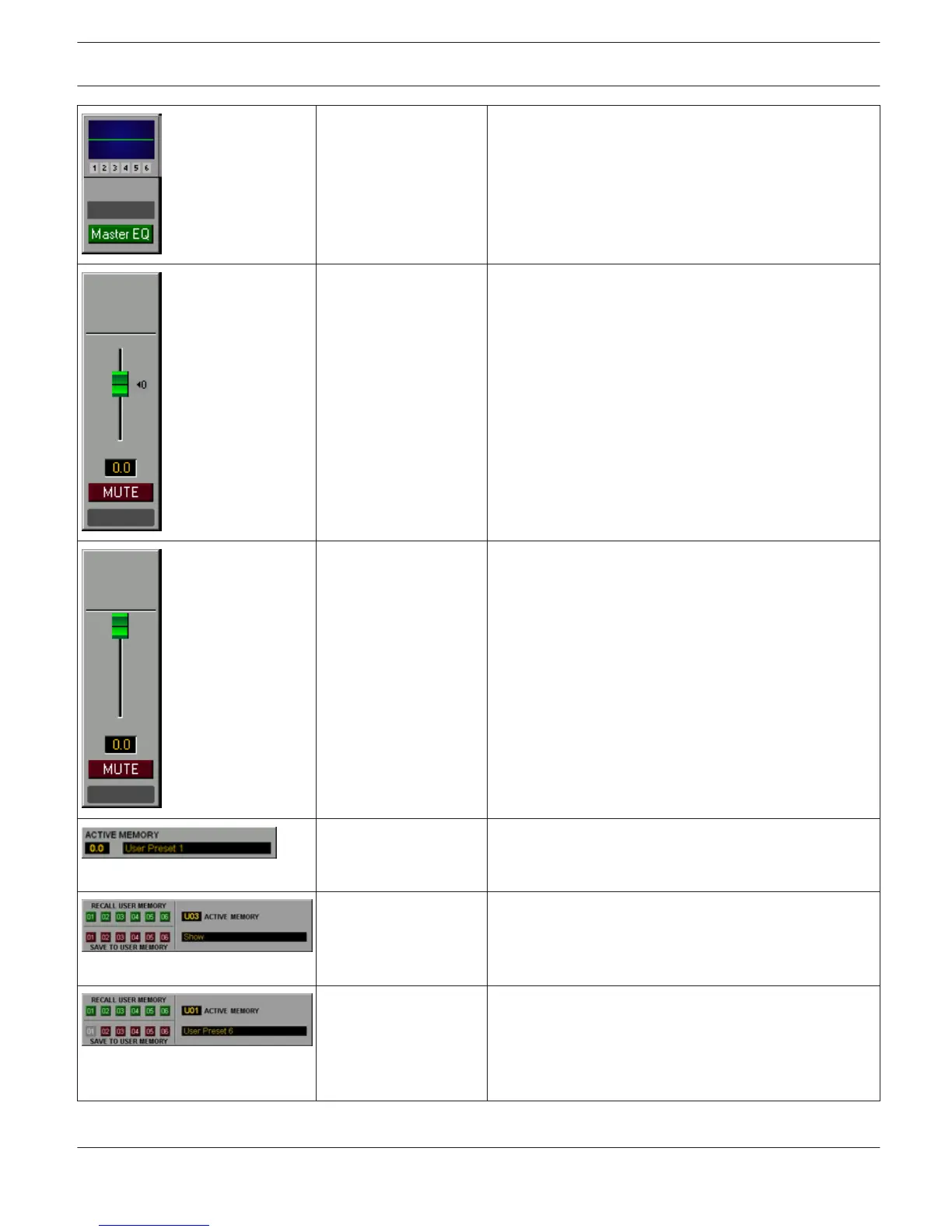
RCM-26_Master_EQ_Pa
nel_01
Equalizer panel with label field for the RCM-26 Remote
Amp. Use the Master EQ button to open the Master EQ
dialog. Possible Connections: RCM-26-Amp- Channel.
RCM-26_Master_Panel_
01
Fader and MUTE button for controlling the amplifier.
Clicking onto the ”0” mar- king resets the fader to 0 dB.
RCM-26_Master_Panel_
02
Fader and MUTE button for controlling the amplifier.
RCM-26_Memory_Displa
y_01
Number and name of the currently active factory/user/
owner memory is being indicated. Possible Connections:
RCM-26-Amp.
RCM-26_Memory_Panel
_01
Load user memory presets 1...6 or save to user memory
1...6. Number and name of the currently active user
memory is being indicated. Possible Connections:
RCM-26-Amp.
RCM-26_Memory_Panel
_02
Load user memory presets 1...6 or save to user memory
1...6. User memory 1 is protected and can not be
overwritten. Number and name of the currently active
user memory is being indicated. Possible Connections:
RCM-26-Amp.
IRIS-Net IRIS-Net | en 29
Bosch Security Systems B.V. User Manual 2017.05 | 3.20 | F.01U.119.956












 To Next Page