Element FIR Controller (original) FIR-Drive Controller
FLOW DIAGRAM The signal flow chart offers an overview of the FIR Controller or FIR-Drive Controller blocks
DSP settings. Also located in this area are all the controls for managing Speaker Settings.
CHANNEL EQ The CHANNEL EQ page provides access to the 6-Band parametric equalizers for loudspeaker
equalization.
X-OVER The X-OVER page provides access to the crossover filters and parameters Gain, Polarity and
Alignment delay for each way.
FIR FILTER This page provides access to the FIR filter.
GAIN TRIM TRIM allows matching the level of individual band passes while MUTE attenuates the
corresponding band pass output.
DYNAMICS &
PROTECT
The DYNAMICS page provides access to a
compressor and a Peak Anticipation limiter
for each way.
The DYNAMICS page provides access to a
Peak Anticipation limiter and a TEMP limiter
for each way.
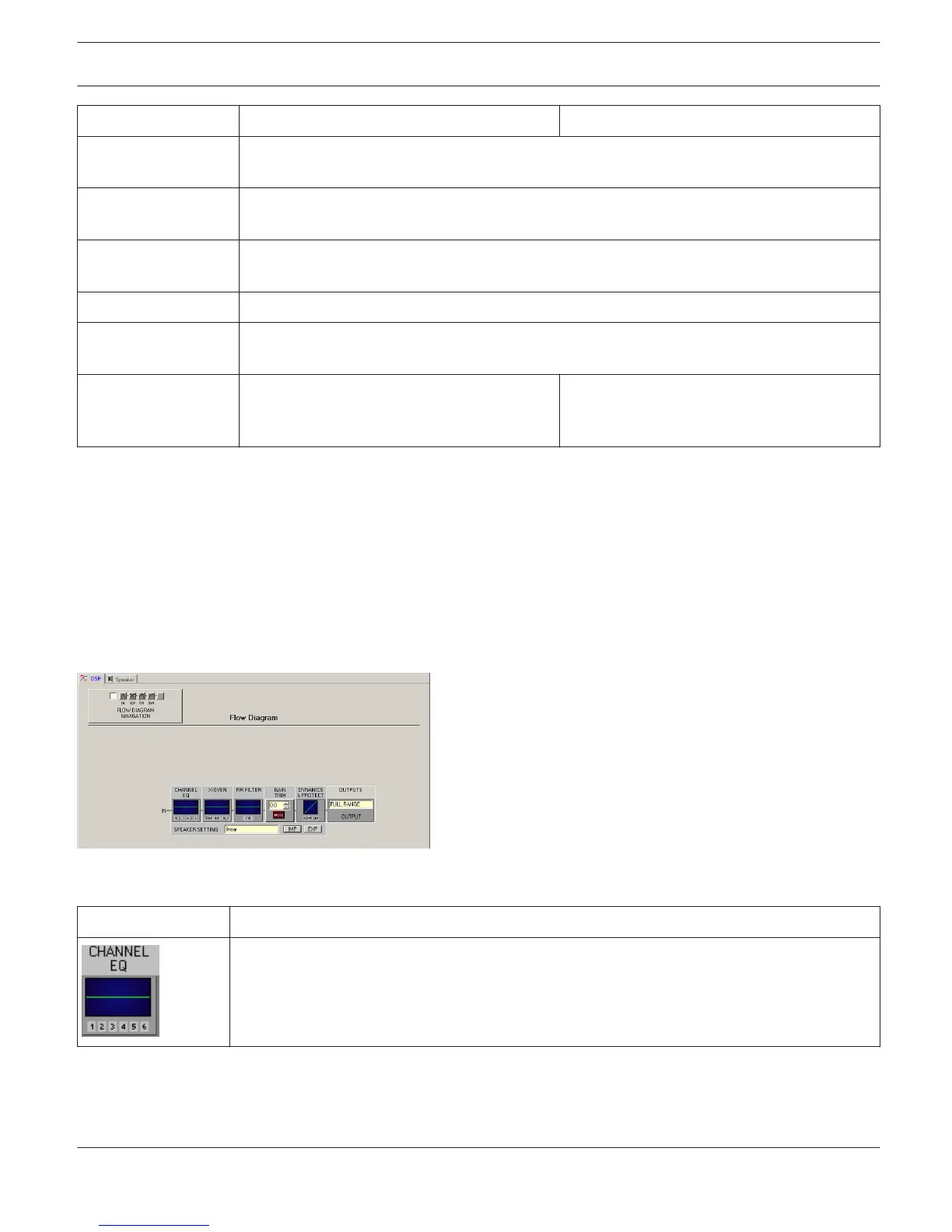
Flow Diagram
The FLOW DIAGRAM page shows a block diagram of the signal flow and provides a quick overview of all DSP settings.
Channel labeling, muting and level adjustment can be carried out directly on the appropriate blocks. All other DSP
parameters are accessible by clicking on the different function blocks. In addition, this window hosts all the controls
for storing and loading Speaker Settings.
Selecting the FLOW DIAGRAM window is possible by clicking on the first or the last block in the Flow Diagram
Selector.
Function blocks
Element
Description
This block represents the 6 Channel EQs of the FIR/FIR-Drive controller. The graph shows the
frequency response of the Channel EQ Block. Clicking on this block opens the CHANNEL EQ
page.
IRIS-Net DIGITAL MATRIX | en 402
Bosch Security Systems B.V. User Manual 2017.05 | 3.20 | F.01U.119.956












 To Next Page