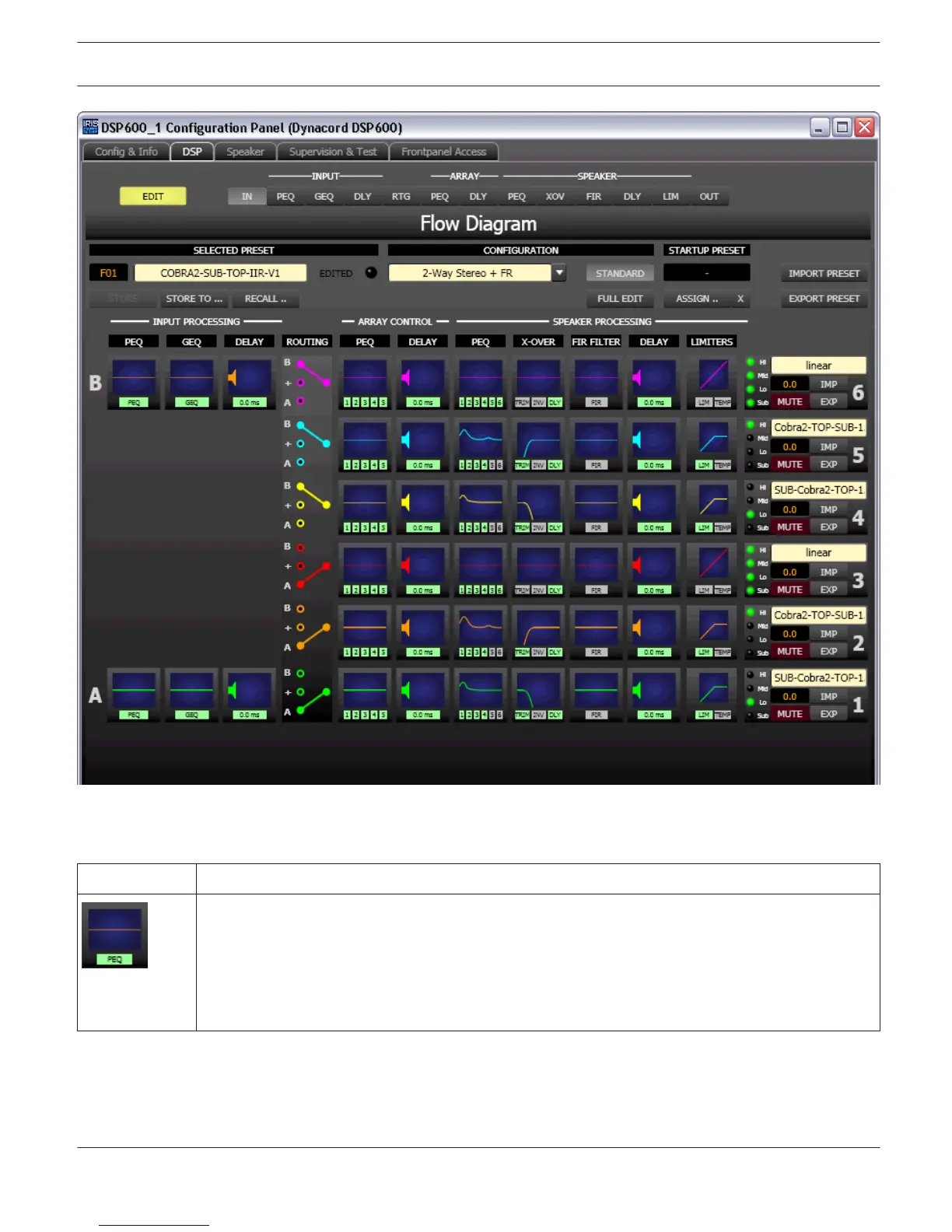
Function blocks
The caption below the function blocks is shown in green if the function, or at least one filter of the block, is activated.
Element Description
INPUT PEQ Block:
The INPUT PEQ block displays the 10 EQs of the corresponding input channel. The graph shows the
frequency response of the EQ block. A single click with the left mouse button onto this block opens
the Input Parametric EQ page. Clicking with the right mouse button opens the Copy & Paste menu,
which allows copying all parameters of the corresponding EQ block to any other DSP 600 INPUT
PEQ block within the same project.
IRIS-Net DIGITAL SOUND PROCESSOR | en 612
Bosch Security Systems B.V. User Manual 2017.05 | 3.20 | F.01U.119.956












 To Next Page