12-6
¡
Printing from a PC
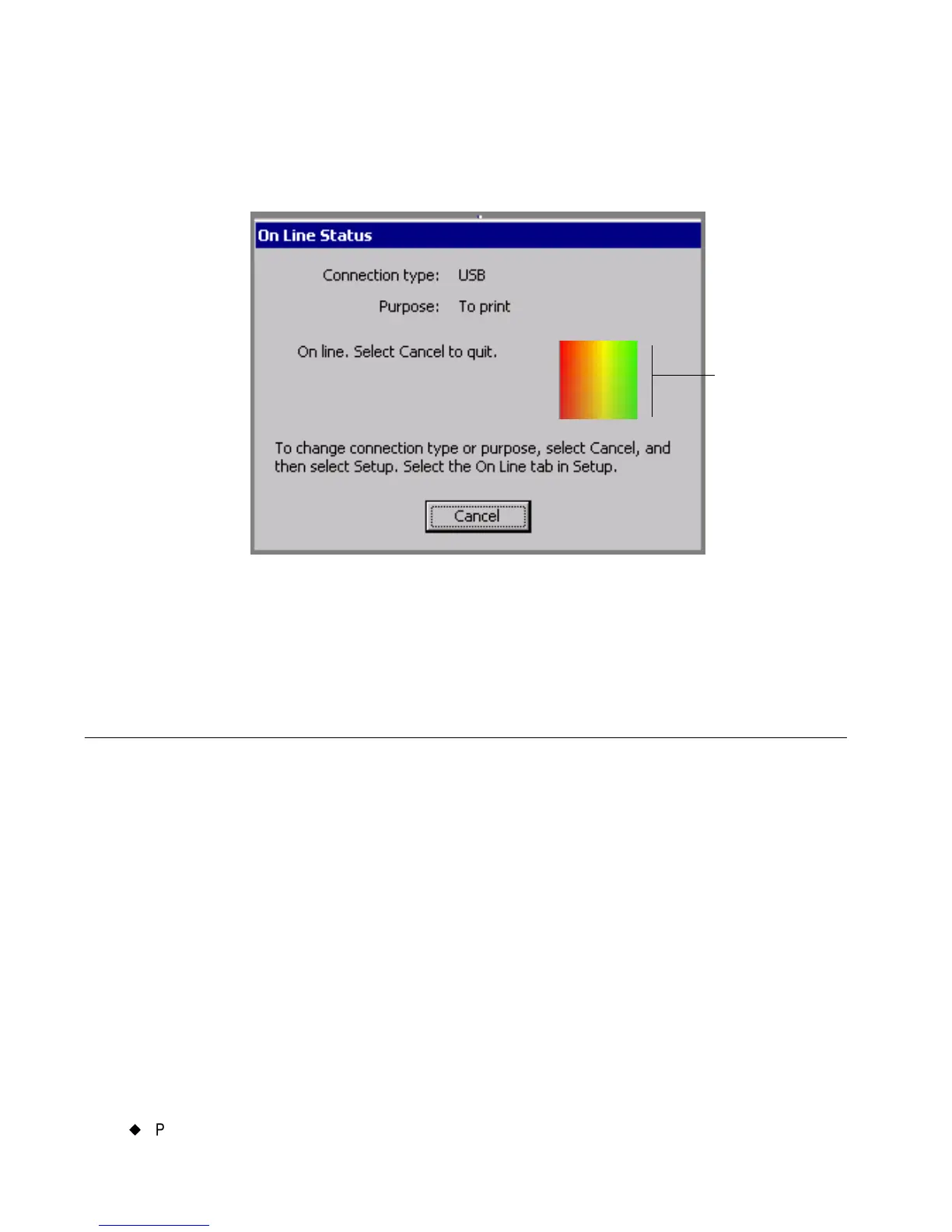
You’ll see the On Line Status screen, which displays the connection
type, the current purpose, and displays a progress box that indicates
you are receiving print data from the PC:
Figure 12-3. The On Line Status screen.
You can now print to your label printing system from MarkWare or
transfer files using Microsoft ActiveSync.
Printing from a PC
Before you can use your label printing system as a peripheral printer,
you must perform these tasks:
1. Set up your label printing system as a hardware device. Follow the
instructions in Setting Up Your System as a Hardware
Device on page 12-2.
2. Install the MarkWare
application. Follow the installation
instructions found in the MarkWare User’s Guide.
3. Install the appropriate printer driver for your printer. Follow the
instructions included with the driver.
Image
refreshes to
indicate
transmission
of print data
from PC



 To Next Page