Setting Preferences
¡
5-11
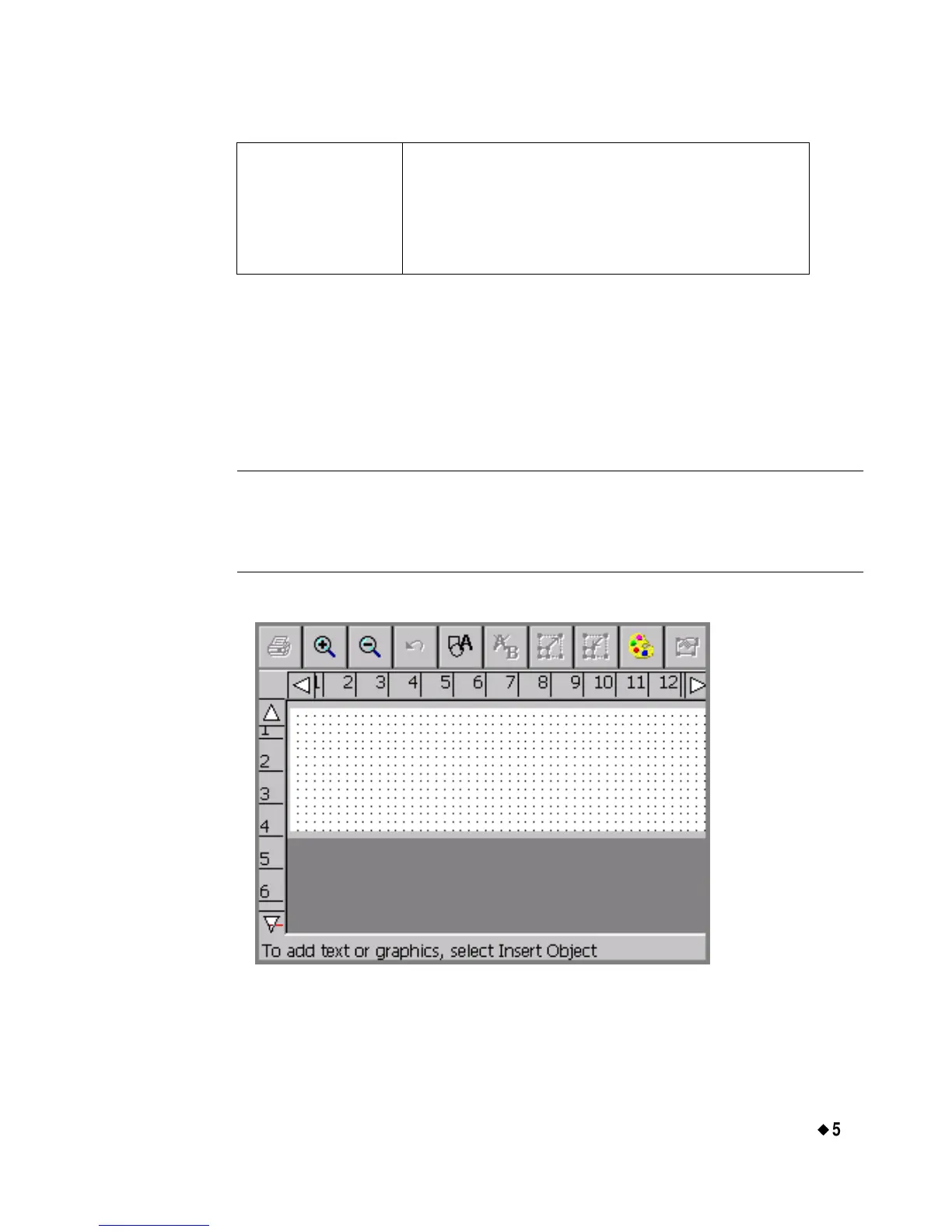
Displaying the screen grid
The screen grid is the pattern or structure that underlies your labels. It
consists of invisible horizontal and vertical lines of dots, arranged like a
graph paper pattern. The grid is not visible to you by default, but you
can choose to display it.
Hint! Displaying the grid can help you set objects in precise locations
on your labels, such as when you want to line up several objects,
or when you must place an object in an exact location on your
label.
This is a sample screen with the Display grid option turned on:
Figure 5-6. The Editor window with grid enabled.
Line Width Specifies the default line width value for
HotShape objects and label frames. Higher
numbers indicate wider lines. The sample
line next to this field displays the line width
as you set it.



 To Next Page