3-14
¡
Keyboard Basics
Numeric keypad
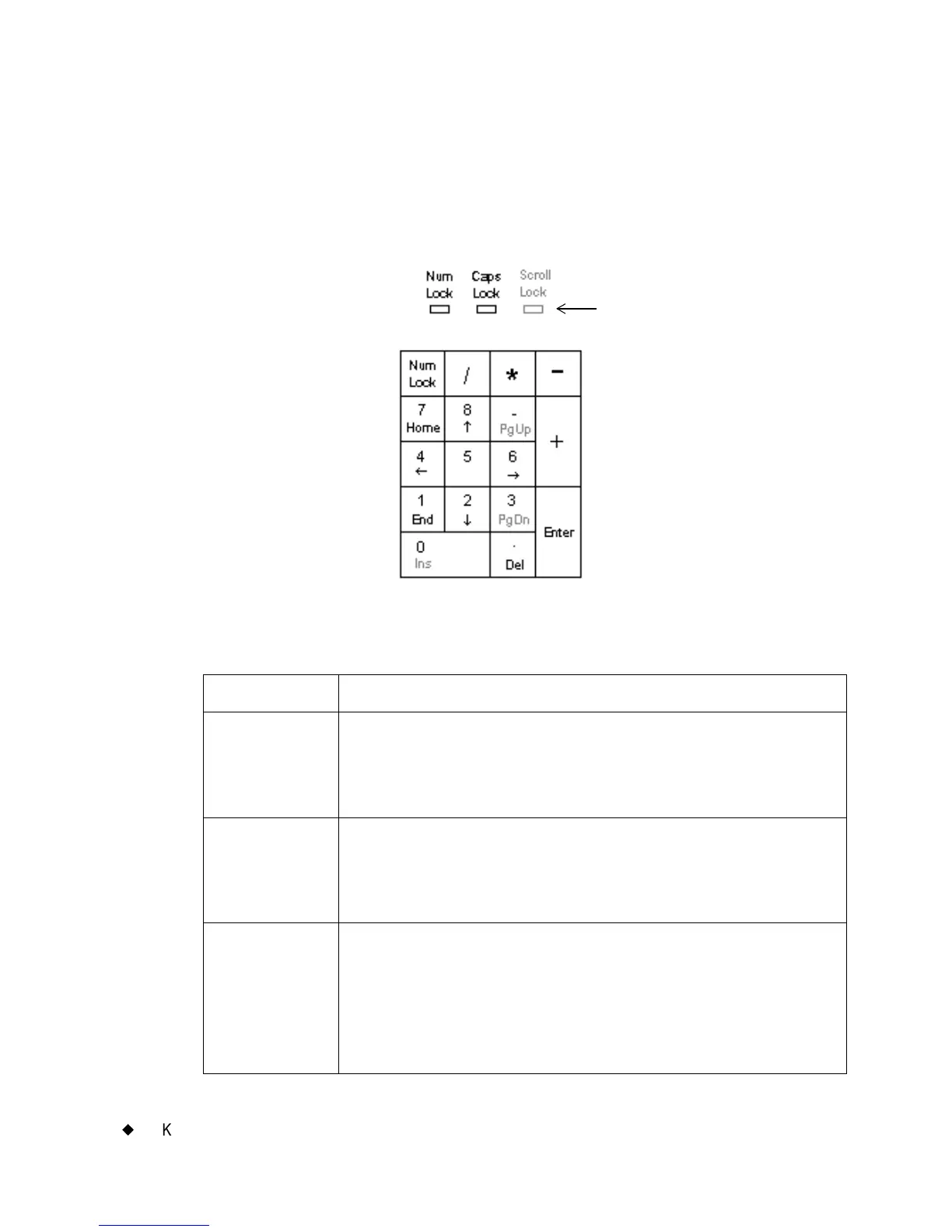
Use the numeric keypad as an alternate way to enter numbers and to
perform several other commands as well. The LED displays above the
numeric keypad light up to indicate the status of the functions named.
Figure 3-5. The numeric keypad and LED indicators.
TABLE 3-4. Numeric keypad keys definitions
Key or LED Description
Num Lock
LED
The Num Lock LED indicates the current Num Lock
status. When the light is ON, the number keys are
active. When the light is OFF, the command and arrow
functions are active.
Caps Lock
LED
When lit, indicates <Caps Lock> (on the keyboard) is
ON, which lets you type in all uppercase (or capital)
characters. When OFF, alphabetic characters are in
normal, lowercase form.
Num Lock Toggles (or turns on and off) the ability to type numbers
using the numeric keypad. (Numbers on the top row of
the alphabetic keyboard are always accessible.) When
ON, press any key to type that number. When OFF,
pressing a key results in the secondary function of that
key.
LED lights (ON
and OFF)
indicators



 To Next Page