3-2
¡
Launching Your System
Launching Your System
When you turn on the power for your system, a decorative screen (also
called a “splash screen”) displays briefly while your system powers up.
When the system is ready to use, the Main Menu screen displays,
providing you with a choice of buttons you use to access system
functions, files you may have created, sets of pre-designed template
labels, and applications designed for producing specialty labels.
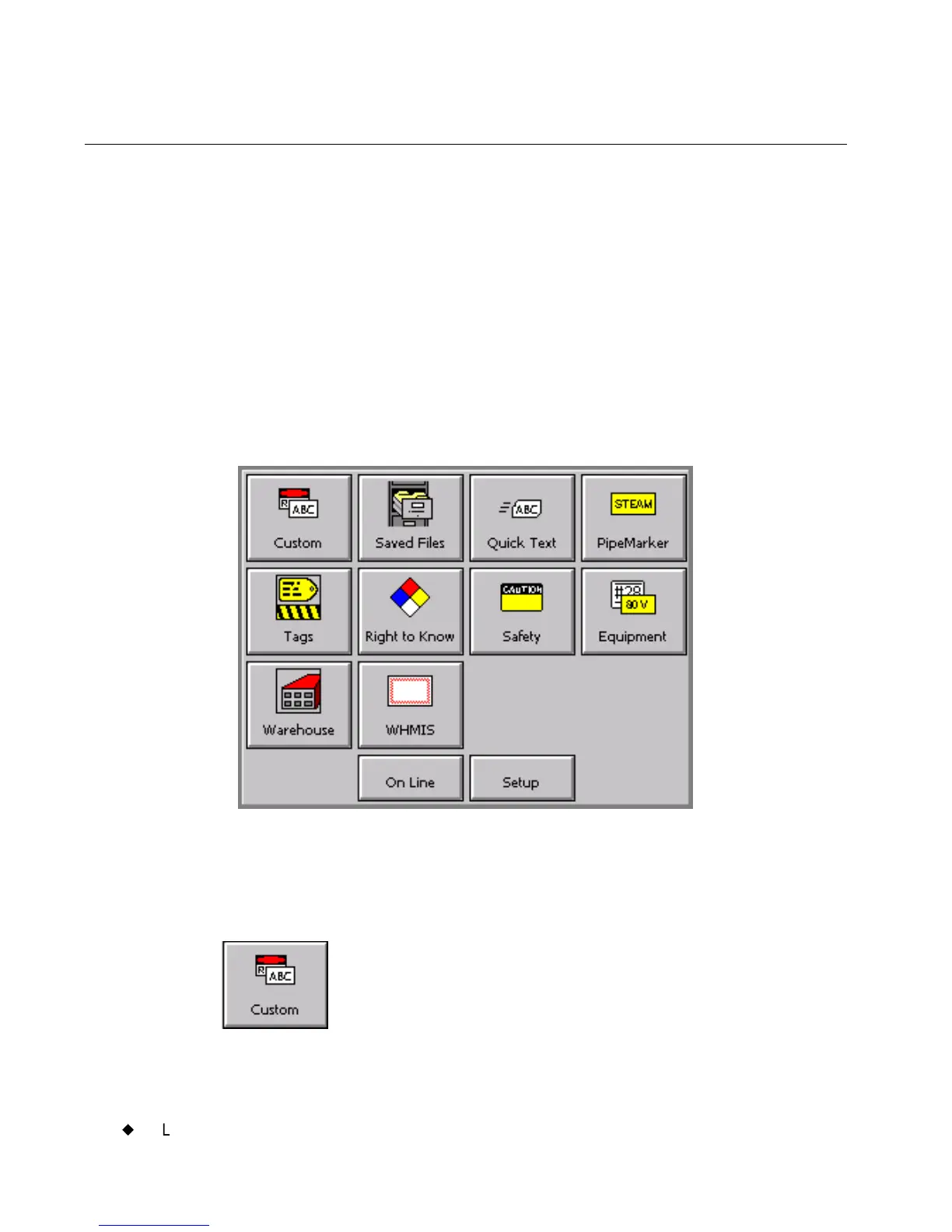
The Main Menu
This is a sample Main Menu screen:
Figure 3-1. The Main Menu screen.
Your Main Menu screen may not contain all choices this one shows, or
it may contain additional choices not shown in Figure 3-1, depending on
the applications that have been installed in your system:
Custom, for creating and designing your own labels
without using pre-designed layouts or templates.(See
Creating Custom Labels on page 6-2 for more
information.)



 To Next Page