53-1002177-19 Hardware Installation Guide
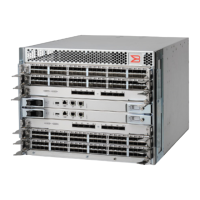
Brocade DCX 8510-4 Backbone Hardware Installation Guide
Table of Contents
About This Document..........................................................................................................................9
What’s new in this document......................................................................................................................................... 9
Supported hardware and software.................................................................................................................................9
Notes, Cautions, and Danger Notices........................................................................................................................... 9
Contacting Technical Support for Your Brocade
®
Product......................................................................................... 9
Document Feedback...................................................................................................................................................... 10
Product Overview...............................................................................................................................11
Product features............................................................................................................................................................. 11
Hardware components...................................................................................................................................................11
Port side view of the device..................................................................................................................................... 13
Nonport side view of the device............................................................................................................................... 14
Supported blades........................................................................................................................................................... 15
Chassis slots numbering.............................................................................................................................................. 16
Port numbering...............................................................................................................................................................17
High availability.............................................................................................................................................................. 18
Reliability......................................................................................................................................................................... 18
Serviceability...................................................................................................................................................................18
Software features........................................................................................................................................................... 19
Security............................................................................................................................................................................19
Network manageability.................................................................................................................................................. 20
Preparing for the Installation............................................................................................................21
Installation and safety considerations.........................................................................................................................21
Danger-laser Shared................................................................................................................................................. 21
Time and items required............................................................................................................................................... 22
Items included with the device.....................................................................................................................................23
Mounting the Device..........................................................................................................................25
Mounting options........................................................................................................................................................... 25
Mounting precautions.................................................................................................................................................... 25
Unpacking, transporting, and installing the device................................................................................................... 26
Installing the 8U Chassis Mid-Mount Rack Kit for Two-Post Racks (XBR-DCX4S-0126 and XBR-X64-0126)........ 27
Time and Items Required......................................................................................................................................... 27
Parts List................................................................................................................................................................... 27
Assembling the Rack Hardware............................................................................................................................... 30
Installing the device in the rack................................................................................................................................32
Installing the 8U Chassis Airflow Diversion or Port-Side Exhaust Kit for Four-Post Racks (XBR-DCX4S-0121
and XBR-DCX4S-0130)................................................................................................................................................... 34
53-1002177-19
3


 To Next Page