53-1002177-19 Hardware Installation Guide
Brocade DCX 8510-4 Backbone Hardware Installation Guide
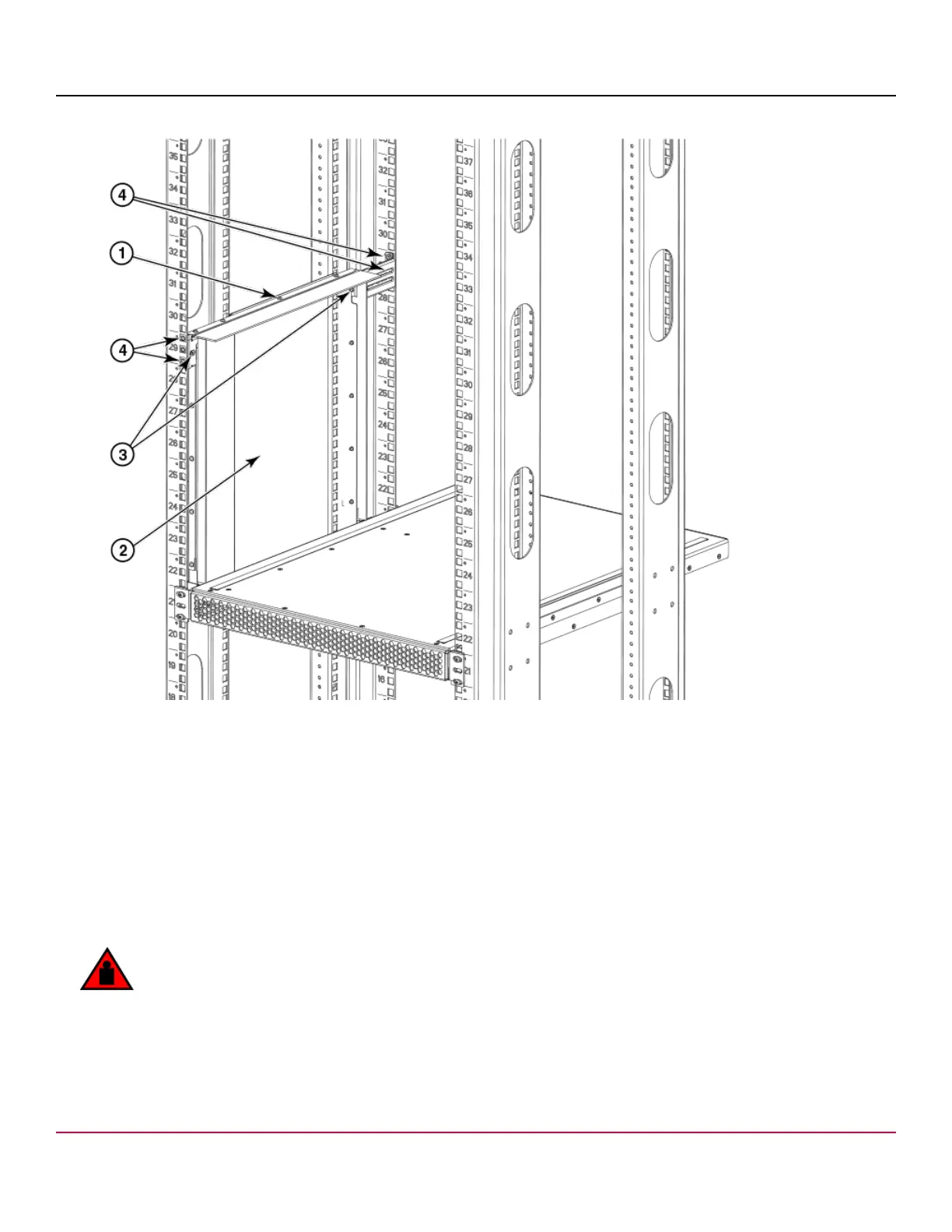
Figure 16: Securing top rail in rack
1. Top rail
2. Duct
3. 6-32 x .25 in. (.635 cm) Phillips screws
4. 10-32 x .5 in. (1.27 cm) Phillips screws with blue Loctite on threads and alignment washers or 10-32
x .63 in.(1.60 cm) Phillips screw with square cone washer
Installing the device in the rack
1. If a door is installed on your chassis, ensure that it is removed. Refer to procedures for removing and replacing the
device door in this guide.
2. Use a hydraulic lift to raise the device to the correct level.
DANGER
Use safe lifting practices when moving the product.
53-1002177-19
42


 To Next Page