53-1002177-19 Hardware Installation Guide
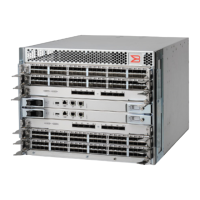
Brocade DCX 8510-4 Backbone Hardware Installation Guide
swDir:admin> ipaddrset -chassis
Ethernet IP Address [0.0.0.0]: 192.168.1.1
Ethernet Subnetmask [0.0.0.0]: 255.255.255.0
Fibre Channel IP Address [0.0.0.0]:
Fibre Channel Subnetmask [0.0.0.0]:
Issuing gratuitous ARP...Done.
Committing configuration...Done.
swDir:admin>
ipaddrset -cp 0
Host Name [cp0]:
Ethernet IP Address [10.77.77.75]: 192.168.1.2
Ethernet Subnetmask [0.0.0.0
]: 255.255.255.0
Gateway IP Address [0.0.0.0
]: 192.168.1.254
IP address is being changed...Done.
Committing configuration...Done.
swDir:admin> ipaddrset -cp 1
Host Name [cp1]:
Ethernet IP Address [10.77.77.74]: 192.168.1.3
Ethernet Subnetmask [0.0.0.0]: 255.255.255.0
Gateway IP Address [0.0.0.0]: 192.168.1.254
IP address of remote CP is being changed...Done.
Committing configuration...Done.
Logging off the serial console port and disconnecting the serial cable
You can use the serial port to monitor error messages through the serial connection. If the serial port is no longer required,
use the logout command to log out of the serial console, remove the serial cable, and replace the plug in the serial port.
53-1002177-19
71


 To Next Page