53-1002177-19 Hardware Installation Guide
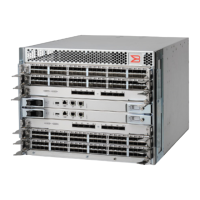
Brocade DCX 8510-4 Backbone Hardware Installation Guide
Removing a cable management finger assembly.................................................................................................. 101
Replacing a cable management finger assembly...................................................................................................101
Port and application blade removal and replacement............................................................................................. 101
Time and items required......................................................................................................................................... 102
Removing a blade................................................................................................................................................... 102
Replacing a blade................................................................................................................................................... 104
Blade filler panel removal and replacement........................................................................................................... 105
Blade filler panel removal and replacement............................................................................................................. 105
Removing a filler panel........................................................................................................................................... 105
Replacing a filler panel........................................................................................................................................... 106
Control processor blade (CP8) removal and replacement...................................................................................... 106
Time and items required......................................................................................................................................... 107
Faulty CP blade indicators......................................................................................................................................107
Recording critical device information......................................................................................................................107
Power-up procedure................................................................................................................................................109
Removing a control processor blade (CP8).................................................................................................... 109
Replacing a control processor blade (CP8).................................................................................................... 110
Power-down procedure........................................................................................................................................... 111
Verifying operation of the new CP blade................................................................................................................112
Downloading firmware from an FTP server.................................................................................................... 113
Downloading firmware from a USB device..................................................................................................... 115
Completing the replacement................................................................................................................................... 119
Core switch blade (CR16-x) removal and replacement........................................................................................... 120
Time and items required......................................................................................................................................... 120
Faulty core switch blade indicators........................................................................................................................ 120
Removing a core switch blade (CR16-x)................................................................................................................120
Replacing a core switch blade (CR16-x)................................................................................................................121
Power supply removal and replacement...................................................................................................................122
Time and items required......................................................................................................................................... 122
Identifying power supplies.......................................................................................................................................122
Removing a power supply...................................................................................................................................... 123
Replacing a power supply...................................................................................................................................... 124
Blower assembly removal and replacement............................................................................................................. 124
Time and items required......................................................................................................................................... 124
Removing a blower assembly.................................................................................................................................125
Replacing a blower assembly.................................................................................................................................125
WWN card removal and replacement........................................................................................................................ 125
Time and items required......................................................................................................................................... 126
Using the wwnrecover utility..................................................................................................................................126
Verifying the need for replacement.........................................................................................................................127
53-1002177-19
6


 To Next Page