For Computers
Use a web browser on a computer; supported browsers include Microsoft Edge, Firefox, Google Chrome, Internet
Explorer 9 or later, Safari 9 or later. Refer to the help guide at the BuffaloNAS.com website after connecting with your
BuffaloNAS.com name for more detailed information.
Unable to Create a BuffaloNAS.com Name
If UPnP is disabled on your router, creating the BuffaloNAS.com name may fail. If this occurs, try the following
procedure.
Using a Computer
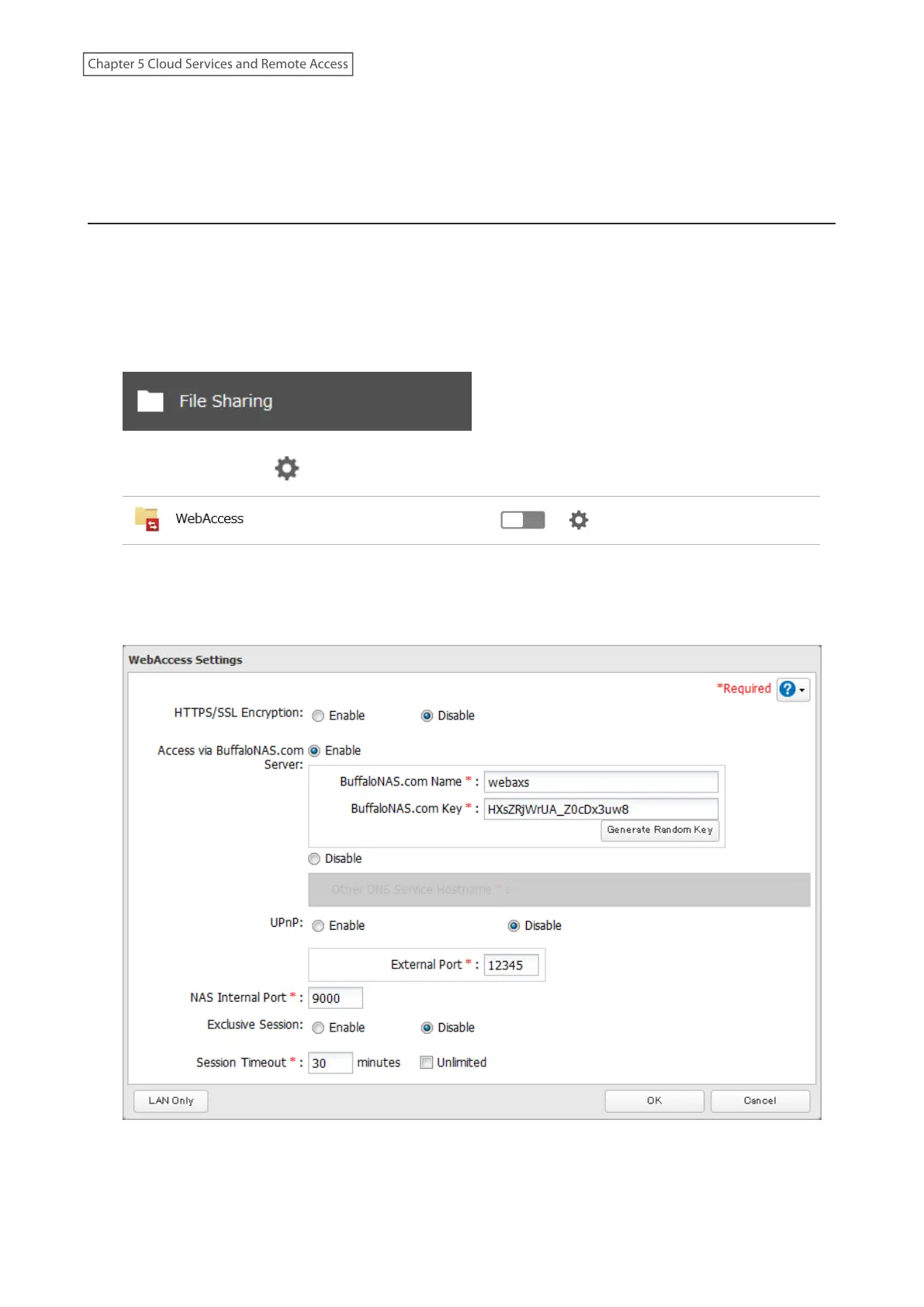
1 From Settings, click File Sharing.
2 Click the settings icon ( ) to the right of “WebAccess”.
3 Click Edit.
4 Enable “Access via BuffaloNAS.com Server” and the desired BuffaloNAS.com name and key.
5 Disable “UPnP” and a router’s port number into the “External Port” field, then click OK.
131
Chapter 5 Cloud Services and Remote Access











 To Next Page