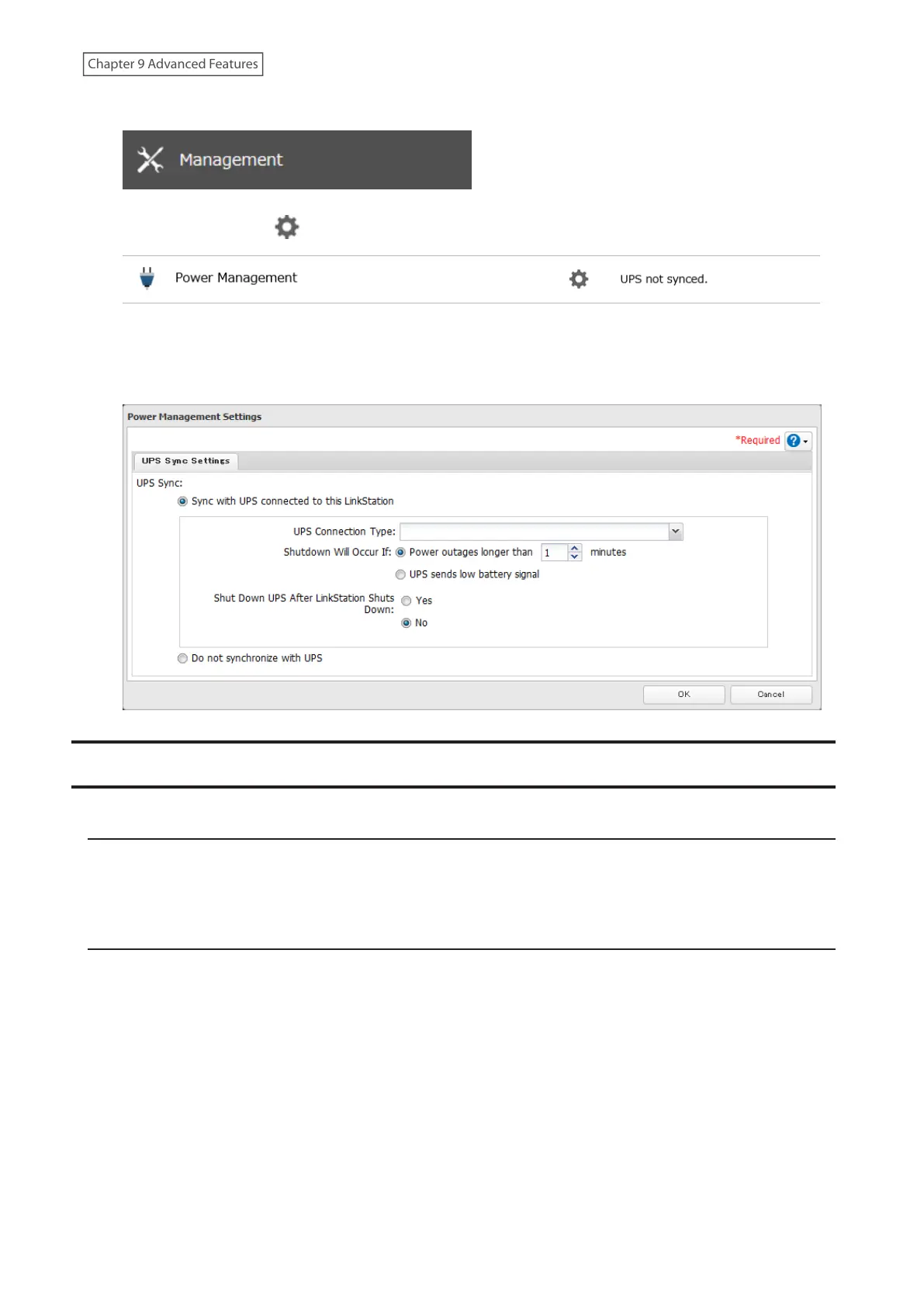
5 From Settings, click Management.
6 Click the settings icon ( ) to the right of “Power Management”.
7 Click Edit.
8 Configure the desired settings, then click OK.
Encrypting Data Transmission
Encrypting Settings Data
All communication with Settings can use SSL encryption if you access the Settings page by changing “http://” to
“https://” in the browser address bar or click Secure Connection from the login window. Once you are logged in using
the HTTPS connection and wish to disable SSL encryption, click Normal Connection from the login window.
SSL
SSL (Secure Socket Layer) is a protocol that uses a public key encryption system to establish secure communication
channels between networked devices, allowing for encrypted Internet traffic and server identity verification.
The SSL protocol uses a pair of keys – one private, one public – to authenticate and manage secure connections. SSL
keys are used during setup screen operations.
SSL Key Formats/Extensions
The SSL keys may include the following encoding formats and extensions:
SSL Certificate (server.crt)
The server.crt is the server public key, and is generated by the LinkStation. A computer that receives the server.crt
uses it to encrypt data, and the LinkStation then uses the server.key file to decrypt the data.
171
Chapter 9 Advanced Features











 To Next Page