In SSL, this key contains the server certificate, and depending on your computer environment, a check may be
performed to determine the trustworthiness of the certificate. The server certificate included in the LinkStation’s
default settings was created by Buffalo, and in some cases, the security certificate warning message may appear in
your browser or another security software. If this occurs, disregard the message and continue.
Note: Use TLS 1.2 SSL Certificate.
SSL Private Key (server.key)
This file is the server private key, and it is usually not revealed. The server.key file is paired with the server.crt file to
decrypt data encrypted by the SSL certificate.
Note: The passphrase for the private key must be removed before importing to the LinkStation.
Updating SSL Key Files
To update a server certificate and a private key for SSL, follow this procedure.
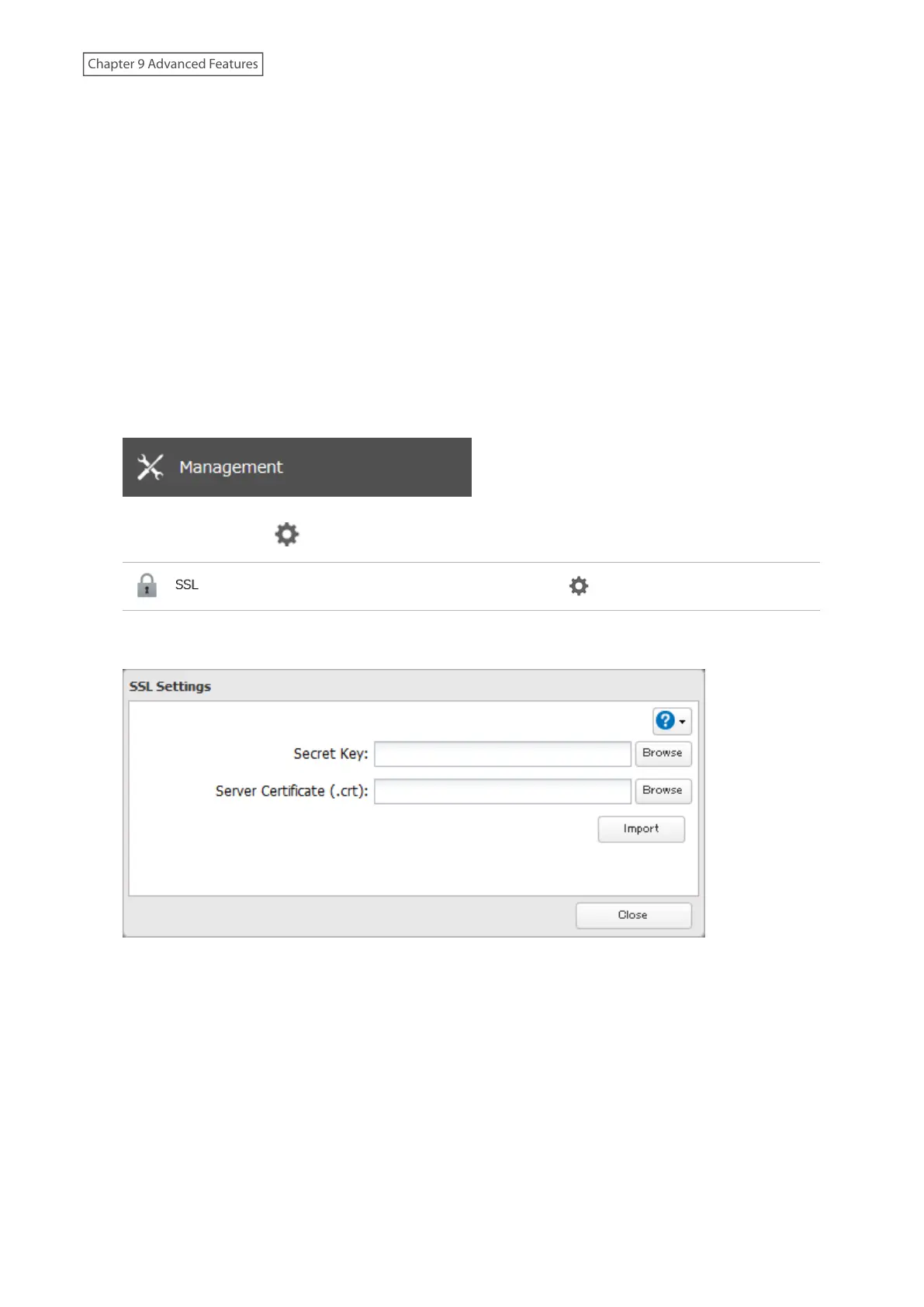
1 From Settings, click Management.
2 Click the settings icon ( ) to the right of “SSL”.
3 Register “server.key” for “Secret Key” and “server.crt” for “Server Certificate (.crt)”, then click Import.
Notes:
• Place the SSL key files (server.key, server.crt) directly below the C root drive. The SSL key files may be unable to be
updated if they are placed in folders or paths that contain multibyte characters.
• If Settings cannot be displayed after updating, initialize the LinkStation settings.
• Updating the firmware initializes an SSL key.
172
Chapter 9 Advanced Features











 To Next Page