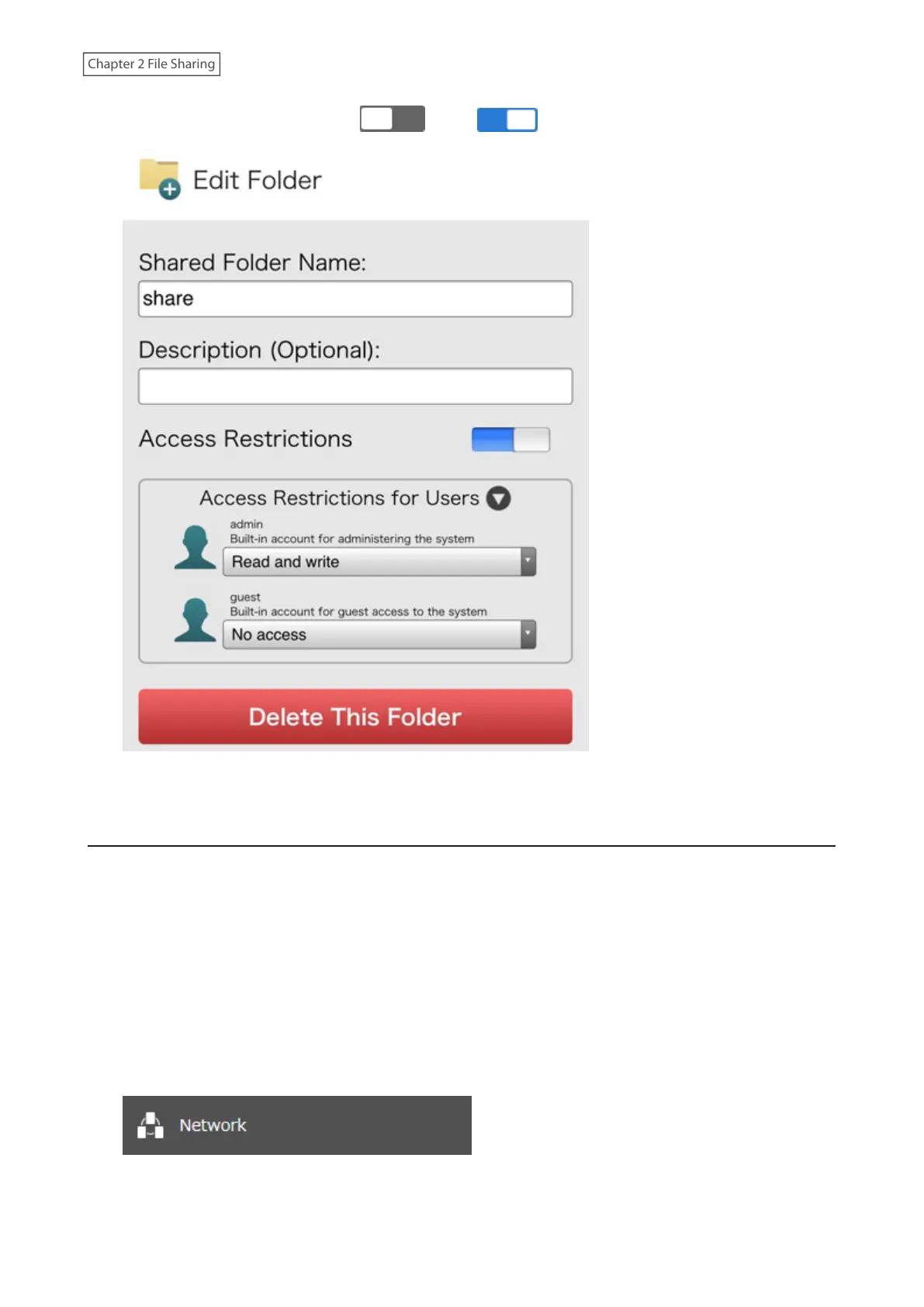
3 Move the access restrictions switch ( ) to the position to enable access restrictions.
4 Select the level of access for the users, then tap OK.
Active Directory
If there is an Active Directory environment, the LinkStation will use account information from the Active Directory
domain controller to set access restrictions for LinkStation’s shared folders. There is no need to perform individual
account management for the LinkStation. If multiple LinkStations are installed on the network, the account
information will be centrally managed in Active Directory, greatly reducing the operations required for installation
and management.
Notes:
• If usernames or group names from Active Directory include multibyte characters, you will not be able to
configure access restrictions for them.
• The LinkStation supports a domain environment with a maximum of 10,000 users and groups.
1 From Settings, click Network.
38











 To Next Page