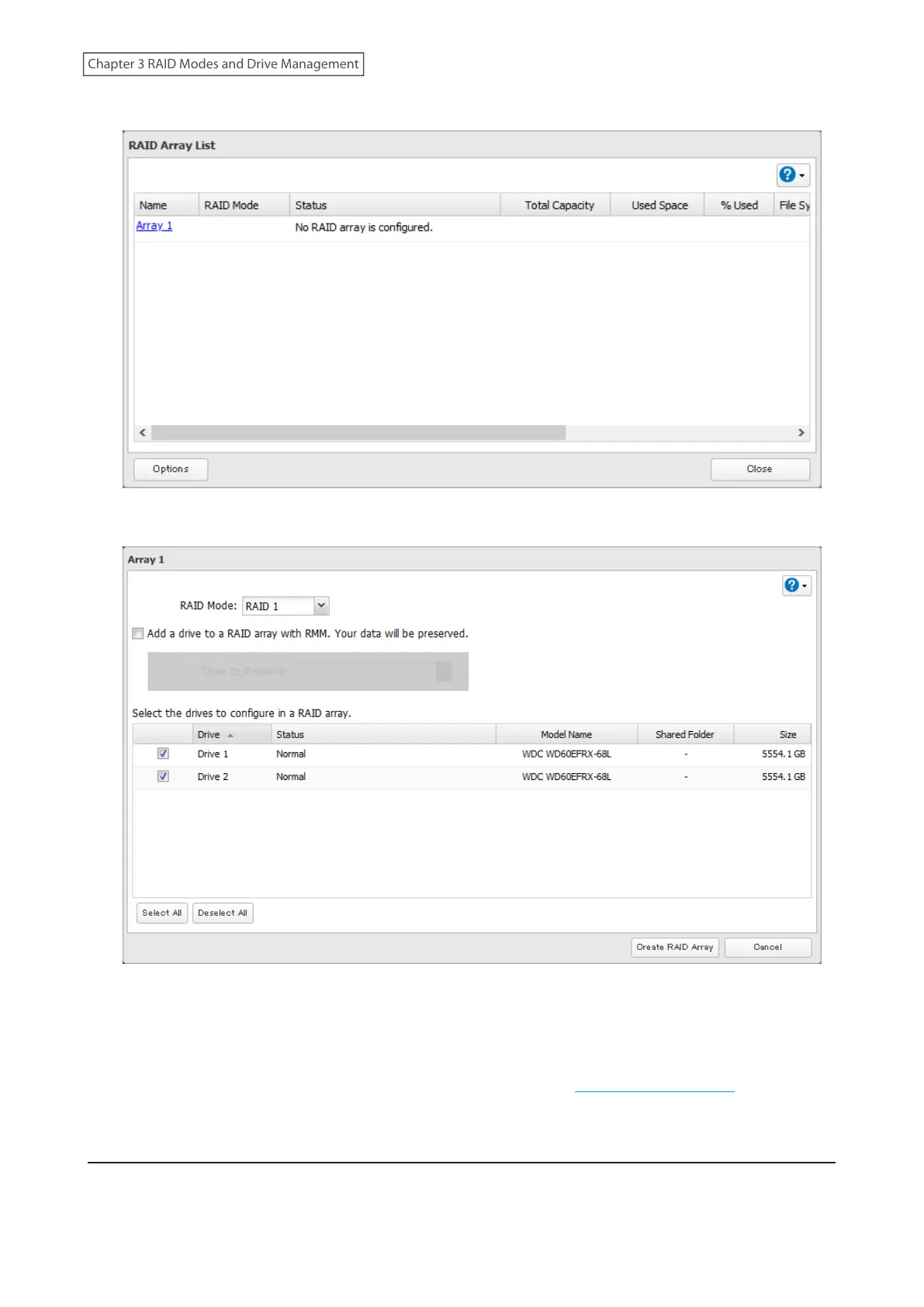
3 Click Array 1.
4 Select a RAID mode and both drives 1 and 2 to be used, then click Create RAID Array.
5 Click OK.
6 The “Confirm Operation” screen will open. Enter the confirmation number, then click OK.
7 Click OK when finished. Next, create a shared folder by referring to the “Adding a Shared Folder” section in
chapter 2.
Shutting Down the LinkStation Automatically If an Error Occurs
This function will shut down the LinkStation automatically if an error occurs on a drive that is used in a RAID 1 array.
To configure auto shutdown, follow the procedure below.
46
Chapter 3 RAID Modes and Drive Management











 To Next Page