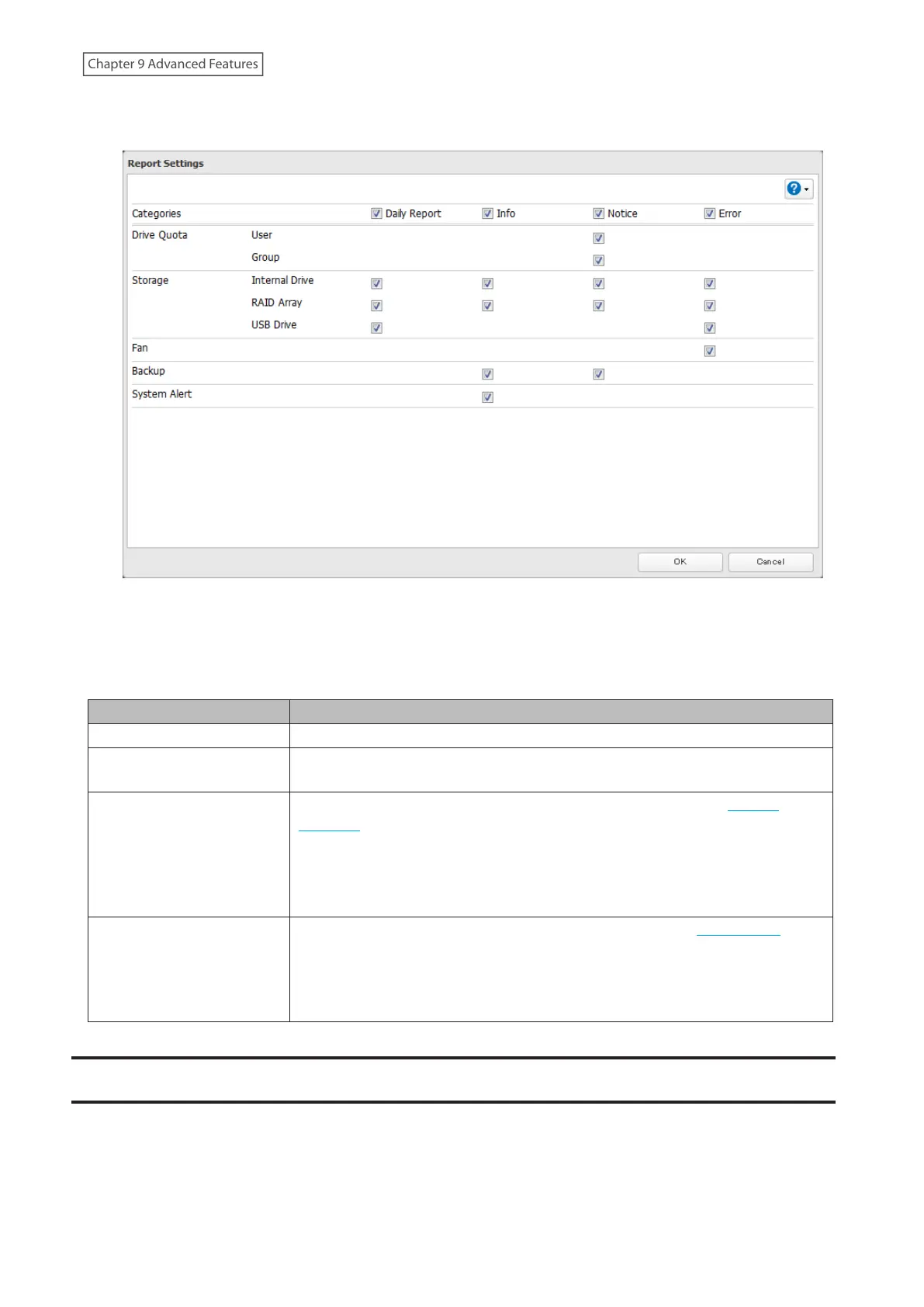
6 To change the events of email reports, click Advanced Report Settings. On the displayed screen, select or clear
the category’s checkboxes.
Email notification will be enabled.
Email Notification Categories
Notification emails will be categorized into the following importance levels. You can configure them from the
“Report Settings” page.
Levels Details
Daily Report Describes the status of the LinkStation in a daily report email.
Info
Sends a notification email if an event occurs. Info reports will contain just
information such as capacity information, job starts/completes, etc.
Notice
Sends a notification email if a non-critical error occurs. Refer to the “Amber
(Notices)” section in chapter 11 for the list of events that will trigger this event
notification.
Notice reports will contain warnings such as something has failed, but the
function or unit can continue operating as usual. It is recommended to perform
the corrective action for the notice as soon as possible.
Error
Sends a notification email if a critical error occurs. Refer to the “Red (Errors)”
section in chapter 11 for the list of events that will trigger this event notification.
Error reports will describe critical failures that prevented a function or unit from
operating properly. It is recommended to perform the corrective action for the
error immediately.
Sleep Mode
To save energy, you can specify times to put the LinkStation into sleep (standby) mode, during which the drives and
LEDs are turned off.
168
Chapter 9 Advanced Features











 To Next Page