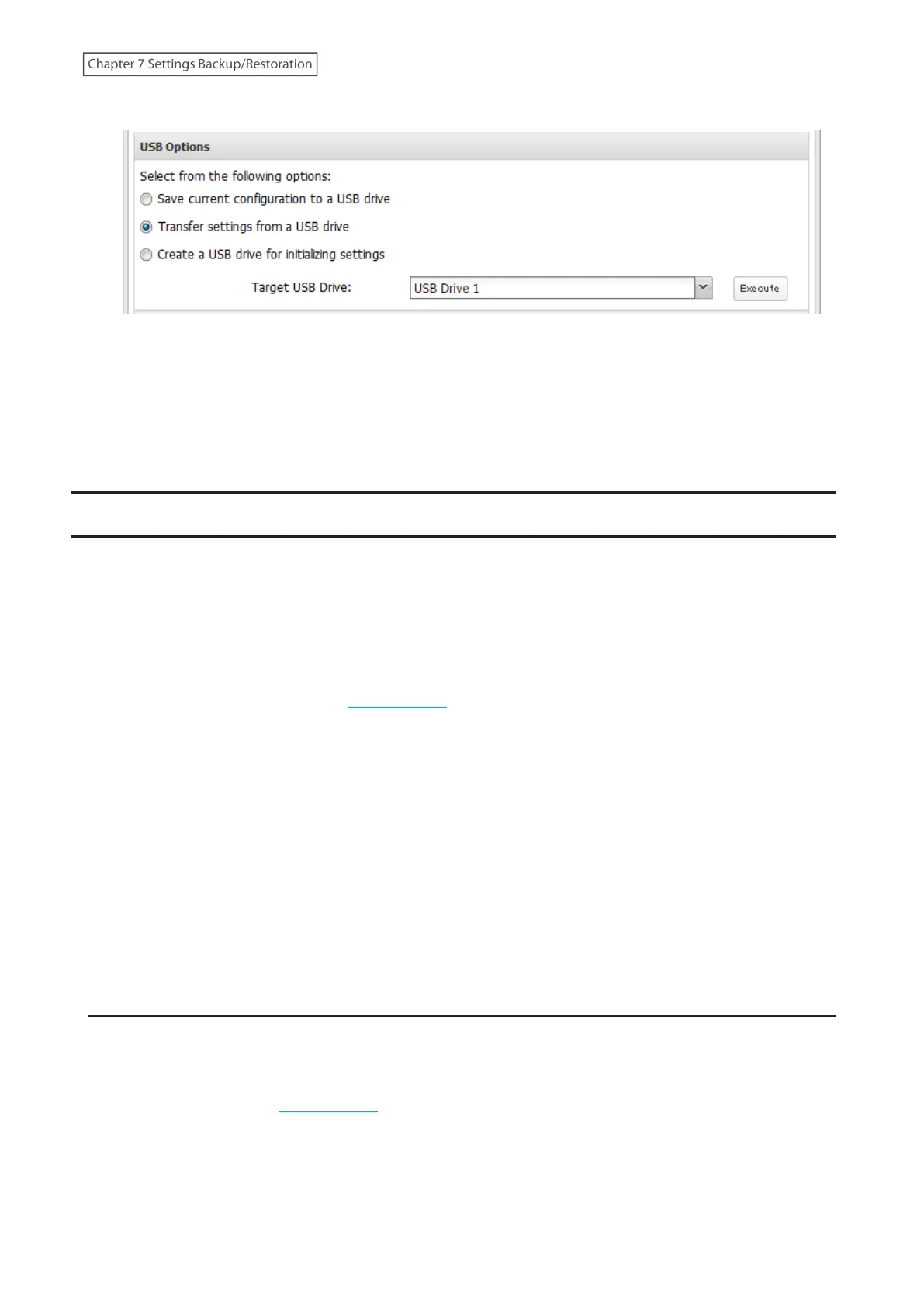
4 Select “Transfer settings from a USB drive”.
5 From “Target USB Drive”, select the USB memory device that is connected to the USB 3.2 Gen 1 port on the
LinkStation, then click Execute.
6 The “Confirm Operation” screen will open. Enter the confirmation number, then click OK.
7 The settings will be applied. When applying settings is finished, click OK.
Transferring Another Buffalo NAS Device’s Settings
You can transfer saved settings from another series Buffalo NAS device to your LinkStation. The following settings
can be transferred:
• Shared folders which are created from “File Sharing” > “Folder Setup”
• Access restrictions
• Users
• Groups
Note: This feature currently supports the following Buffalo NAS devices as of November 2020. The latest
compatibility information will be on the Buffalo website.
• TS-X series (TS-XL/R5, TS-WXL/R1, TS-WXL/1D, TS-RXL/R5, TS-XEL/R5 TeraStation models) running firmware version
1.58 or later
• TS5000 series (TS5200D, TS5200DN, TS5400D, TS5400DN, TS5400R, TS5400RN, TS5600D, TS5600DN, TS5800D,
TS5800DN TeraStation models)
• TS4000 series (TS4200D, TS4400D, TS4400R, TS4800D TeraStation models)
• TS3000 series (TS3200D, TS3400D, TS3400R TeraStation models)
• TS5010 series (TS5210DN, TS5410DN, TS5410RN, TS5810DN, TS51210RH TeraStation models)
• TS3010 series (TS3210DN, TS3410DN, TS3410RN TeraStation models)
• TS6000 series (TS6200DN, TS6400DN, TS6400RN TeraStation models)
• TS3020 series (TS3220DN, TS3420DN, TS3420RN TeraStation models)
• LS700 series (LS710D, LS720D, LS720DB LinkStation models)
Creating a Config File (.nas_config)
Procedure for TS-X Series Models
To transfer settings from TS-X series TeraStations, it will use the “NS-SHFT” software to create a config file. NS-SHFT
can be downloaded from the Buffalo website.
For the procedure on creating the config file, refer to the NS-SHFT user guide.
Procedure for Buffalo NAS Devices Other Than TS-X Series Models
Follow the procedure below to create a config file on a Buffalo NAS device that is not part of TS-X series TeraStations.
154
Chapter 7 Settings Backup/Restoration











 To Next Page