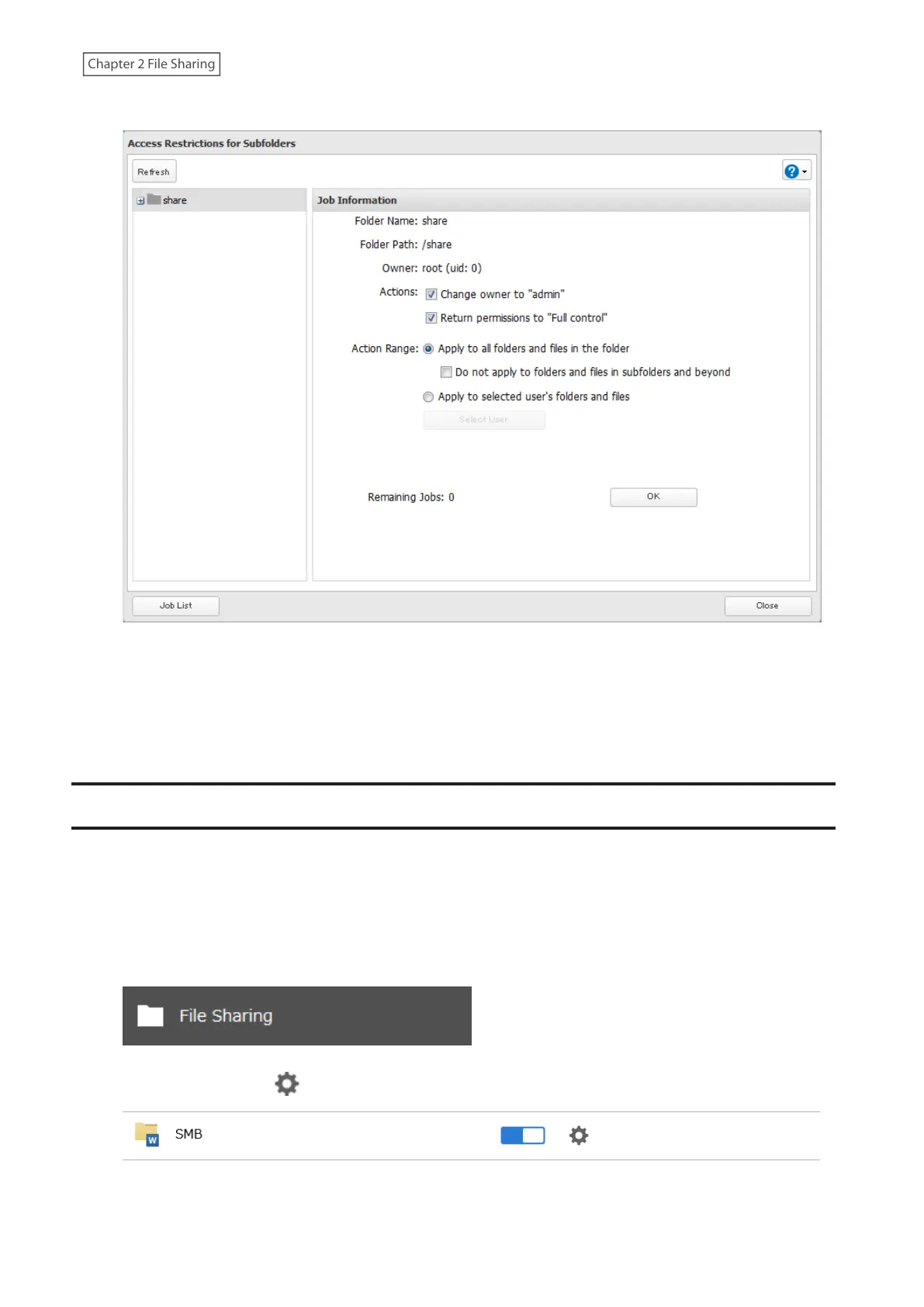
4 Select a folder to restore permissions from the tree.
Note: If you select a root shared folder from the tree, the action will not apply to the recycle bin. To apply the
action to the recycle bin, select it instead.
5 Select the actions and action range to run, then click OK.
6 The “Confirm Operation” screen will open. Enter the confirmation number, then click OK.
If a Shared Folder Cannot Be Accessed
Due to the security reasons, you may be unable to access shared folders from computers running certain Windows
versions. In such a case, try either of the following corrective actions:
• Adding a Windows credential
• Configuring the LinkStation to allow you to enter a Windows credential when a shared folder cannot be accessed
Follow the procedure below to change the LinkStation settings so you can enter a Windows credential.
1 From Settings, click File Sharing.
2 Click the settings icon ( ) to the right of “SMB”.
3 Click Edit.
42











 To Next Page