10 Click OK when finished.
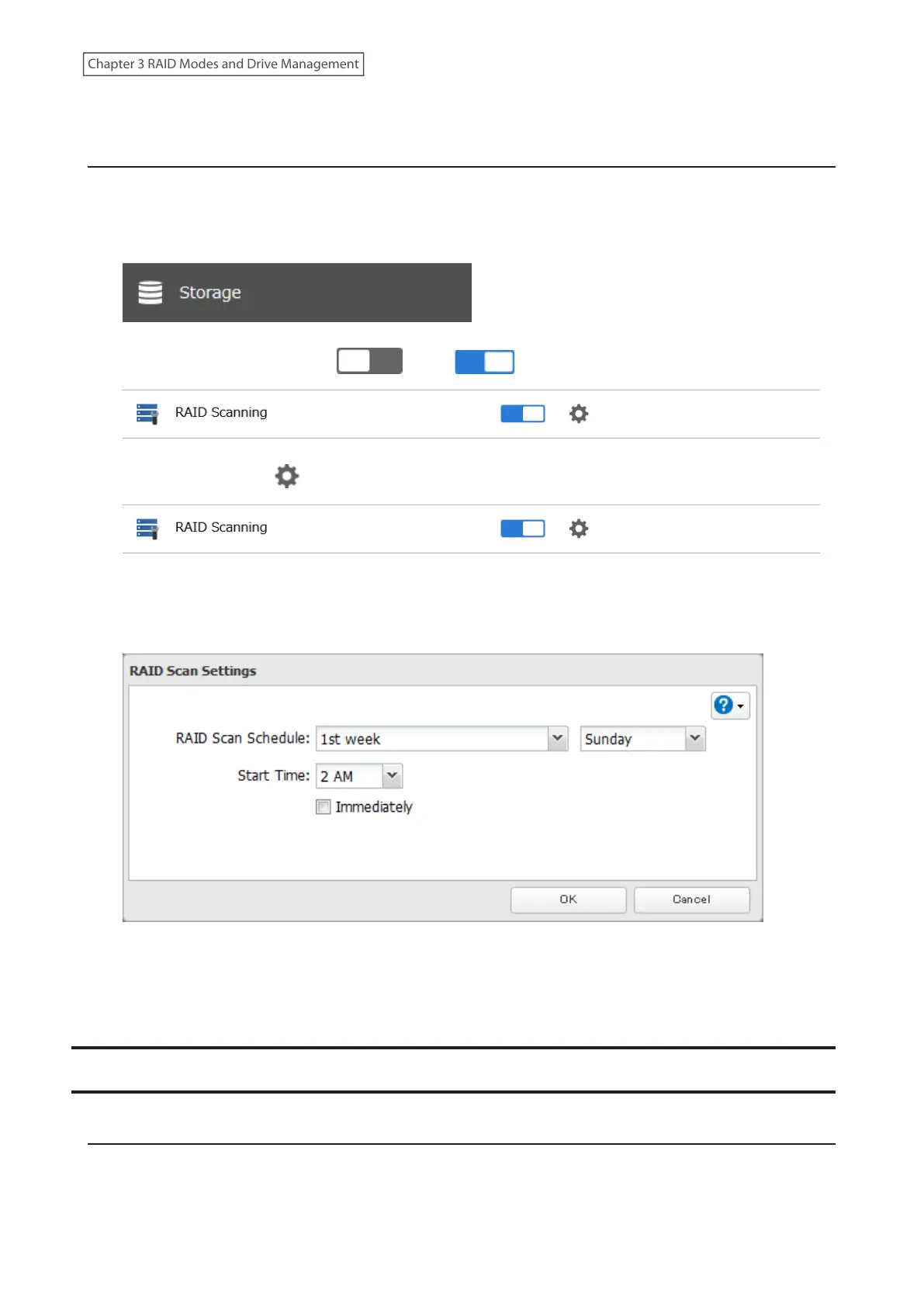
RAID Scanning
A RAID scan checks your RAID array for bad sectors and if it finds any, it automatically repairs them. A RAID scan can
only be run on a RAID 1 array. For best results, run a RAID scan regularly.
1 From Settings, click Storage.
2 Move the RAID scanning switch ( ) to the position to enable RAID scanning.
3 Click the settings icon ( ) to the right of “RAID Scanning”.
4 Click Edit.
5 Select when to run the scan and click OK.
Notes:
• Select the “Immediately” checkbox to run a RAID scan immediately.
• To stop a RAID scan, click Cancel RAID Scan.
Adding an External Drive
Connecting an External Drive
Your LinkStation features multiple USB ports, and you can connect an external drive to any of these ports.
Once connected, it appears as a shared folder on the LinkStation. A formatted drive is detected automatically.
Unformatted drives should be formatted in Settings.
51
Chapter 3 RAID Modes and Drive Management











 To Next Page