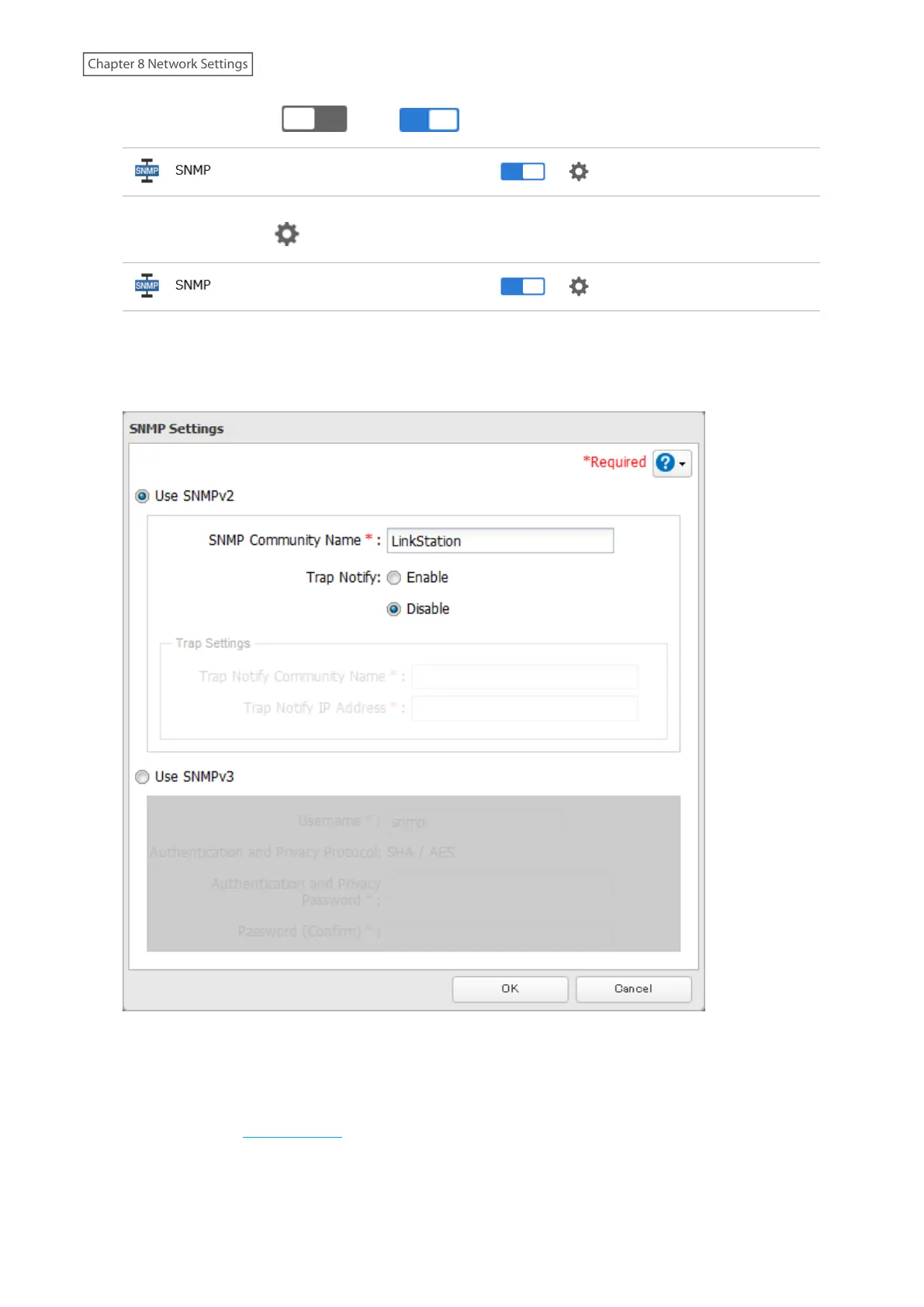
2 Move the SNMP switch ( ) to the position to enable SNMP.
3 Click the settings icon ( ) to the right of “SNMP”.
4 Click Edit.
5 Select whether to use SNMP version 2 or version 3.
6 Configure the desired settings, then click OK.
7 SNMP has been configured for the LinkStation. For further use, configure your SNMP-compatible network
management software using the Buffalo-specific MIB (management information base) file. The MIB file is
available from the Buffalo website.
Depending on which SNMP client software you use, the procedure for configuring the software will differ. For
more detailed information on configuring the client software, refer to its help or included manual.
160
Chapter 8 Network Settings











 To Next Page