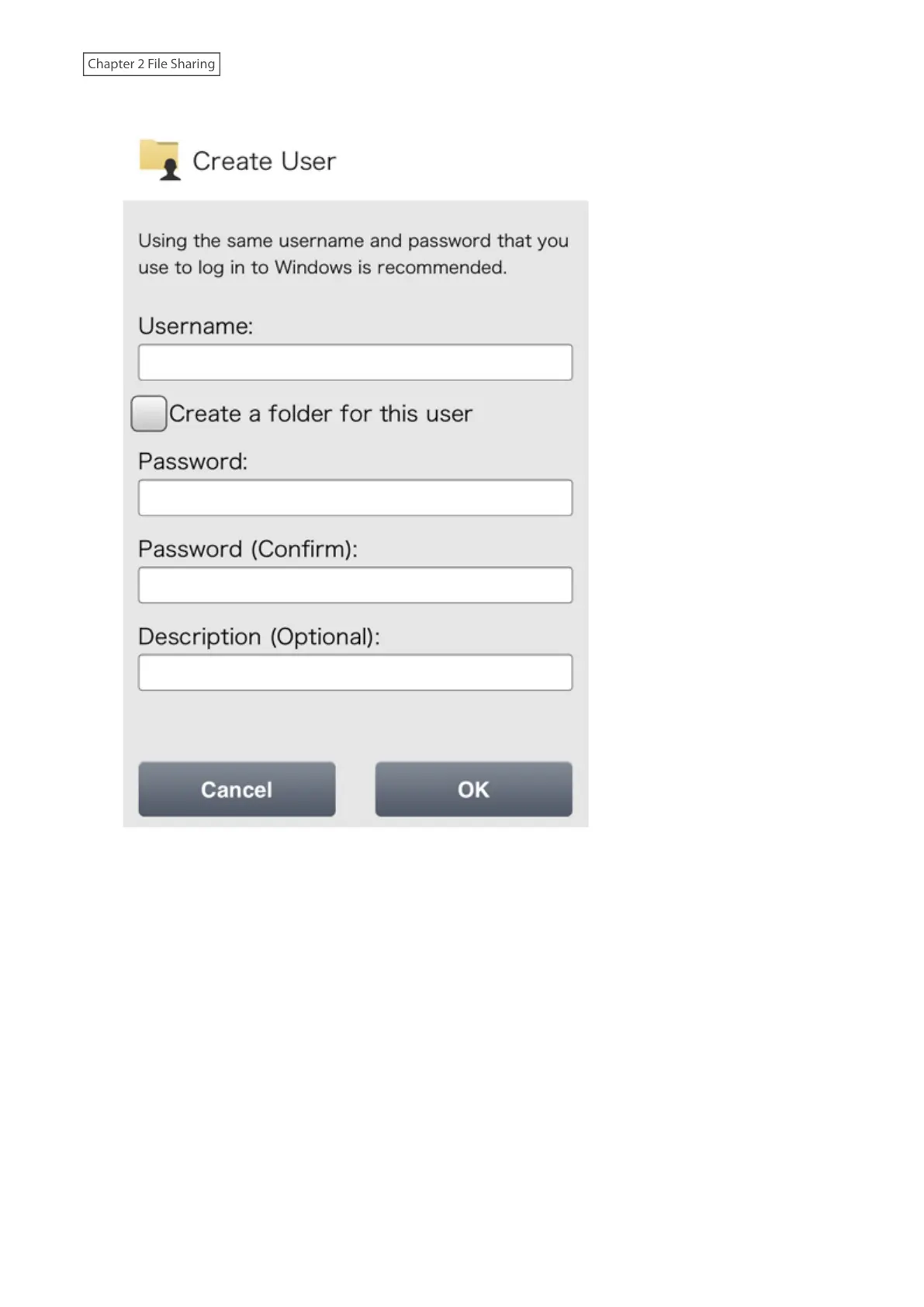
3 Enter the desired username and password (twice), then tap OK.
Note: If you select the “Create a folder for this user” option, a shared folder with the same name as the
username will automatically be created.
4 Tap OK when finished.
Notes:
• Usernames may contain up to 128 alphanumeric characters, hyphens (-), underscores (_), periods (.), and the
symbols ! # & @ $ * ^ %. The first character should not be a symbol.
• The user ID should be a number from 1000 to 1999. Each user ID should be unique. If this field is left blank, a user
ID is assigned automatically.
• Do not duplicate user IDs, group IDs, usernames, or group names. Each should be distinct and unique.
• User descriptions may contain up to 75 alphanumeric characters, hyphens (-), underscores (_), and spaces.
Multibyte characters are supported. The first character should not be a symbol or space.
• Passwords may contain up to 20 alphanumeric characters, hyphens (-), underscores (_), spaces, commas (,),
periods (.), semicolons (;), tildes (~), and the symbols @ ! $ & * + : = ? ] [ ^ } { \. The first character should not be a
symbol unless it is an underscore.
31











 To Next Page