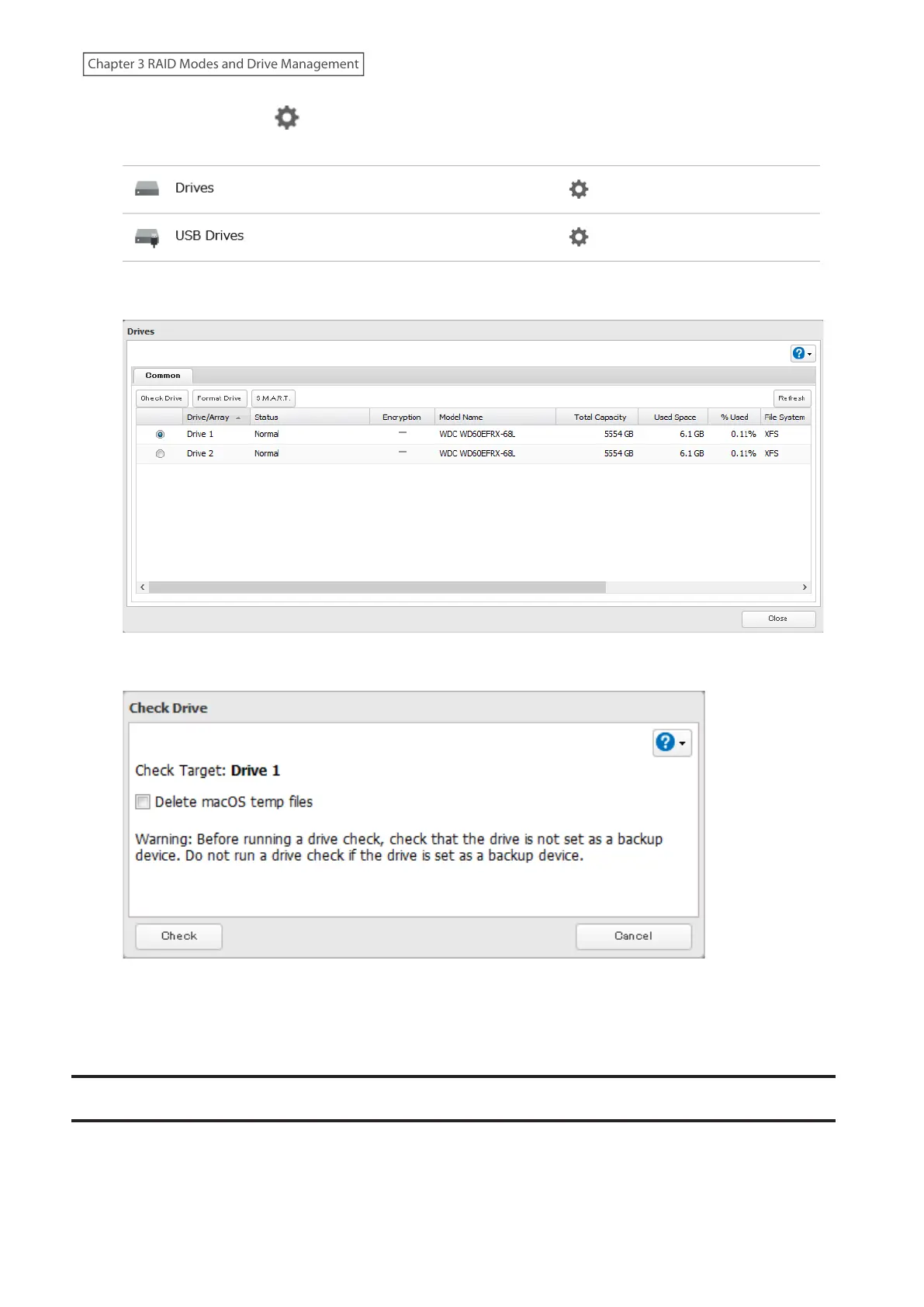
2 Click the settings icon ( ) to the right of “Drives” to check an internal drive or “USB Drives” to check an
external drive.
3 Select the drive or array to test, then click Check Drive.
4 Click Check. You have the option of deleting information files from macOS during the check if desired.
5 Either the I14 message for RAID arrays, the I21 message for drives, or the I27 message for USB drives will
appear on the Dashboard in Settings and NAS Navigator2 until the checking process is finished. Click OK when
finished.
S.M.A.R.T.
S.M.A.R.T. (Self-Monitoring, Analysis, and Reporting Technology) monitors internal drives to detect and report
various indicators of reliability, in the hope of anticipating failures. If S.M.A.R.T. informs you of impending drive
failure, you may choose to replace the drive to avoid outages and possible data loss. Follow the procedure below to
check S.M.A.R.T. information for the LinkStation’s internal drives.
55
Chapter 3 RAID Modes and Drive Management











 To Next Page