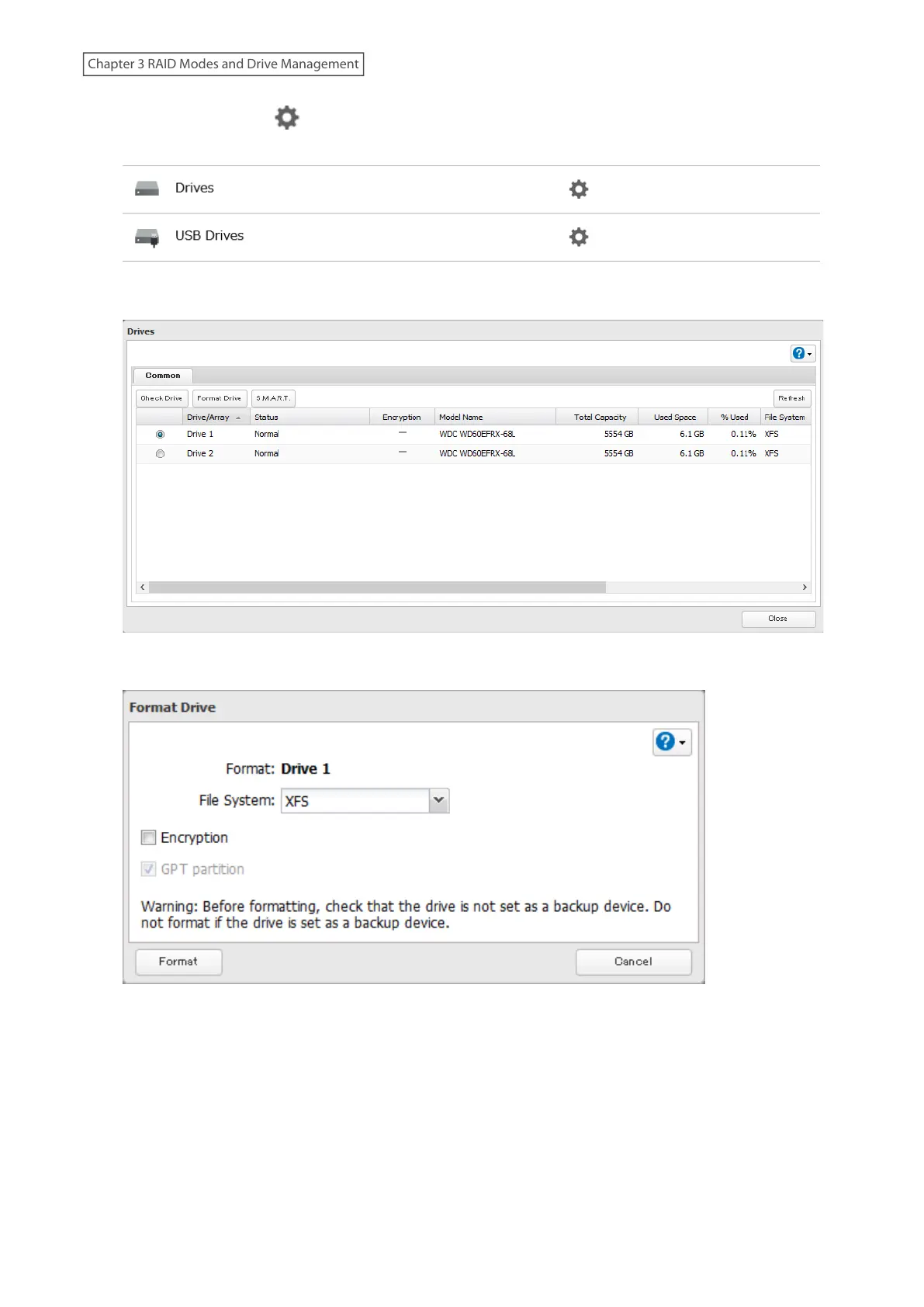
2 Click the settings icon ( ) to the right of “Drives” to format an internal drive or “USB Drives” to format an
external drive.
3 Select the drive or array to format, then click Format Drive.
4 Select a format type, then click Format.
5 The “Confirm Operation” screen will open. Enter the confirmation number, then click OK.
6 Depending on the size and the formatted file system of your drive, the format may take several minutes or
several hours to complete. Either the I13 message for RAID arrays, the I20 message for drives, or the I28
message for USB drives will appear on the Dashboard in Settings and NAS Navigator2 until the formatting
process is finished. Click OK when finished.
Notes:
• Do not turn off or disconnect power to the LinkStation while formatting a drive.
58
Chapter 3 RAID Modes and Drive Management











 To Next Page