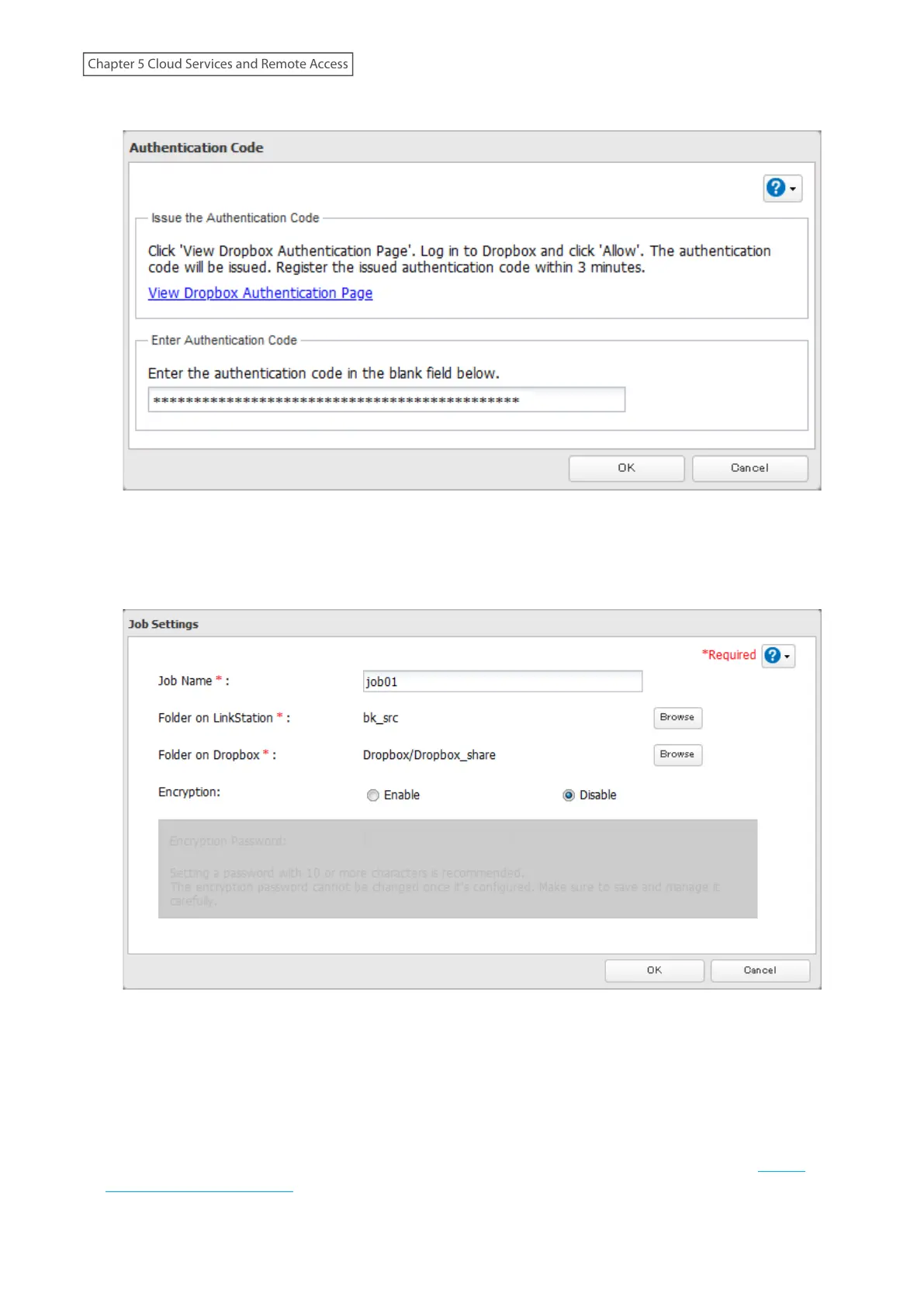
8 Paste the authentication code and click OK.
9 Enter the desired job name; select the LinkStation and Dropbox folders, and configure encryption. Click OK.
If you enable encryption, you will need to set an encryption password. The password cannot be changed once
you configure it. Take note of the password and keep it secure. If you forget or lose the password, delete the
old job first, then create a new job using the same Dropbox account.
10 Click OK.
Notes:
• Up to four Dropbox jobs can be configured at a time.
• When encryption is enabled, files uploaded to Dropbox not using Dropbox Sync will not be downloaded to the
LinkStation even if the sync direction is configured to “Bidirectional” or “Download only”.
• Refer to the following website for synchronization restrictions between the LinkStation and Dropbox: https://
www.dropbox.com/help/145
90
Chapter 5 Cloud Services and Remote Access











 To Next Page