103
büS/CAN open-Design
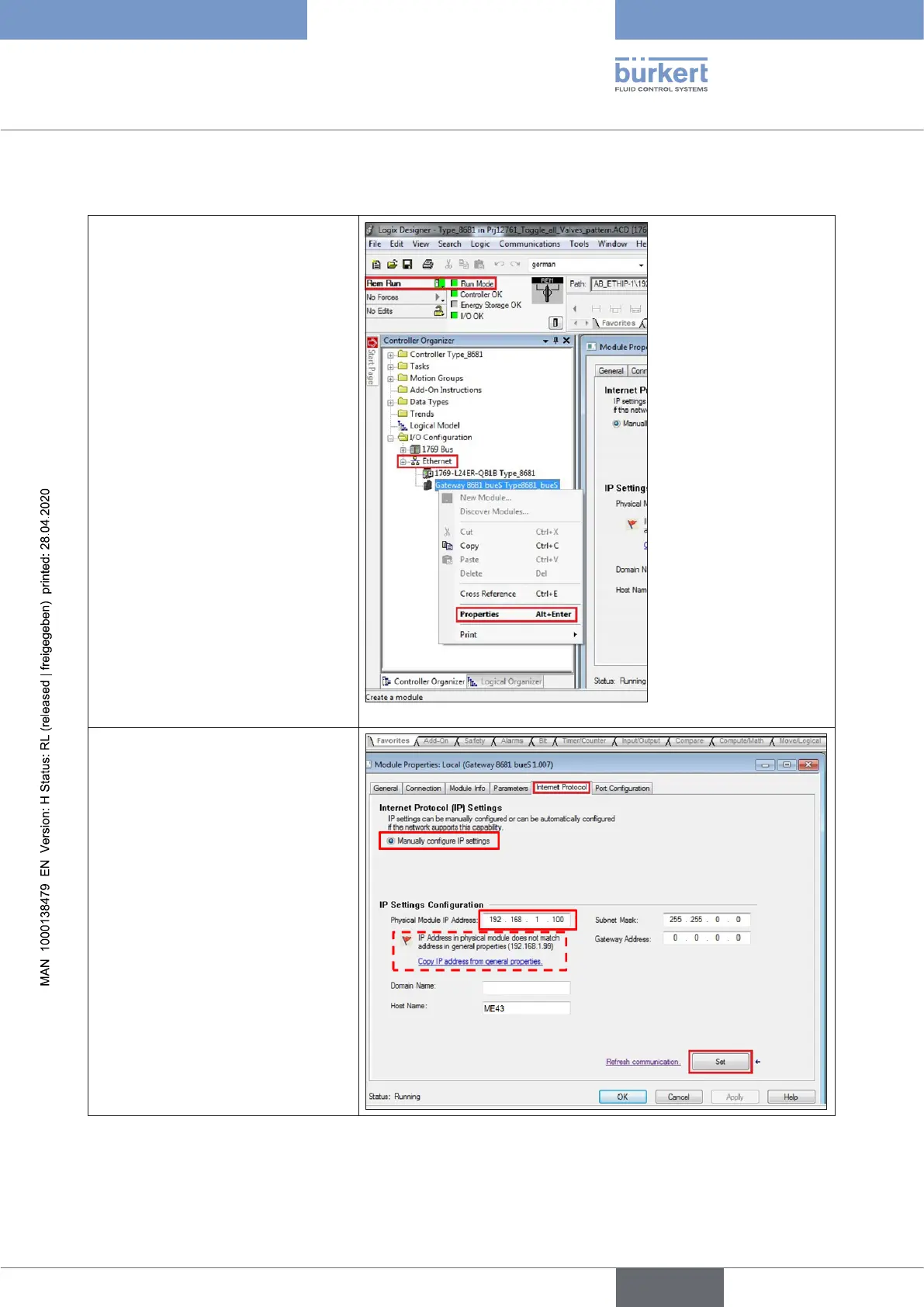
15.15.3 Changing the gateway IP address via Logix Designer
→ Startthe“LogixDesigner”
→ First,select“GoOnline”
(“RemRun”=RemoteRun)
→ Rightclickon“Ethernet”
→ Select“Gateway8681bues...”
→ Rightclickandselect“Properties”
→ A new window opens, go to the
“InternetProtocol”tab
→ Mark“ManuallycongureIPset-
tings”(inthearea“InternetPro-
tocolSettings”)
→ In the area “IP Settings Con-
guration”,overwritethecurrent
“PhysicalModuleIPAddress”
and-ifrequired-also“Subnet
Mask”and“GatewayAddress”
→ Clickthe“Set”button.
A warning then appears:
“IP Address in physical module
does not match address in
generalproperties(...)”
→ Clickthe“OK”button
english
Control Head Type 8681



 To Next Page