116
büS/CAN open-Design
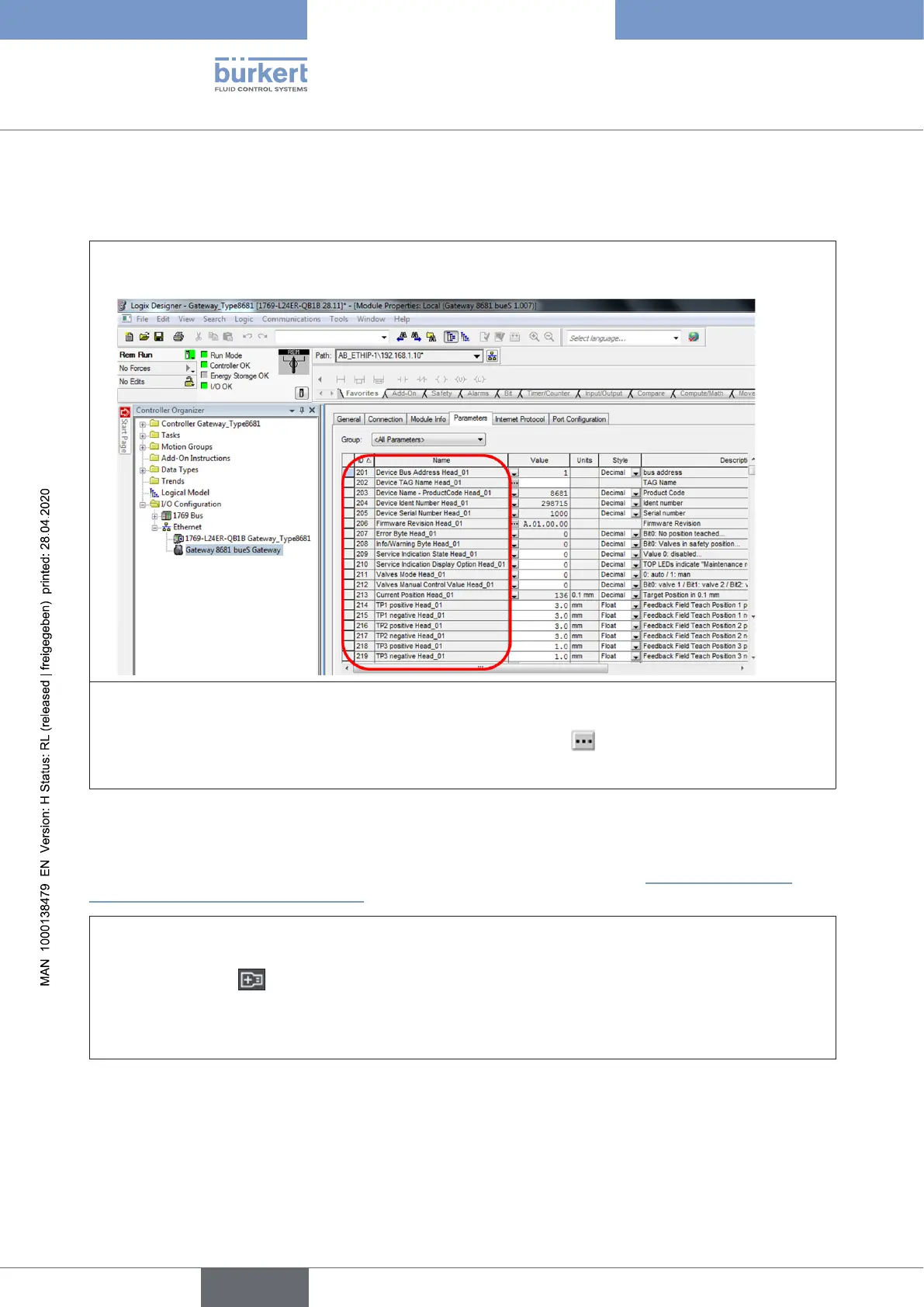
15.20.2 Parameters – writing via Logix Designer
Parameters in white elds (rw)canbeoverwritten(parametersingreyelds(ro)canonlybereadout):
→ Openthedesiredgatewayasforthereadingfunctionandinthe“Parameters”tabselecte.g.Group:
“AllParameters”
Inordertotypeinorchangeavalueinawhiteeld:
→ Typeinavalueinthewhite“Value”eld,consideringthedatatypeasspeciedunder“Style”(ifno
styleisspecied,itisastringvalue,inthatcaseclickthesymbol totypein).
→ Pressthebutton“OKor“Enter”toacceptthevalue
15.20.3 Access to parameters via Bürkert Communicator
TheBürkertCommunicator(Type8920)makesiteasytoreadandchangeparameters.Foradetailed
descriptionoftheBürkertCommunicator-seetherelevantmanual(seechapter“4.3 Information and
instructionsontheInternet”onpage14).
→ ConnectthePC(withBürkertCommunicatorType8920)tothebüS/CANopendatalineusingthe“büS
stick”;startBürkertCommunicatorType8920
→ Click on the icon toaddaninterface(e.g.“büSCOM8”)
→ Selectthedesireddeviceinthenavigationbar(left),openthe“Parameter” tab(forspecialvaluesalso
“Diagnostics”or“Maintenance”),searchforthedesiredvalue/parameterandreaditoutorchange:
english
Control Head Type 8681



 To Next Page