72
DeviceNet - Design
13.12.2 Conguration example
TheexampledescribestheprincipleprocedurewhenconguringthedeviceusingtheRSNetWorxsoftware
forDeviceNet(Rev.4.21.00).
Installation of the EDS File
TheEDSleisinstalledwiththeaidoftheEDSInstallationWizardToolassociatedwithRSNetWorx.
Duringtheinstallationproceduretheiconcanbeassigned(ifthisdoesnotoccurautomatically).
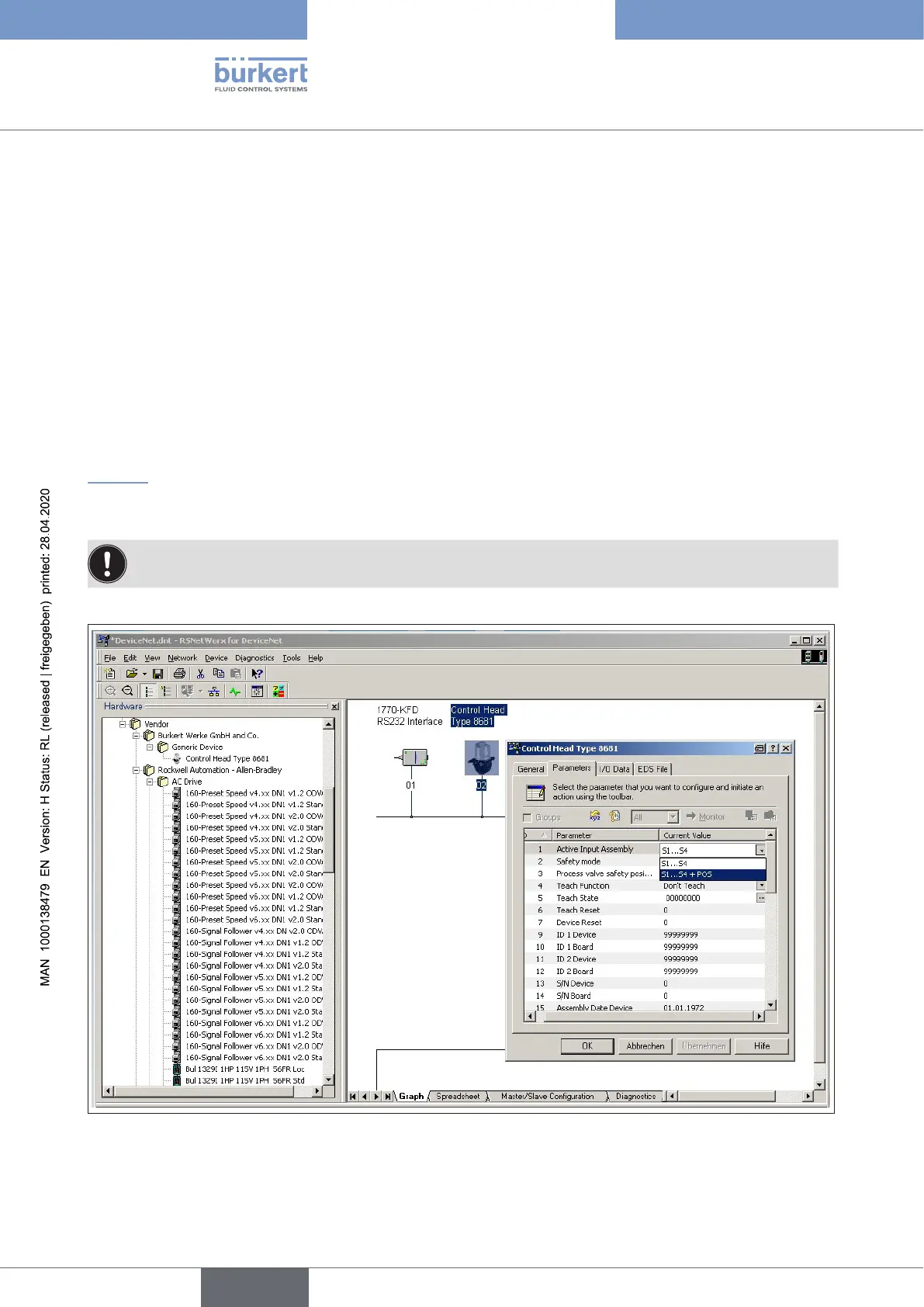
Oine parameterisation of the device
WhenadevicehasbeeninsertedintotheDeviceNetcongurationofRSNetWorx,thedevicecanbeparam-
eterisedoine.
“Fig.33”indicateshow,forexample,aninputassemblywhichdeviatesfromthefactorysetting(input
processdatacanbetransferredviaI/Oconnection)canbeselected.However,ensurethatthelengthofthe
processdataduringasubsequentcongurationoftheDeviceNetmaster/scannerisadjustedaccordingly.
Allparameterchangesimplementedoinemustbecomeoperativefortherealdeviceatalaterdate
by a download process.
Fig. 32: Selecting the input assembly (screenshot)
english
Control Head Type 8681



 To Next Page