110
büS/CAN open-Design
15.18 Conguration of the control head network
ThegatewayTypeME43isusedasaeldbusinterfacebetweenthecontrolheads(Type8681büS/CANopen)
andthemastercontroller(EtherNet/IP).Eachgatewaycancommunicatewithupto63controlheadsofType
8681 büS/CANopen.
To set up a network, it is necessary to assign a unique device address to each control head(to
do so, use the respective DIP switches - see chapter “15.14.2”onpage97).
If there are less than 63 control heads connectedtoagateway,itisnecessaryto“hide”thenon-
existing control heads, namely both the inputs and the outputs.
Thereare2optionsto“hide”theinputsandoutputs:
viasoftware“LogixDesigner”(“15.18.1”)orviathe“BürkertCommunicator”Type8920(“15.18.2”).
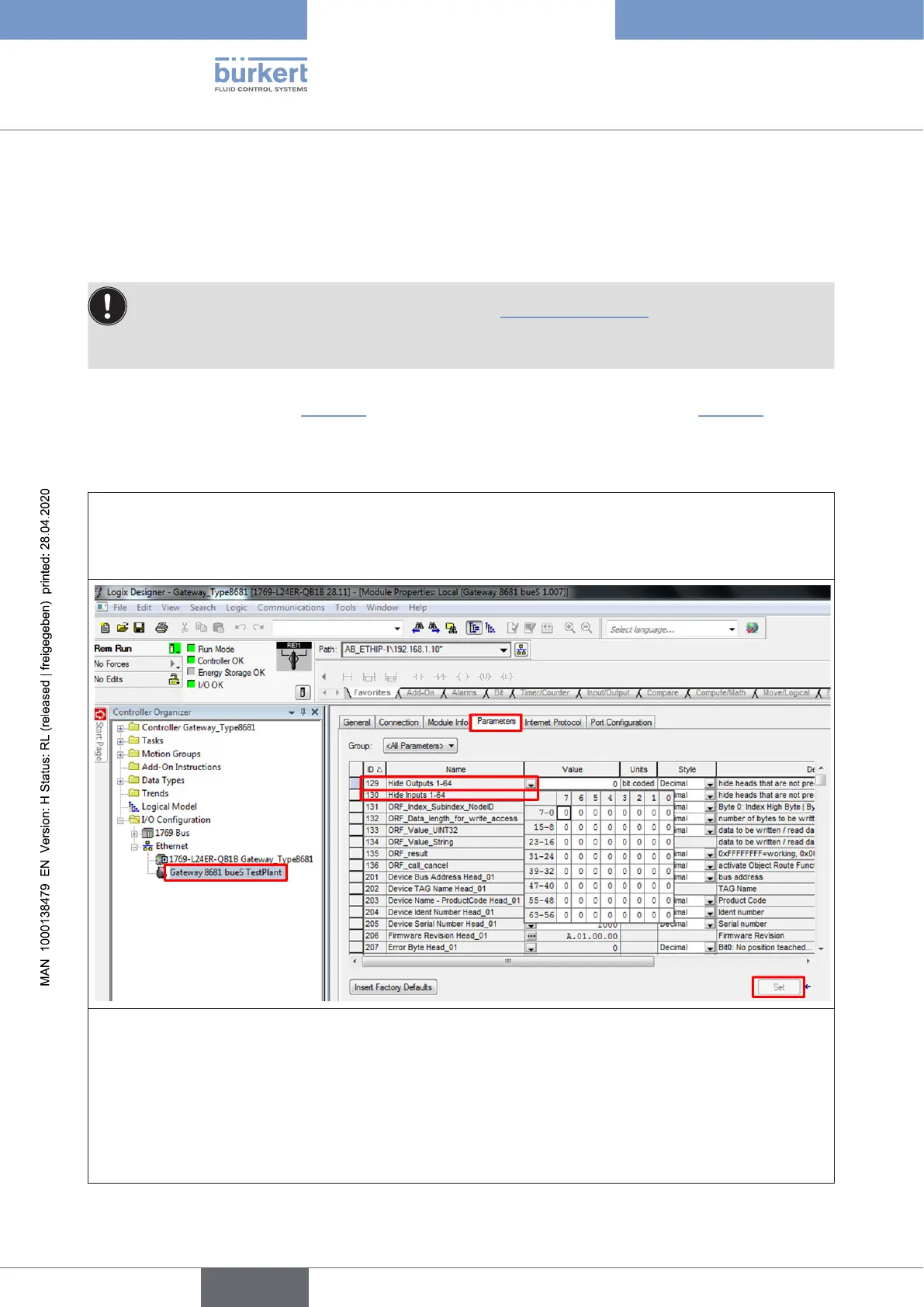
15.18.1 “Hide function” via software “Logix Designer”
→ Startthe“LogixDesigner”
→ Opentheproject(e.g.“LogixDesigner-Gateway_Type8681”)
→ Openthedesiredgatewayandselectthe“Parameters”tab
→ Nowselecttheline“HideOutputs1-64”and“hide”eachnon-existentcontrolheadbysettinga“1”(one)
ineacheldfortheoutputs.
→ Nowselecttheline“HideInputs1-64”and“hide”eachnon-existentcontrolheadbysettinga“1”(one)
ineacheldfortheinputs.
→ Clickonthe“Set”buttontosaveitandtotransferittothegateway
→ After doing these steps, restart the whole system:itisrecommendedtoswitchoandswitchonthe
correspondingpowersupplyunit!Thenetworkcongurationhasthenbeencompleted.
english
Control Head Type 8681



 To Next Page