114
büS/CAN open-Design
15.20 Access to parameters (Read / Write)
Somerelevantacyclicparametershavebeendenedforpreconguredgatewayswhichcanbereaddirectly
with the Logix Designer and partially overwritten - described below in chapters “15.20.1 Parameter –
readingviaLogixDesigner” and “15.20.2Parameters–writingviaLogixDesigner”.
The Bürkert Communicator (Type 8920) also makes it easy to read out the parameters and change the
values(see“15.20.3AccesstoparametersviaBürkertCommunicator” or in the software manual for the
BürkertCommunicator-seechapter“4.3InformationandinstructionsontheInternet”onpage14).
In addition to these relevant acyclic parameters, further values and statuses for acyclic parameters of the büS
devices connected to the gateway can be read out and partially written/overwritten - see “15.20.4 Access to
furtherparameters(cyclicandacyclic)”onpage117.
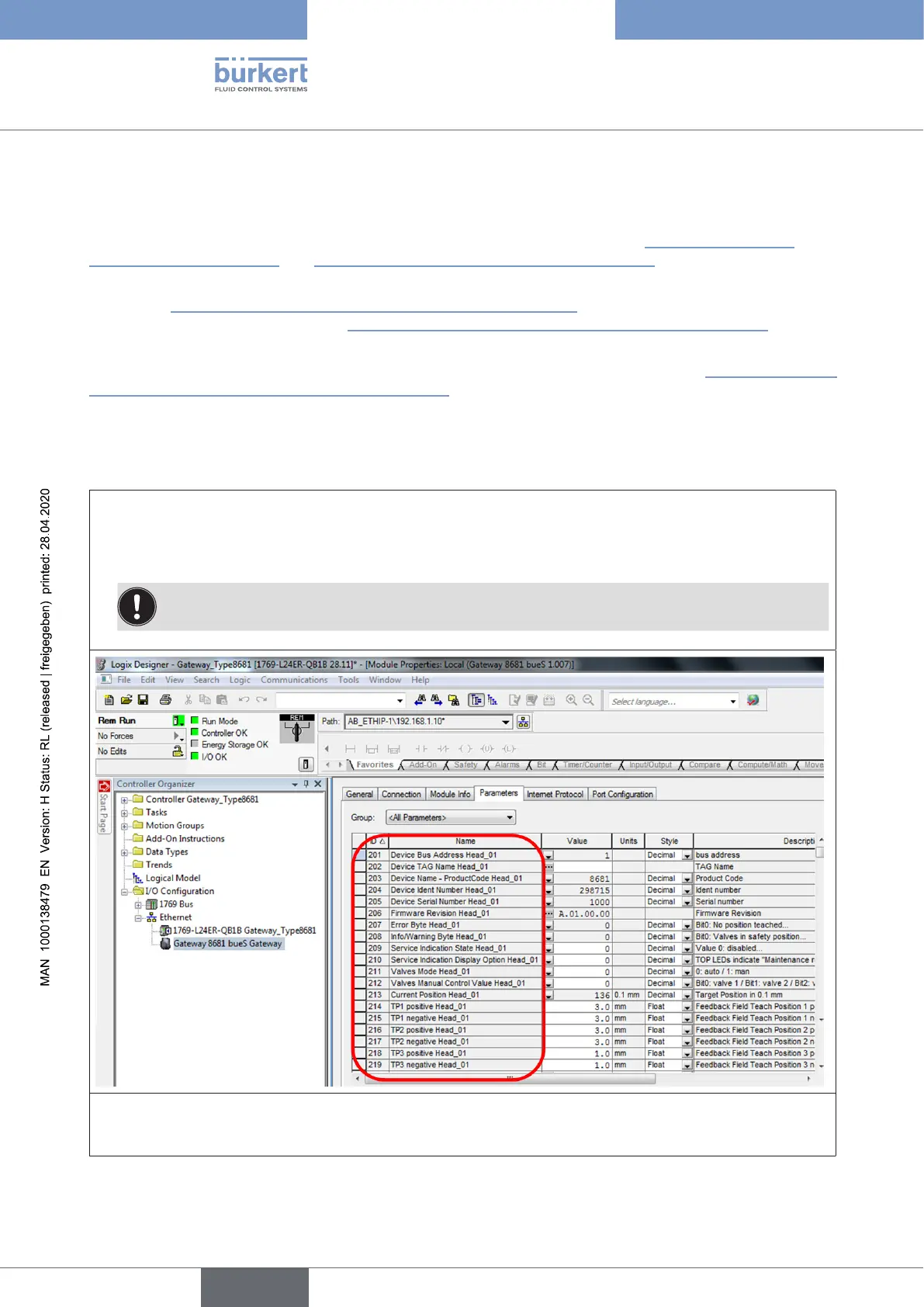
15.20.1 Parameter – reading via Logix Designer
→ Opentheproject(e.g.“LogixDesigner-Gateway_Type8681”)
→ Accordingto the path (I/O Conguration/ Ethernet / Gateway ...), open the desired gateway and
select the “Parameters” tab. In “Group” select <All Parameters>,all relevantpredenedparam-
etersaredisplayedforeachcontrolhead(scrolldowntoseethedataoftheothercontrolheads).
NOTE!EDSwithotherpredenedparametersavailableonrequest.
Buto n e parameter forallcontrolheadscanalsobedisplayedusingthe“Group”function:
→ E.g.selectthe(Parameter)“Group”/“TP1negative”(= FeedbackFieldTeachPosition1negative):
english
Control Head Type 8681



 To Next Page