73
DeviceNet - Design
Online parameterisation of the device
Devices can also be parameterised online. In doing so, you can also select whether only individual param-
eters(single)orallparameters(all)ofagrouparereadfromthedevice(upload)orareloadedintothedevice
(download).
It is also possible to transfer individual parameters or all parameters of a group cyclically in monitor mode.
This may be helpful particularly for start-up purposes.
13.13 Display of the status LEDs in the event of a bus error
Thebuserrorsarealsoindicatedbythecentralmulti-colourstatusdisplay(devicestatusLED/TopLED)
- see chapter “21.2Flashingpattern&faultsignalling”onpage143.
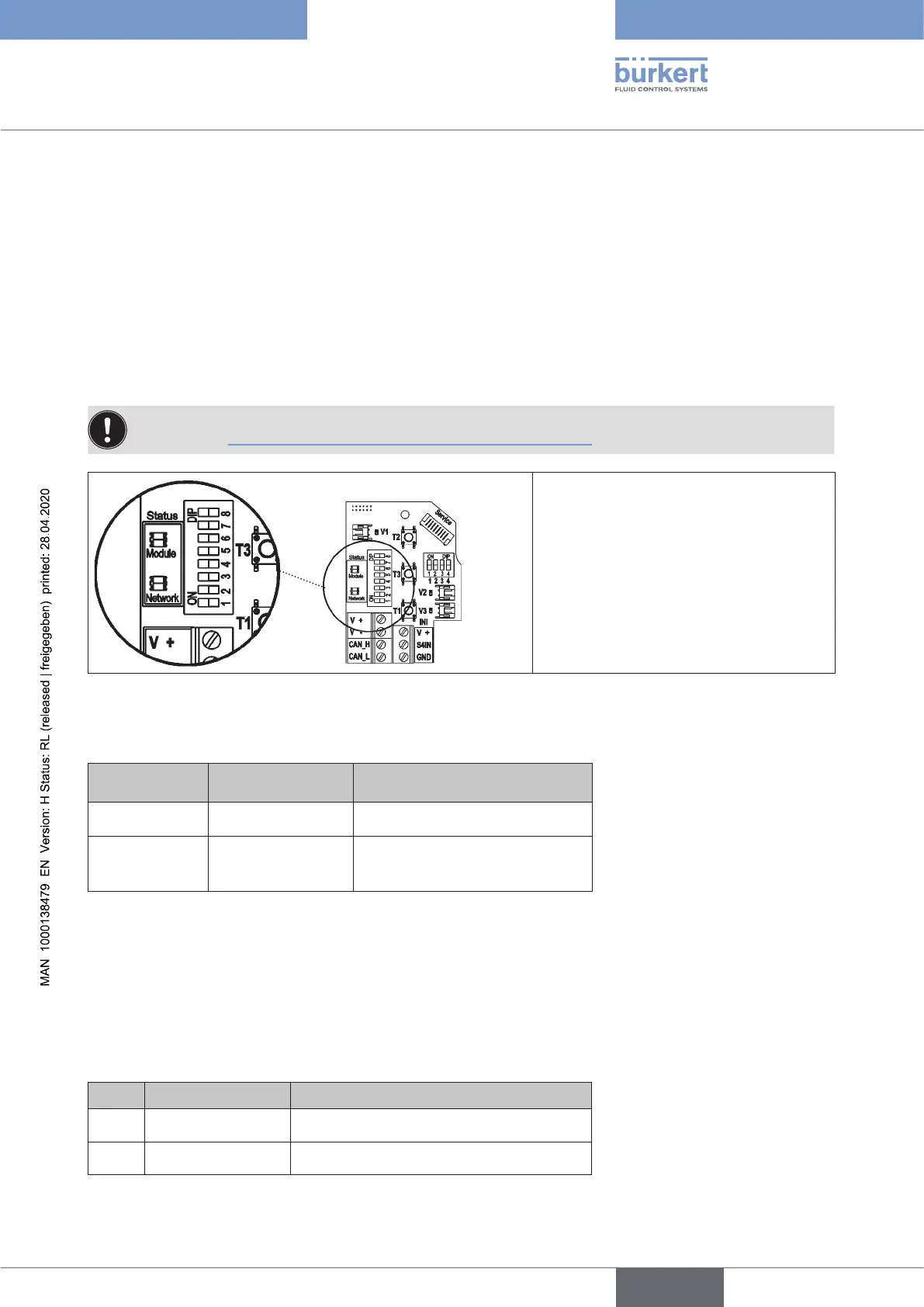
ThedevicestatusLED("modules")
andthebusstatusLED("network")are
located on the electronic module.
The errors displayed here on the elec-
tronic module are also signalled via the
centralmulti-colourstatusdisplay(device
statusLED/TopLED).
Fig. 33: Status LEDs
FunctiontestsforbothstatusLEDsafterpowerhasbeenswitchedon(connectionofthenetworkcable):
Status LED
Colours of the
LED
Function test
"Modules" green •
250msON(green)
"Network" green / red •250msON(green)
•250msON(red)
ThenanotherfunctiontestisrunduringwhichtheLEDslightupbriey.
When the test is complete, the status LEDs indicate the device statuses which are described in the fol-
lowing tables.
13.13.1 Status of the device status LED "Modules"
LED Device status Explanation
O No supply •
Device is not supplied with voltage
Green Device is working • Normal operating status
english
Control Head Type 8681



 To Next Page