112
büS/CAN open-Design
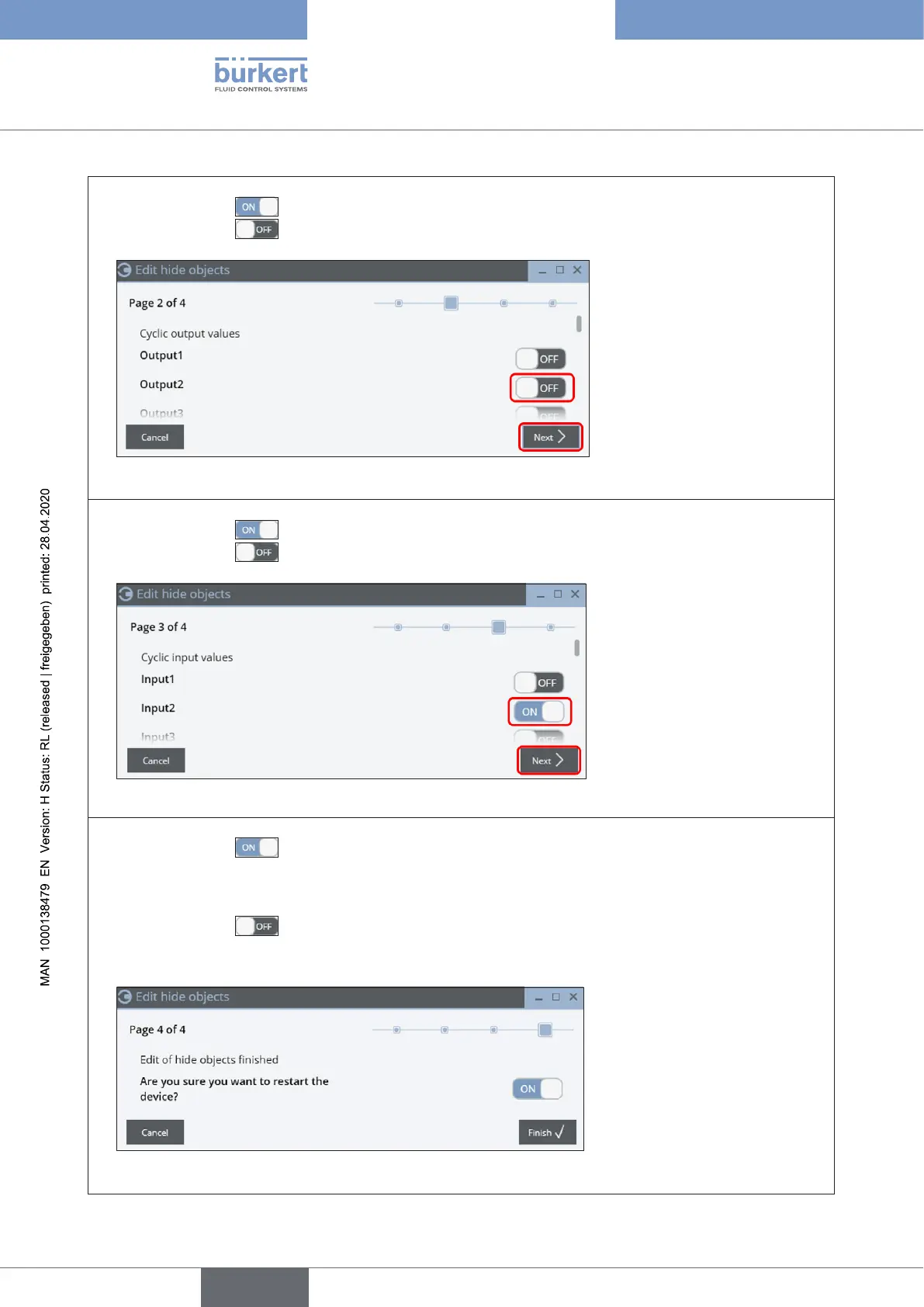
→ “Page 2”: Hiding of the outputs:
set the switch to
(ON)inordertoactivatethehiding,i.e.theseoutputsarehiddenthen–or
set the switch to
(OFF)inorderNOTtoactivatethehiding,i.e.theseoutputsareNOThidden:
→ Click on “Next”(orcancelthe“hidingprocess”viabutton“Cancel”).
→ “Page 3”: Hiding of the inputs:
set the switch to
(ON)inordertoactivatethehiding,i.e.theseinputsarehiddenthen–or
set the switch to
(OFF)inorderNOTtoactivatethehiding,i.e.theseinputsareNOThidden::
→ Click on “Next” (orcancelthe“hidingprocess”viabutton“Cancel”).
→ “Page 4”:Finishthe“hidingfunction”:
set the switch to
(ON):
newlyhiddenvalueswillbeconrmedandwith“Finish” the device will be restarted immediately –
or
set the switch to
(OFF):
newlyhiddenvalueswillbeconrmed,butwith“Finish” the device is NOT restarted immediately
(thenewlysetvaluesareacceptedafterthenextrestart)–or
canceltheexecutionofthe“hidingfunction”withbutton“Cancel” (sothenewsettingswillbe
discarded).
english
Control Head Type 8681



 To Next Page